
climate set
This block is part of the globals group and was last modified in core v15.0.0.
climate set v15.0.0 Sets an air conditioner or thermostat: on/off, mode, target temperature, fan speed.
- flow
v15.0.0flow - device
v15.0.0valueDevice id, native address, or exact device name. Leave empty to use the device picked on the block.
- mode
v15.0.0valueLeave empty to keep the current mode. • Suggestions:
offautocoolheatdryfan - target °C
v15.0.0numberTarget temperature in Celsius.
- fan
v15.0.0valueLeave empty to keep the current fan speed. • Suggestions:
autosilentlowmediumhighturbo
- flow
v15.0.0flow - ok
v15.0.0conditionTrue when the command reached the device.
- device
v15.0.0objectThe device the command was sent to.
- error
v15.0.0valueEmpty on success. HOMEASSIST_DEVICE_NOT_FOUND, HOMEASSIST_DEVICE_NOT_ADOPTED, HOMEASSIST_CAPABILITY_UNSUPPORTED or HOMEASSIST_NOT_AVAILABLE.
Commands a climate device : a Daikin air conditioner over its local LAN API, a Zigbee/Z-Wave/Matter thermostat over the radio. Mode is one of off, auto, cool, heat, dry, fan. Setting a mode other than off implies switching the unit ON. Target temperature is degrees Celsius. Fan is auto, silent, low, medium, high or turbo; devices without that many speeds get the nearest they have.
zigbee |
zwave |
matter |
thread |
hue |
smart home |
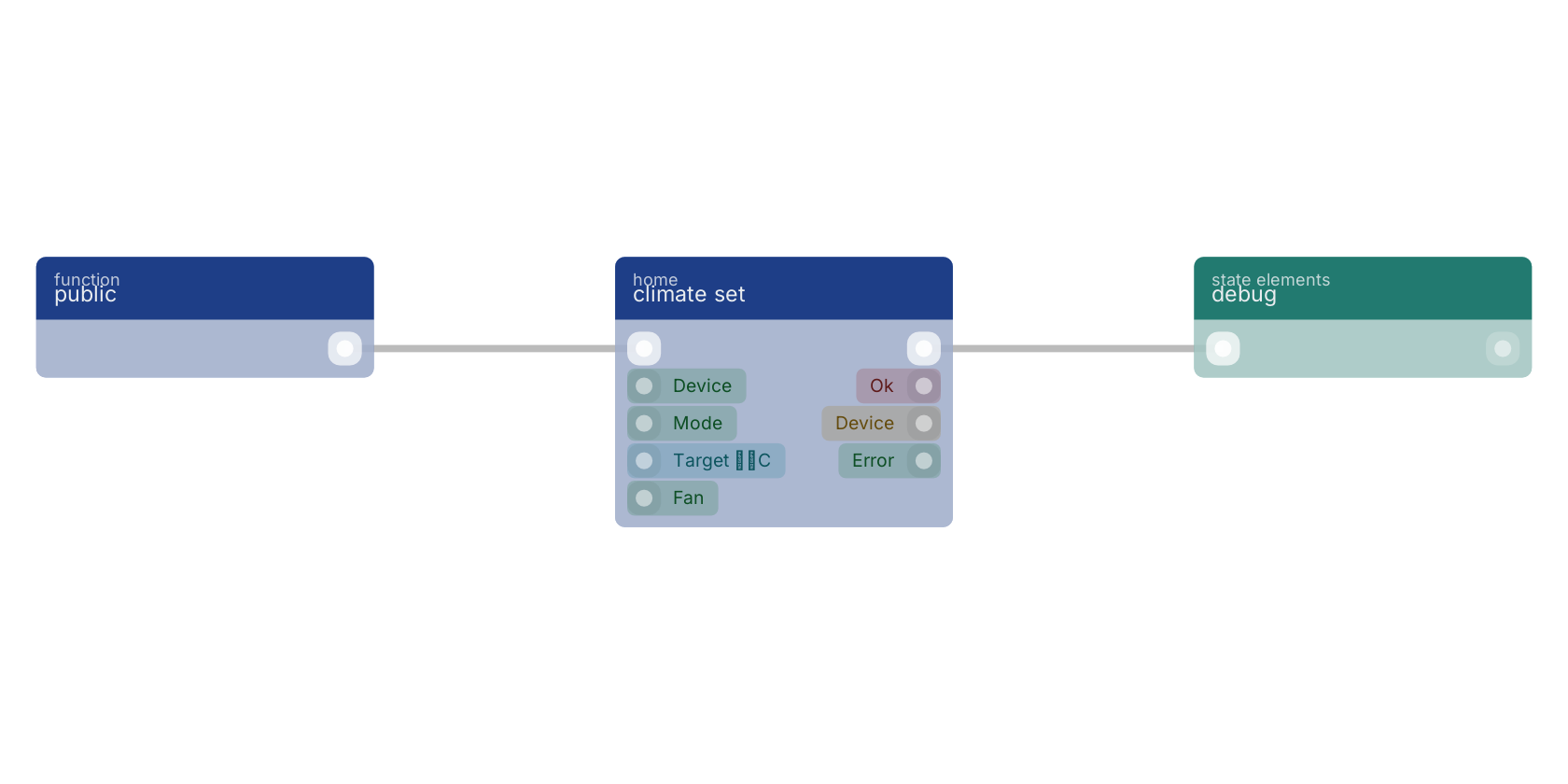
A typical wiring for climate set: a function trigger starts the flow; the flow out pin feeds debug.
Used in these guides
These documentation pages use or explain this block:
Version history
Introduced in v15.0.0.
Back to
globals Return to the main group to view all sub-groups Back to home Return to the group to view all blocks within this group