API Guide: Working with RUAL APIs
Public vs private APIs, token authentication, request and response conventions, error codes, rate limits, and the workflows you will use daily, with curl examples.
Every RUAL cluster exposes REST APIs under /api/v1: the built-in Cluster APIs (blueprints, users, storages, system operations) plus any custom API you build with an API blueprint. This guide covers how to call them correctly; the API reference lists every endpoint with its parameters and example responses.
Public vs Private APIs
Public (*public) |
Private (*loggedin / custom scopes) |
|
|---|---|---|
| Authentication | None: anyone with the URL can call it | A valid access_token is required |
| Default for | Built-in cluster APIs marked public | Everything else; your own APIs unless you open them |
| Rate limit | 100 requests/second per endpoint by default | Per-user; configurable per API |
| Typical use | Status pages, webhooks, public content | Anything reading or writing cluster data |
You set the audience per API block with its lock icon: *public, *loggedin (any valid token), or a custom scope you invent (e.g. billing_read) and then grant to selected users. See Remote Access Control.
Authentication
API calls authenticate with an access_token, obtained through the sign-in APIs (or via RUAL Studio). Tokens are valid for 14 days and automatically extend while actively used. You do not need to re-login during normal operation.
The token is accepted in five equivalent locations, pick one:
| Location | Example |
|---|---|
Authorization header (recommended) | Authorization: Bearer eyJhbGciOi... |
x-authtoken header | x-authtoken: eyJhbGciOi... |
x-token header | x-token: eyJhbGciOi... |
| Cookie | Cookie: access_token=eyJhbGciOi... |
| Query parameter | ?access_token=eyJhbGciOi... (handy for browser downloads) |
What a token may do is decided by the user's scopes and the token's custom_scopes. See User Roles & Permissions Explained. On clusters with two-factor authentication enforced, sign-in additionally requires the current 2FA code.
Request Conventions
- Base URL,
https://<your-cluster>/api/v1. All endpoints live under it. - Content type: send and receive
application/jsonunless an endpoint documents otherwise (file upload usesmultipart/form-data). - Search endpoints: accept Elasticsearch-style queries:
term(exact match),terms(one of many),match(full-text),range(dates/numbers), pluslimitandoffsetfor pagination. - Documents. Every stored object carries a
_metaobject withguid,created,updated, and removal state.
Error Responses
Errors return a JSON object with the HTTP status, a machine-readable code and a message:
{
  "error": "DOCUMENT_NOT_FOUND",
  "message": "The requested document does not exist."
}| Status | Meaning | First thing to check |
|---|---|---|
400 | Bad request: invalid body, params, or file | Validate your JSON against the endpoint's parameter table. |
401 | Unauthenticated: missing/expired token, or 2FA required | Is the token present in an accepted location and not older than 14 days idle? |
403 | Forbidden: token valid, scope insufficient | The user's scopes vs the endpoint's required scope (scoping). |
404 | Not found: endpoint or document does not exist | Typo in the path; for custom APIs: is the blueprint activated? |
409 | Conflict: version/update-hash mismatch | Re-read the document and retry with the current update_hash. |
422 | Unprocessable: validation failed | The response body names the failing field/rule. |
429 | Rate limited | Back off and retry with jitter; see rate limits below. |
500 | Server error | Retry once; if persistent, check the cluster logs in RUAL Studio. |
Rate Limiting
Public APIs default to 100 requests per second per endpoint. Custom APIs have their own configurable rate limit and throttle (lock & wait) fields: documented per block in Remote Access Control. When you receive a 429, retry with exponential backoff and jitter; do not retry in a tight loop.
Common API Workflows
1. Sign in to get a token
curl -X POST "https://your-cluster.rual.dev/api/v1/auth/signin" \
  -H "Content-Type: application/json" \
  -d '{"username": "you@example.com", "password": "..."}'
The response contains your access_token: reuse it for subsequent calls.
2. Search documents in a storage
curl -X POST "https://your-cluster.rual.dev/api/v1/_system/storages/search" \
  -H "Content-Type: application/json" \
  -H "Authorization: Bearer eyJhbGciOi..." \
  -d '{"limit": 10}'
3. Call a custom blueprint API
curl "https://your-cluster.rual.dev/api/v1/tasks?access_token=eyJhbGciOi..."Your own endpoints registered with an on api get block behave like any other API on the cluster: same auth, same error shapes. See Build Your First API.
Quick Reference
| Endpoint | Method | Purpose |
|---|---|---|
/api/v1/auth/signin | POST | Sign in, receive an access token |
/api/v1/auth/signout | POST | Invalidate the current token |
/api/v1/users/search | POST | List and search cluster users |
/api/v1/blueprints/search | POST | List blueprints on the cluster |
/api/v1/blueprints/update/set/active/{guid} | PUT | Activate a blueprint (deploy) |
/api/v1/blueprintactions/search | POST | Read the blocks inside a blueprint |
/api/v1/_system/storages/search | POST | List storage collections |
/api/v1/_system/assets/search | POST | Search uploaded assets |
/api/v1/_system/systemlogs/search | POST | Read cluster system logs |
/api/v1/info | GET | Cluster version, flags, and host info (public) |
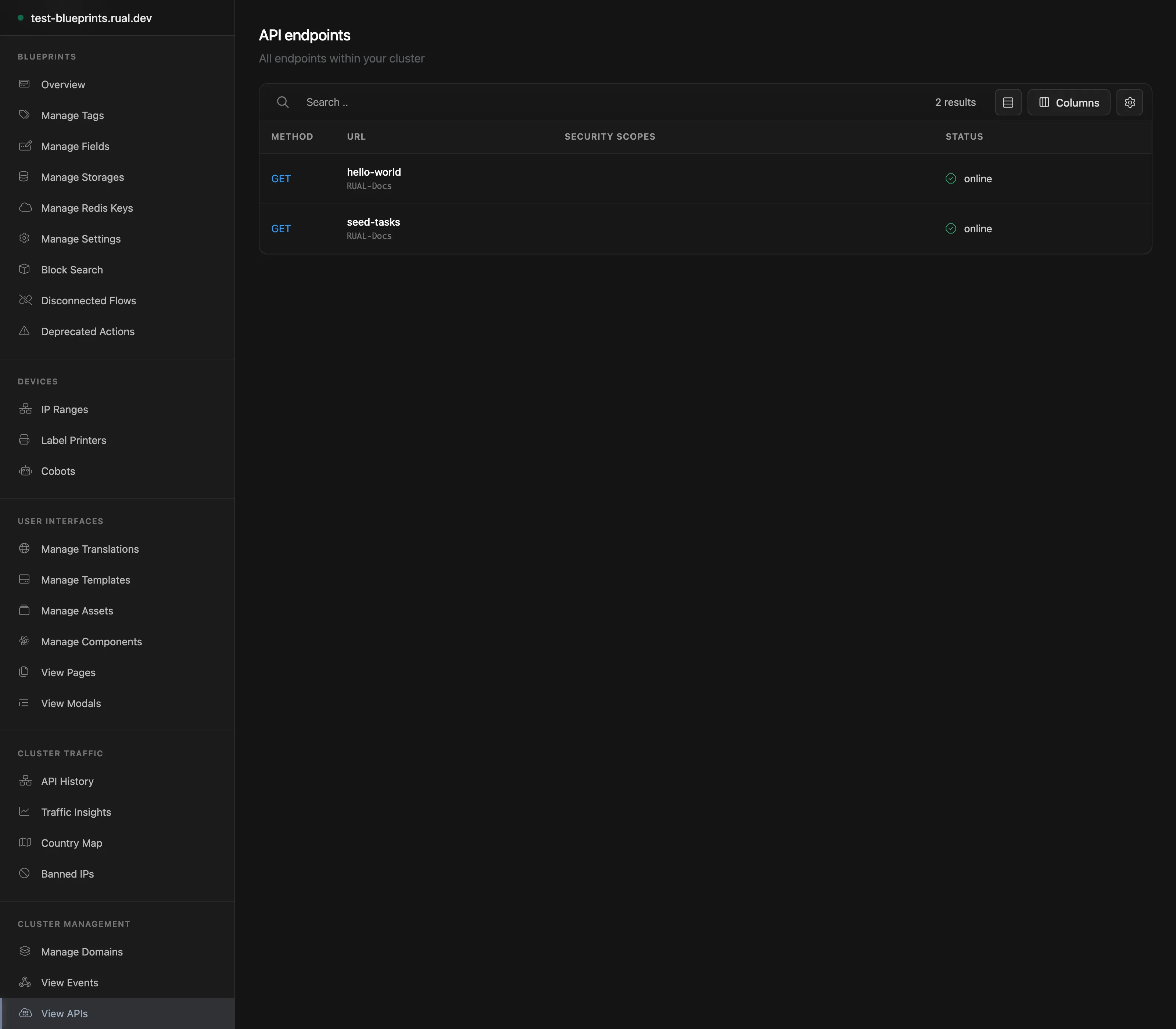
The full list with per-endpoint parameters, example responses, and required scopes lives in the Cluster API reference.
Next Steps
Build Your First API Register an endpoint, reply in JSON, validate params, test with curl. Cluster API Reference Every endpoint with parameters, examples, and required scopes. Remote Access Control Scopes, rate limits, and throttling for your own APIs.Frequently asked
How do I authenticate against the RUAL API?
Sign in through POST /api/v1/auth/signin to receive an access_token, then send it on every call, preferably as an Authorization: Bearer header. Tokens are valid for 14 days and extend automatically while actively used.
What is the difference between public and private RUAL APIs?
Public APIs (*public) need no authentication and default to 100 requests per second per endpoint. Private APIs require a valid access token, are rate limited per user, and have configurable limits per API. Your own APIs are private unless you open them.
What do RUAL API error responses look like?
A JSON object with the HTTP status, a machine-readable code and a message, for example {"error": "DOCUMENT_NOT_FOUND", "message": "The requested document does not exist."}. A 429 means rate limited: retry with exponential backoff and jitter, never in a tight loop.
How do RUAL search endpoints work?
They accept Elasticsearch-style queries: term for exact match, terms for one of many, match for full-text and range for dates and numbers, plus limit and offset for pagination.