User Roles & Permissions Explained
RUAL does not use fixed roles: access is composed from per-user permission settings, scopes, and optional user groups. Learn how the pieces map to administrators, developers, API users, and visitors.
The Access Model
If you come from a system with fixed roles like "admin" or "editor", RUAL works differently: there are no predefined roles. Instead, what a user can do is composed from three layers on their user document:
- Permissions and settings: named switches such as
Staging Developeroris_root_userthat control what the account may do in RUAL Studio and through cluster APIs. - Scopes: values in the
custom_scopesarray that grant access to specific pages and APIs built on the cluster. - User groups: reusable bundles of scopes, assigned through the
groups_guidarray, that act like role templates.
Mapped to the classic role mental model:
- Cluster administrators hold the
Cluster Adminpermission and theis_root_usersetting. In theAll userslist they are marked with a*(star) and possess full access to all resources within the cluster. - Developers hold blueprint permissions:
Wildcard Scopeto create new resources, plusStaging DeveloperorProduction Developerdepending on how far they may go. - API-only users have an account but never open RUAL Studio. They authenticate through the login APIs and their scopes decide which pages and APIs they can call.
- Visitors have no account at all. They only reach content in the
*publicscope; anything scoped differently redirects them to the login or forbidden page.
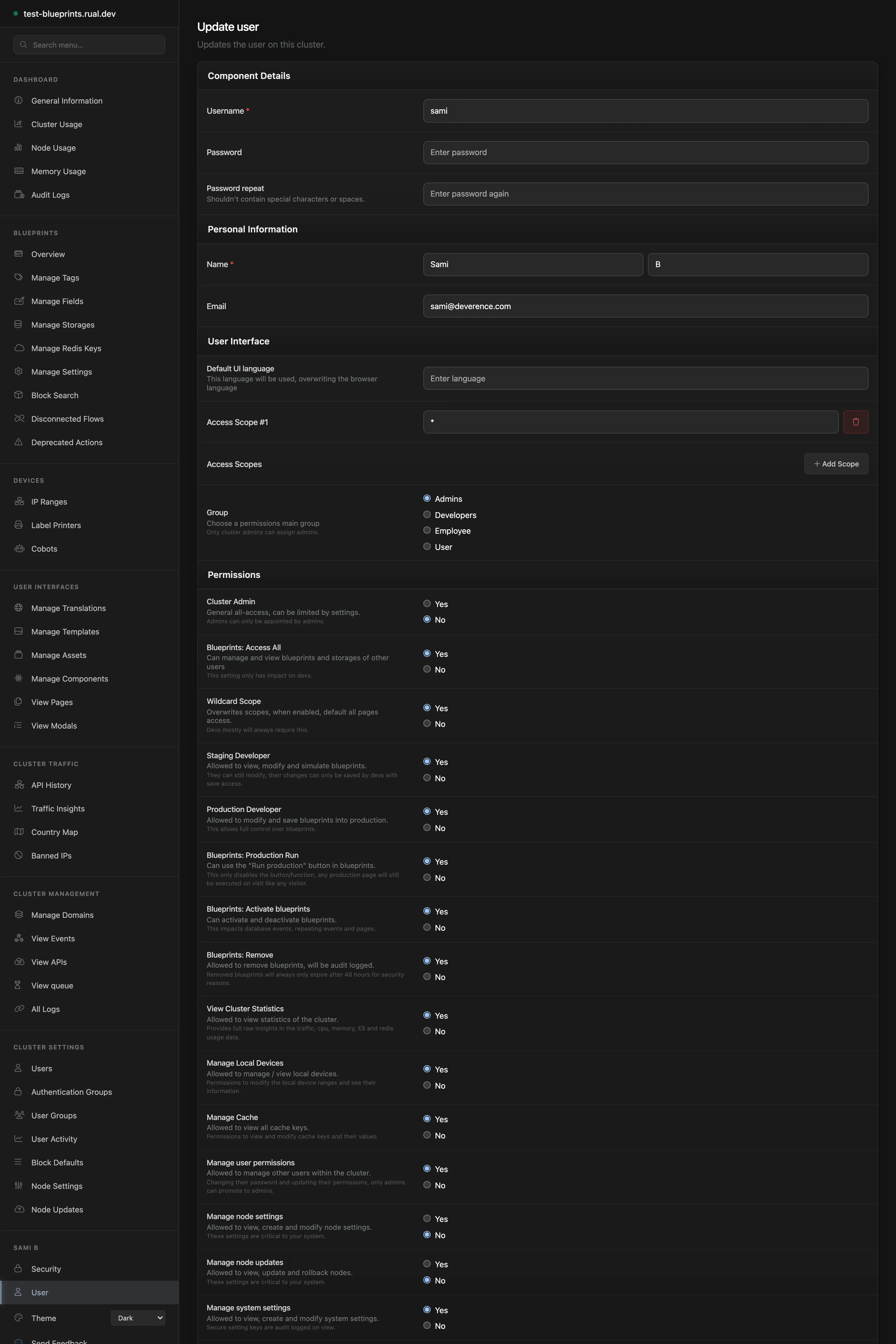
Permission Levels Guide
These are the permissions and settings you will assign most often. The full list of fifteen permissions is documented in User Access Management.
| Permission / Setting | What It Allows | Typical Holder |
|---|---|---|
Cluster Admin |
Complete access to all resources within the cluster. | Cluster owners: grant to a select few. |
is_root_user |
Marks the account as cluster administrator, with extra security measures against login attacks, password forget requests, and sign-in. | Cluster administrators. |
Wildcard Scope |
Comprehensive access to any custom API and custom page created in RUAL; essential for creating new resources. | Developers. |
Staging Developer |
View, modify, and simulate blueprints in development. | Junior developers. |
Production Developer |
View, modify, and deploy blueprints to production. | Senior developers. |
Blueprints: Production Run |
Controls the Run: Production feature in play mode: executing the non-deployed blueprint against production data. |
Developers debugging live behavior. |
Manage User Permissions (setting_manage_users) |
Manage other users' permissions and the allow_login_as_user setting. Without it, you cannot modify accounts with higher permissions. |
Administrators. |
allow_login_as_user |
Allows the account to be signed in as, using the user signin-as function in blueprints. Cannot be enabled for is_root_user accounts. |
Support impersonation targets, off by default. |
Finer-grained blueprint permissions. Blueprints: All Access, Blueprints: Activate Blueprints, Blueprints: Remove Blueprints, and Blueprints: Deploy Blueprints: let you tune exactly how far each developer may go. Cluster APIs use the same model with scope values such as setting_manage_users and setting_edit_blueprints.
RUAL Studio Access vs API Access
There are two distinct ways to work with a cluster, controlled separately:
| Access type | Used for | Authenticated by |
|---|---|---|
| RUAL Studio access | Building blueprints, managing users, storage, and deployment through the browser. | Username and password authorized for RUAL Studio Access. |
| API access | Calling cluster APIs from custom frontends, scripts, or external services. | An access_token obtained through the login APIs. |
API tokens are valid for 14 days and extended automatically while actively used. Pass a token as an Authorization: Bearer header, as x-authtoken or x-token, as a cookie named access_token, or in the URL as ?access_token=. See Getting Access for the onboarding flow and Cluster APIs for the authentication reference.
For API access, the custom_scopes array on the user document is decisive: every page and API you build is protected by scopes, and a token only reaches the endpoints its user's scopes cover. An account with the scopes below can call pages and APIs scoped view_customers or create_orders, and nothing else:
{
  "custom_scopes": [
    "view_customers",
    "create_orders"
  ],
  "username": "jane.doe"
}
User Groups as Role Templates
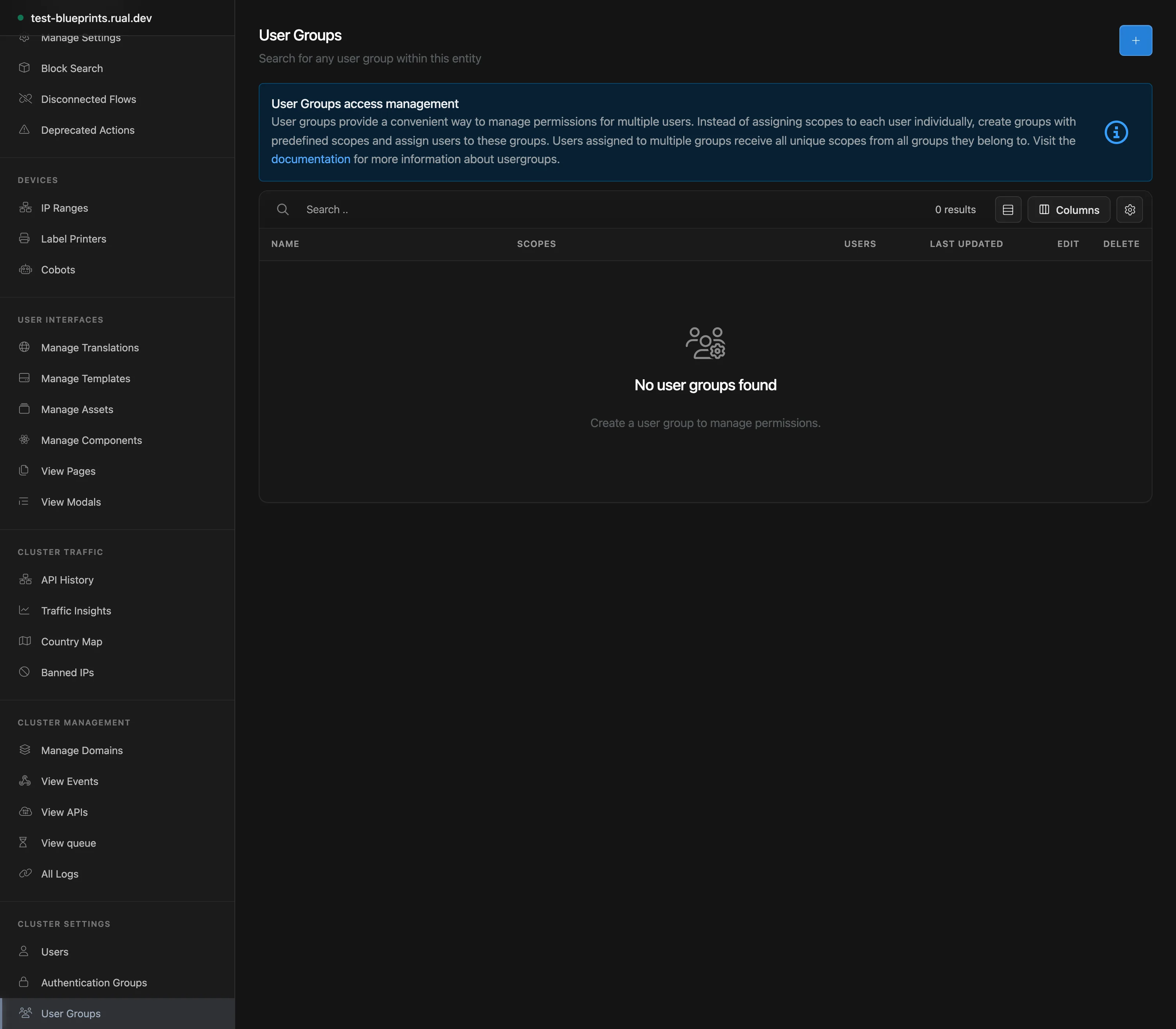
User groups are the closest thing RUAL has to roles. A group is a document in the usergroups database with a name and a scope array. Assign a user to a group by adding the group's guid to the groups_guid array on the user document: from then on, the user receives every scope in that group. A user can belong to multiple groups and receives all unique scopes from all of them, plus any individual scopes in their own custom_scopes.
Model your groups after the kinds of users your cluster serves:
| Group | Example Scopes | Purpose |
|---|---|---|
Developers |
Wildcard Scope, Staging Developer, Blueprints: Activate Blueprints |
Team members who build and maintain blueprints. |
Customers |
view_orders, create_tickets |
End users who sign in to your app and reach its scoped pages and APIs. |
Support |
view_customers, view_tickets, create_notes |
Staff who help customers without seeing everything. |
Visitors need no group: without an account they only see *public content. A user assigned to two groups looks like this:
{
  "custom_scopes": [],
  "groups_guid": [
    "94ad734891564818888bea7e2519aedd",
    "1c5bfaf8fb034f8498d204c5072b554e"
  ],
  "username": "jane.doe"
}
Setting Up Team Member Access
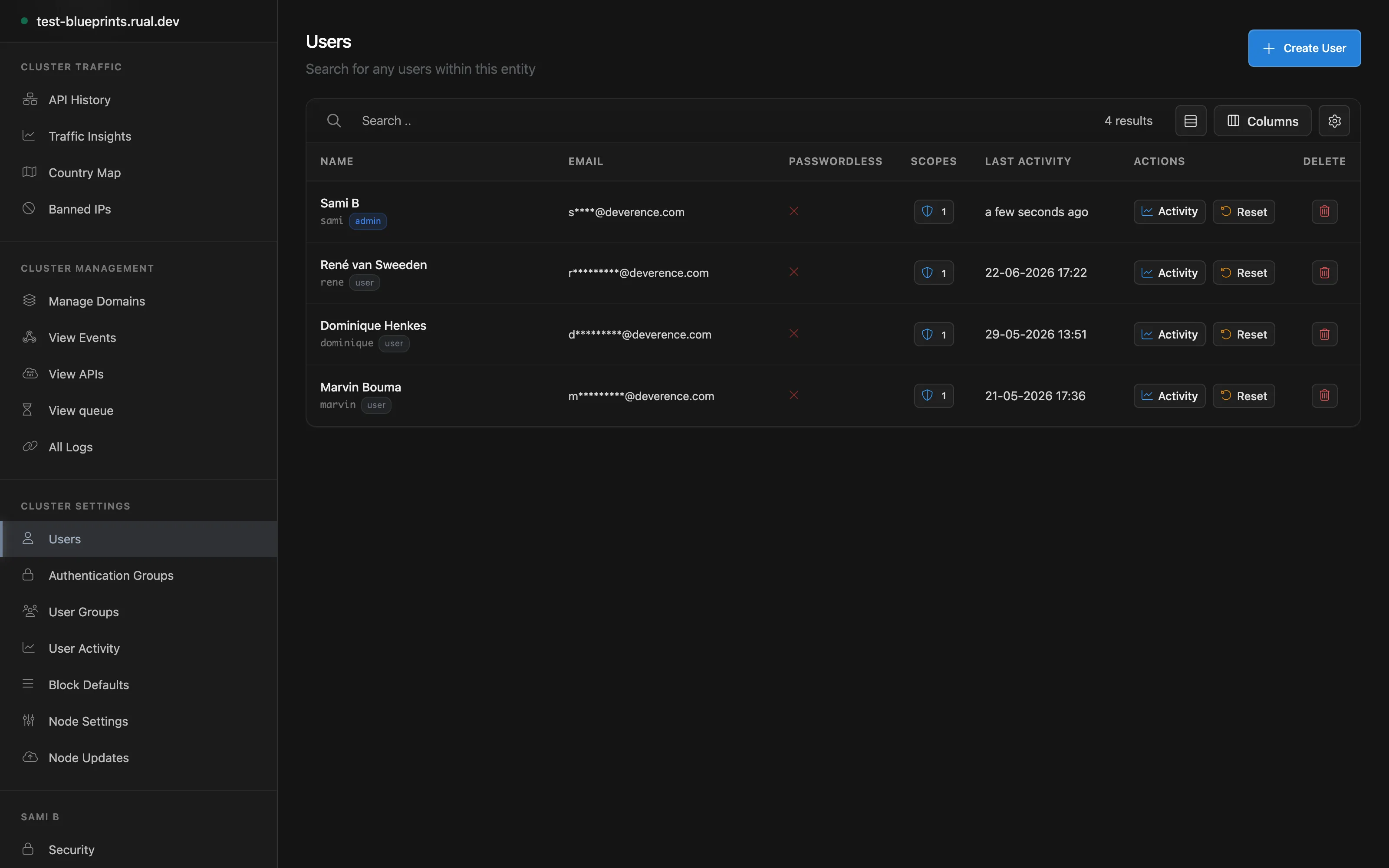
- Sign in to RUAL Studio with an administrator account and open the
All userssection from the left-side menu. - Create the user with a username and password, and share the cluster URL and credentials privately.
- Assign the permissions the work requires: for a developer, start with
Staging Developerand add more only when needed. - Add any individual scopes to
custom_scopes, or better: assign the user to a group viagroups_guidso permissions follow the role, not the person. - Have the user sign in and complete first-time setup, including two-factor authentication when your cluster requires it.
Security Best Practices
- Least privilege: grant only the scopes and permissions a user needs, preferably through user groups instead of individual scopes.
- Protect root accounts:
is_root_useraccounts get extra protection against login attacks and password forget requests. Keep them few, and never enableallow_login_as_userfor them (RUAL prevents this). - Guard system settings: the
Manage System Settingspermission controls who can view and change system settings; access to secured system settings is logged. - Review the audit log: sensitive actions such as removing blueprints and changing permissions are recorded: review the log regularly.
- Use two-factor authentication: users manage their active sessions and multi-factor options on the default
securitypage.
allow_login_as_user setting lets an administrator sign in as that user from blueprints: powerful for support, easy to abuse. Only users with setting_manage_users can configure it, it cannot be set on is_root_user accounts, and you should enable it only where impersonation is truly needed. RUAL also blocks mass multi-authentication attempts from the same IP address and repeated unsuccessful attempts against the same account by default.
Next Steps
Getting Access Obtain cluster credentials, sign in for the first time, and set up API tokens. User Access Management The full permission list, user group examples, and account settings reference. Remote Access Control Scope your pages and APIs: public and logged-in scopes, rate limiting, and throttling.Frequently asked
Does RUAL have fixed user roles like admin and editor?
No. RUAL composes access from per-user permission settings, scopes and optional user groups. What people call an administrator, developer, API user or visitor is a combination of those settings, not a fixed role.
What is the difference between RUAL Studio access and API access?
Studio access decides who may open and edit the cluster management interface. API access is granted through scopes on a token and decides which endpoints that token may call. A user can have one without the other.