
light on
This block is part of the globals group and was last modified in core v15.0.0.
light on v15.0.0 Turns a light on. Optionally set brightness, colour temperature or colour in the same command.
- flow
v15.0.0flow - device
v15.0.0valueDevice id, native address, or exact device name. Leave empty to use the device picked on the block.
- brightness %
v15.0.0number0-100. Leave empty to keep the current brightness. • Min: 0 • Max: 100
- kelvin
v15.0.0numberColour temperature in kelvin: 2200 candle, 2700 warm white, 4000 neutral, 6500 daylight.
- colour
v15.0.0valueHex colour, #rrggbb. Ignored by white-only bulbs.
- flow
v15.0.0flow - ok
v15.0.0conditionTrue when the command reached the device.
- device
v15.0.0objectThe device the command was sent to.
- error
v15.0.0valueEmpty on success. HOMEASSIST_DEVICE_NOT_FOUND, HOMEASSIST_DEVICE_NOT_ADOPTED, HOMEASSIST_CAPABILITY_UNSUPPORTED or HOMEASSIST_NOT_AVAILABLE.
Turns on a light over the local radio (Zigbee, Thread/Matter, Z-Wave) or a Hue bridge. Brightness is 0-100 percent, colour temperature is in KELVIN (2700 warm, 6500 cold) not mireds, colour is #rrggbb. Every value set here is sent in ONE command, so the lamp transitions once instead of visibly stepping through full brightness first. Unset pins leave the lamp's current value alone.
zigbee |
zwave |
matter |
thread |
hue |
smart home |
light on carries brightness, colour temperature and colour on its own pins, and sends every value that is set in ONE command, so the lamp transitions once instead of visibly stepping through full white first. Brightness is a percentage and colour temperature is in KELVIN, not mireds: 2200 candle, 2700 warm white, 6500 daylight. The device pin takes a platform id, a native address or an exact device name.
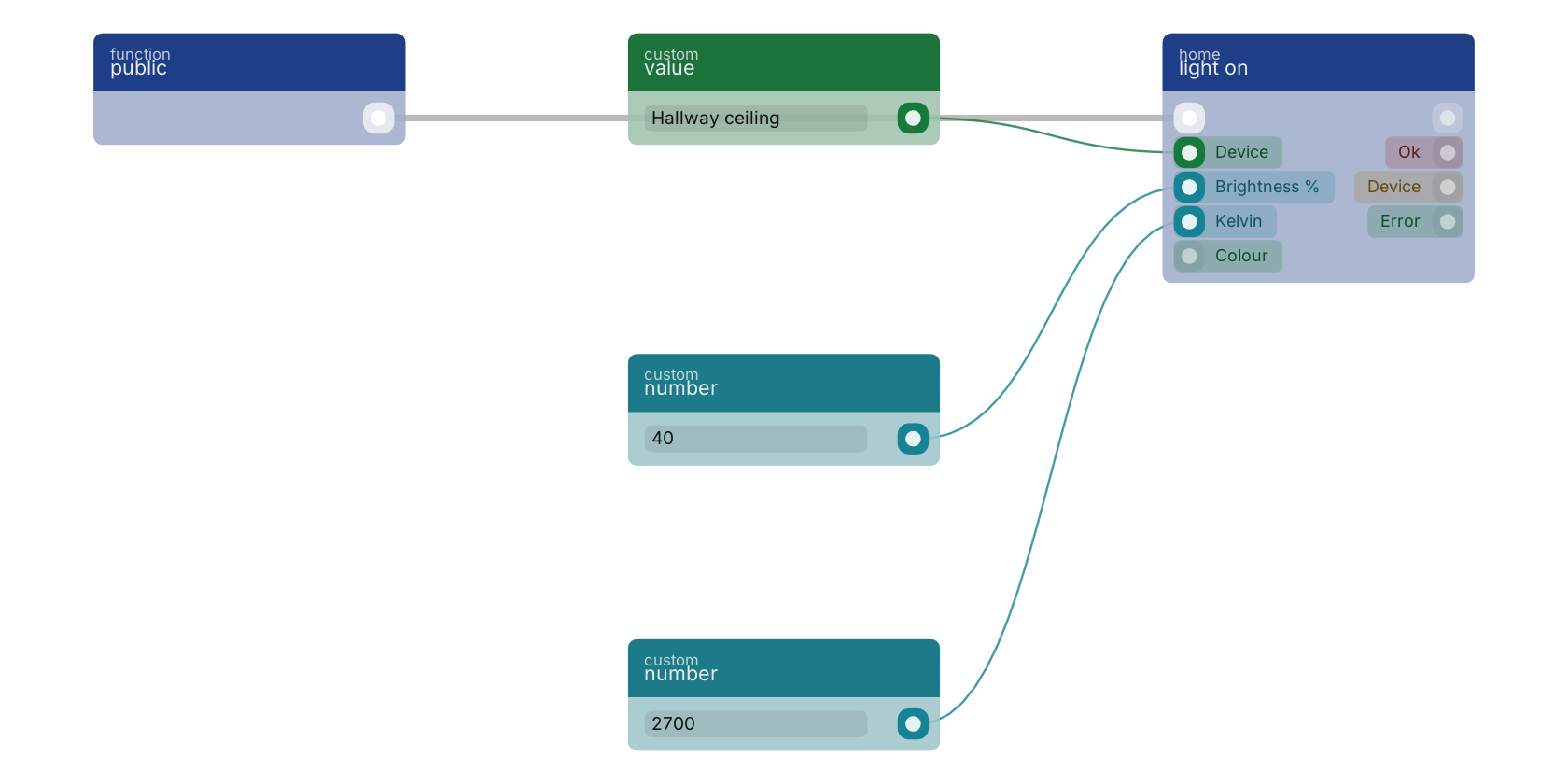
Used in these guides
These documentation pages use or explain this block:
Version history
Introduced in v15.0.0.
Back to
globals Return to the main group to view all sub-groups Back to home Return to the group to view all blocks within this group