classify
This block is part of the anthropic group and was last modified in core v15.0.0.
classify v15.0.0 Classify input into exactly one of your labels using Claude; route the resulting label with a switch block.
- flow
flow - connection required
anthropicconnection - input
valueThe text to classify. Optional when classifying an attachment (e.g. an image or PDF).
- labels required
array<value>The candidate labels (the model must pick exactly one).
- attachments
fileOptional image(s)/PDF(s) to classify (e.g. route a document by type). Wire any file block; combine with or instead of input text.
- instructions
valueOptional extra guidance for how to choose.
- model
valueModel ID. Defaults to claude-haiku-4-5 (cheap). • Suggestions:
claude-haiku-4-5claude-sonnet-4-6claude-opus-4-8
- flow
flow - connection
anthropicconnection - success
conditionGot a reply from Claude.
- matched
conditionThe reply was one of the labels (off = no match; label carries the raw reply).
- label
valueThe chosen label (canonical spelling when matched).
- usage
objectToken counts plus the call cost (cost_usd).
- stop reason
value - partial
value - errors
array<value>Error codes when the call fails (success=false): config_error, internal_error, model_not_allowed, budget_exceeded, concurrency_limit_exceeded, rate_limited, refused, max_tokens, transport_error.
- warnings
array<value>Non-fatal notices: cost_unknown.
- error detail
value
claude classify |
ai classify |
categorize |
route with ai |
intent |
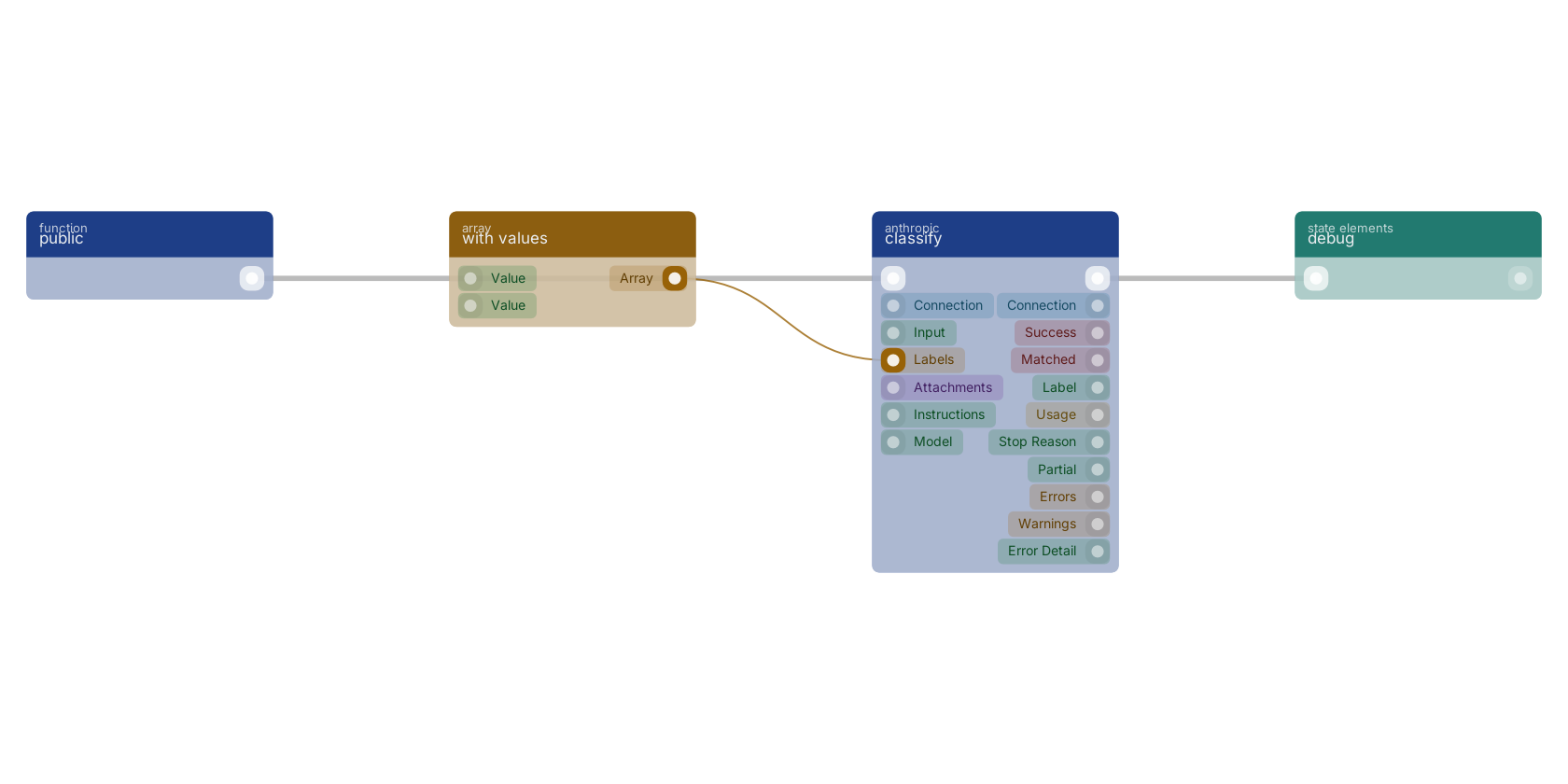
A typical wiring for classify: a function trigger starts the flow; with values feeds the labels pin; the flow out pin feeds debug.
Used in these guides
These documentation pages use or explain this block:
Version history
Introduced in v15.0.0.
Back to
anthropic Return to the main group to view all sub-groups Back to anthropic Return to the group to view all blocks within this group