count tokens
This block is part of the anthropic group and was last modified in core v15.0.0.
count tokens v15.0.0 Count the input tokens a prompt (with system + attachments) would use, and estimate the cost; before you send it. Free; no spend.
- flow
flow - connection required
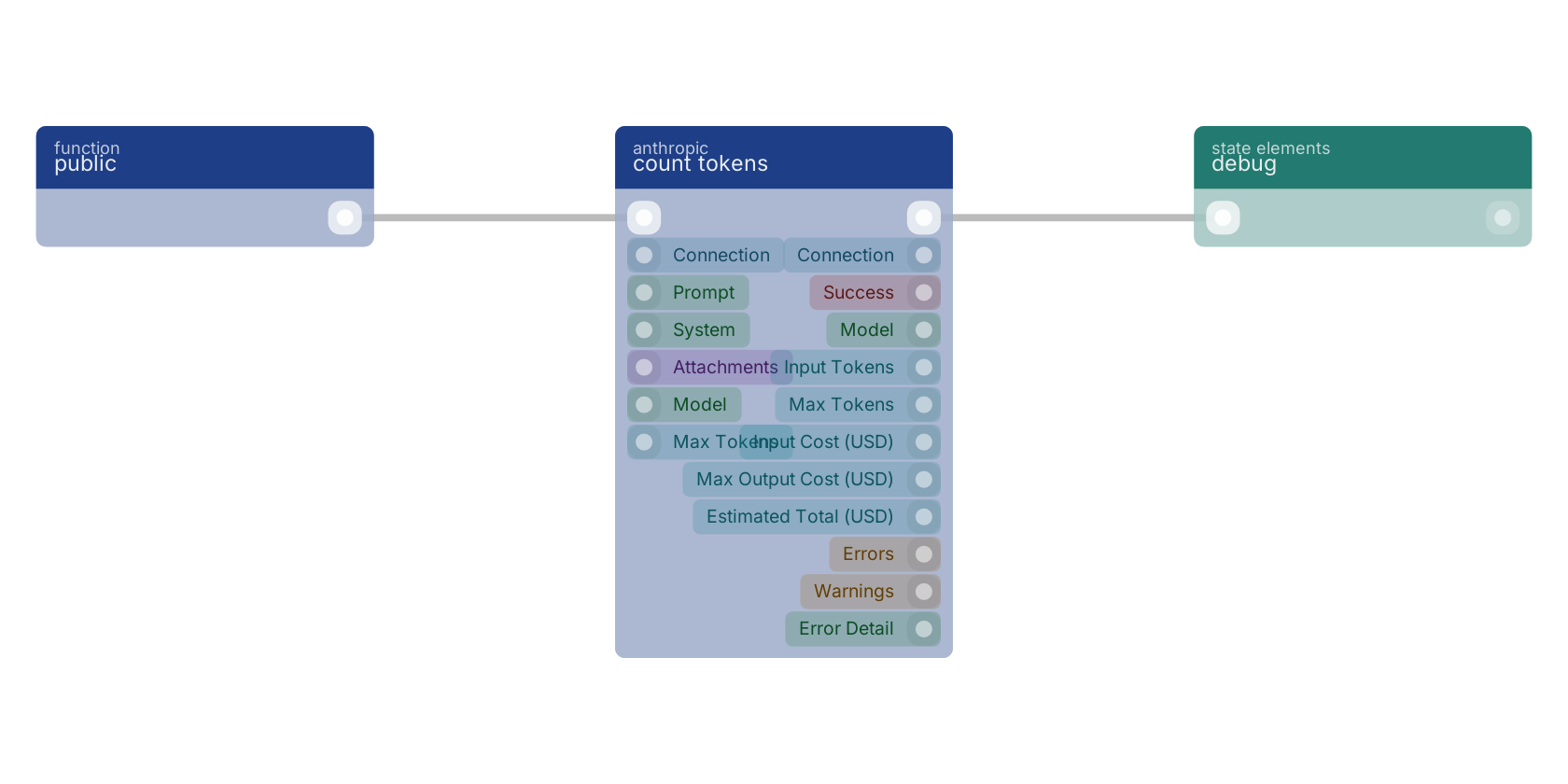
anthropicconnection - prompt
valueThe user message to measure.
- system
valueOptional system prompt to include in the count.
- attachments
fileOptional images/PDFs; their tokens are counted by the API too.
- model
valueModel to price against. Defaults to the connection's default model. • Suggestions:
claude-opus-4-8claude-sonnet-4-6claude-haiku-4-5 - max tokens
numberMax output tokens, for the worst-case output cost estimate. Default 16000.
- flow
flow - connection
anthropicconnection - success
condition - model
value - input tokens
numberTokens the prompt + system + attachments would use.
- max tokens
numberThe max output tokens used for the output-cost estimate.
- input cost (USD)
numberCost of the counted input tokens.
- max output cost (USD)
numberWorst-case output cost if generation used the full max_tokens.
- estimated total (USD)
numberinput cost + max output cost (the upper bound for a single call).
- errors
array<value>Error codes when the call fails (success=false): config_error, rate_limited, transport_error.
- warnings
array<value>Non-fatal notices: cost_unknown (model not in the price table; costs reported as 0).
- error detail
value
token count |
estimate cost |
tokens |
price check |
how much |
A typical wiring for count tokens: a function trigger starts the flow; the flow out pin feeds debug.
Used in these guides
These documentation pages use or explain this block:
Version history
Introduced in v15.0.0.
Back to
anthropic Return to the main group to view all sub-groups Back to anthropic Return to the group to view all blocks within this group