send message
This block is part of the anthropic group and was last modified in core v15.0.0.
send message v15.0.0 Send a message to Claude and get the reply, with built-in cost guard, model allowlist and typed error reporting.
- flow
flow - connection required
anthropicconnection - memory
anthropicmemoryOptional. A memory (from create memory); prior turns are loaded in and this exchange is appended, so the chat continues across runs.
- prompt required
valueThe user message to send to Claude.
- system
valueOptional frozen system prompt. Keep it stable to benefit from prompt caching.
- attachments
fileImages and/or PDFs to send with the prompt; wire any file block (upload, generate PDF, download…). Claude reads them as part of the message. Tip: for large or expensive runs (e.g. Opus), run documents through preflight first to convert and shrink them cheaply.
- model
valueModel ID. Defaults to claude-opus-4-8. Newer IDs are accepted even if not listed. • Suggestions:
claude-opus-4-8claude-fable-5claude-opus-4-7claude-sonnet-4-6claude-haiku-4-5 - max tokens
numberMaximum output tokens. Default 16000.
- thinking
conditionEnable adaptive thinking.
- citations
conditionEnable source citations on document attachments: the reply cites the passages it used (see the citations out-pin).
- cache
conditionCache the system prompt (ephemeral) for repeated calls.
- effort
valueReasoning effort: low | medium | high | xhigh | max. • Suggestions:
lowmediumhighxhighmax - output template
anthropicschemaOutput template. When set, the reply is constrained to valid JSON matching it and parsed onto the response pin (structured output). Build it with the 'build output template' block (or cast raw JSON with 'output template from JSON'). Cannot be combined with tools. • Hidden when other fields are filled
- tools
anthropictoolA tool Claude may call (build tool, web search tool, code execution tool, memory tool). For several tools use the 'multiple' block; for conditional tools use the tool if / switch blocks. Cannot be combined with an output template. • Hidden when other fields are filled
- max tool iterations
numberSafety cap on tool-call rounds in the agentic loop. Default 10. • Hidden when unused
- flow
flow - connection
anthropicconnection - memory
anthropicmemoryThe memory, passed through with this turn appended; chain it into the next send message.
- success
conditionClaude replied normally.
- text
valueThe reply text.
- response
objectThe parsed object when an output template was set (structured output).
- citations
array<object>Source references (when citations enabled): {cited_text, document_index, document_title?, start/end_char_index?, start/end_page?}.
- usage
objectToken counts plus the call cost: input_tokens, output_tokens, cache_read_input_tokens, cache_creation_input_tokens, cost_usd.
- stop reason
value - partial
valueTruncated text when stopped at max_tokens.
- errors
array<value>Error codes when the call fails (success=false): config_error, internal_error, model_not_allowed, budget_exceeded, concurrency_limit_exceeded, rate_limited, refused, max_tokens, max_iterations, transport_error.
- warnings
array<value>Non-fatal notices: cost_unknown (served model not in the price table, cost reported as 0); schema_ignored (output template dropped because tools were also set).
- error detail
valueHuman-readable detail for the first error.
- tool calls
array<object>Trace of every tool the agentic loop ran: {name, input, result, error}.
claude |
anthropic |
llm |
ai |
ask ai |
prompt claude |
ask claude |
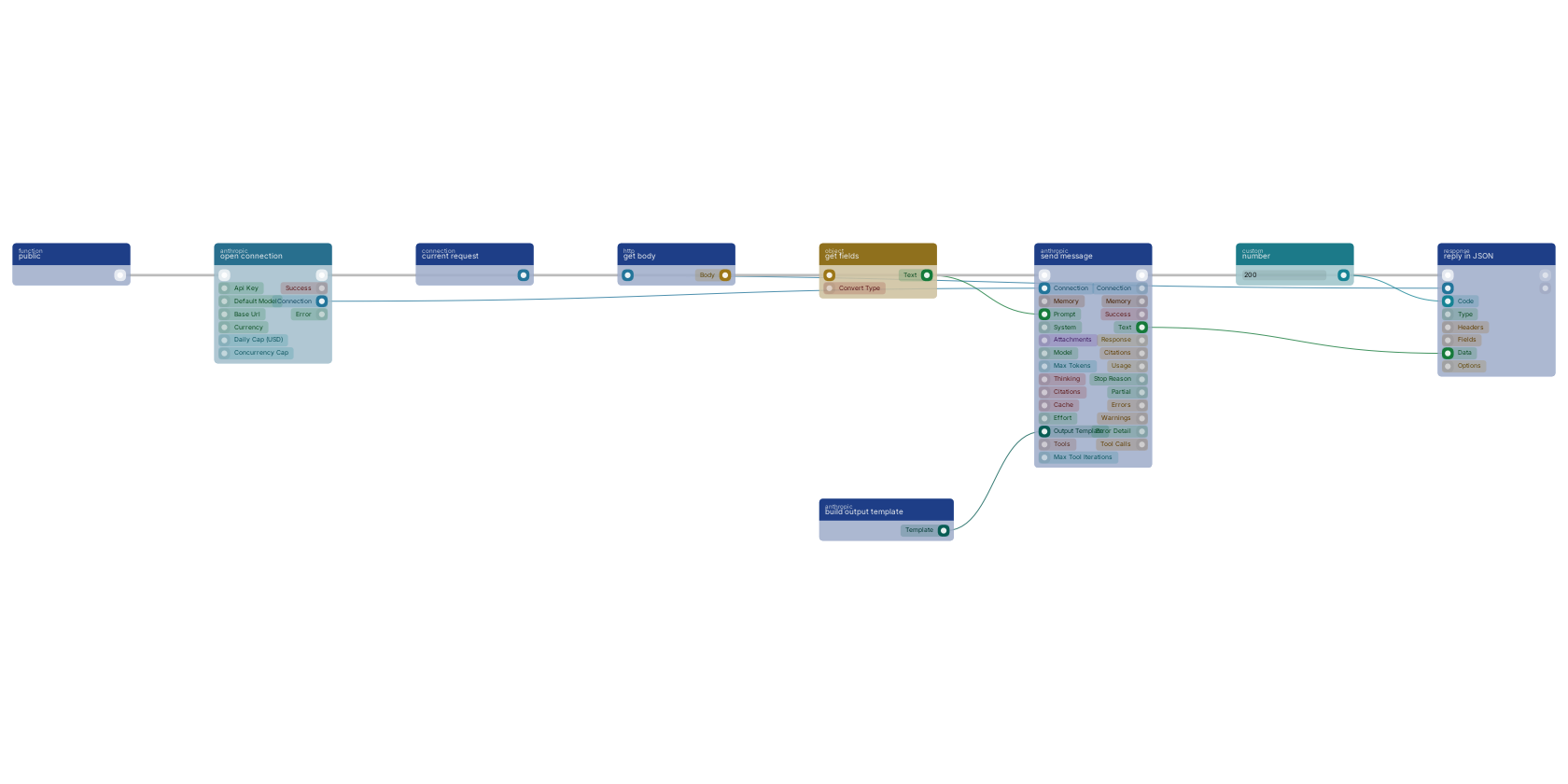
The standard AI endpoint shape: a function trigger runs the chain, open connection creates the Anthropic connection, and send message asks Claude with the request body text as the prompt, read off the body by get fields. An output template on the output_schema pin keeps the answer valid JSON, and reply in JSON returns it to the caller with a 200.
Used in these guides
These documentation pages use or explain this block:
Version history
Introduced in v15.0.0.
Back to
anthropic Return to the main group to view all sub-groups Back to anthropic Return to the group to view all blocks within this group