analyze pdf
This block is part of the files group and was last modified in core v14.0.4.
analyze pdf v14.0.4 Analyzes the PDF with the given profile.
- flow
flow - file required
fileThe PDF to analyze
- profile required
fileThe profile to use
- border mm
numberExclude a border of the specified width (in millimeters) from all edges of each page during analysis
- capture image
v14.0.4conditionAlso render a color-managed preview image of each page via callas pdfToolbox
- dpi
v14.0.4numberResolution of the preview image in DPI (default 150). Only used when capture image is enabled
- image format
v14.0.4valuePreview image format: png (default), jpeg/jpg or tiff. Only used when capture image is enabled
- simulation profile
v14.0.4fileOptional .icc source (CMYK) profile to simulate for Acrobat-matching color. Overrides the PDF output intent
- simulation profile name
v14.0.4valueOptional path to an ICC profile on the pdfToolbox host to simulate. Must be a file path, not a profile name. Overrides the PDF output intent. Ignored when a simulation profile file is given
- flow
flow - success
condition - error
value - report
object - image
v14.0.4fileRendered preview image(s), one per page. Only set when capture image is enabled
- image error
v14.0.4valueError encountered while rendering the preview image. Does not fail the action
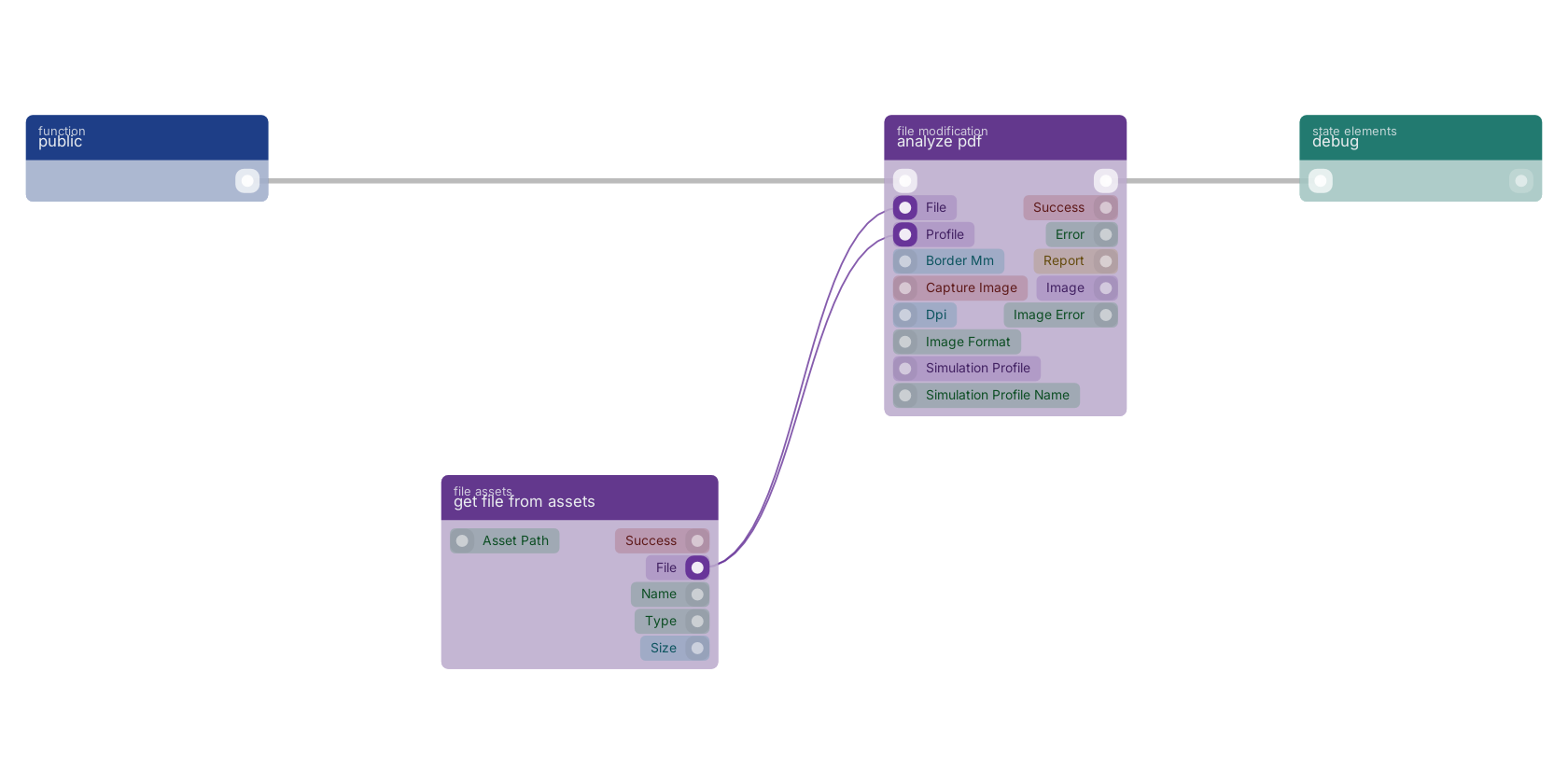
A typical wiring for analyze pdf: a function trigger starts the flow; get file from assets feeds the file pin; get file from assets feeds the profile pin; the flow out pin feeds debug.
Version history
Introduced in v14.0.4.
Back to
files Return to the main group to view all sub-groups Back to file modification Return to the group to view all blocks within this group