
door or gate closed
This block is part of the globals group and was last modified in core v15.0.0.
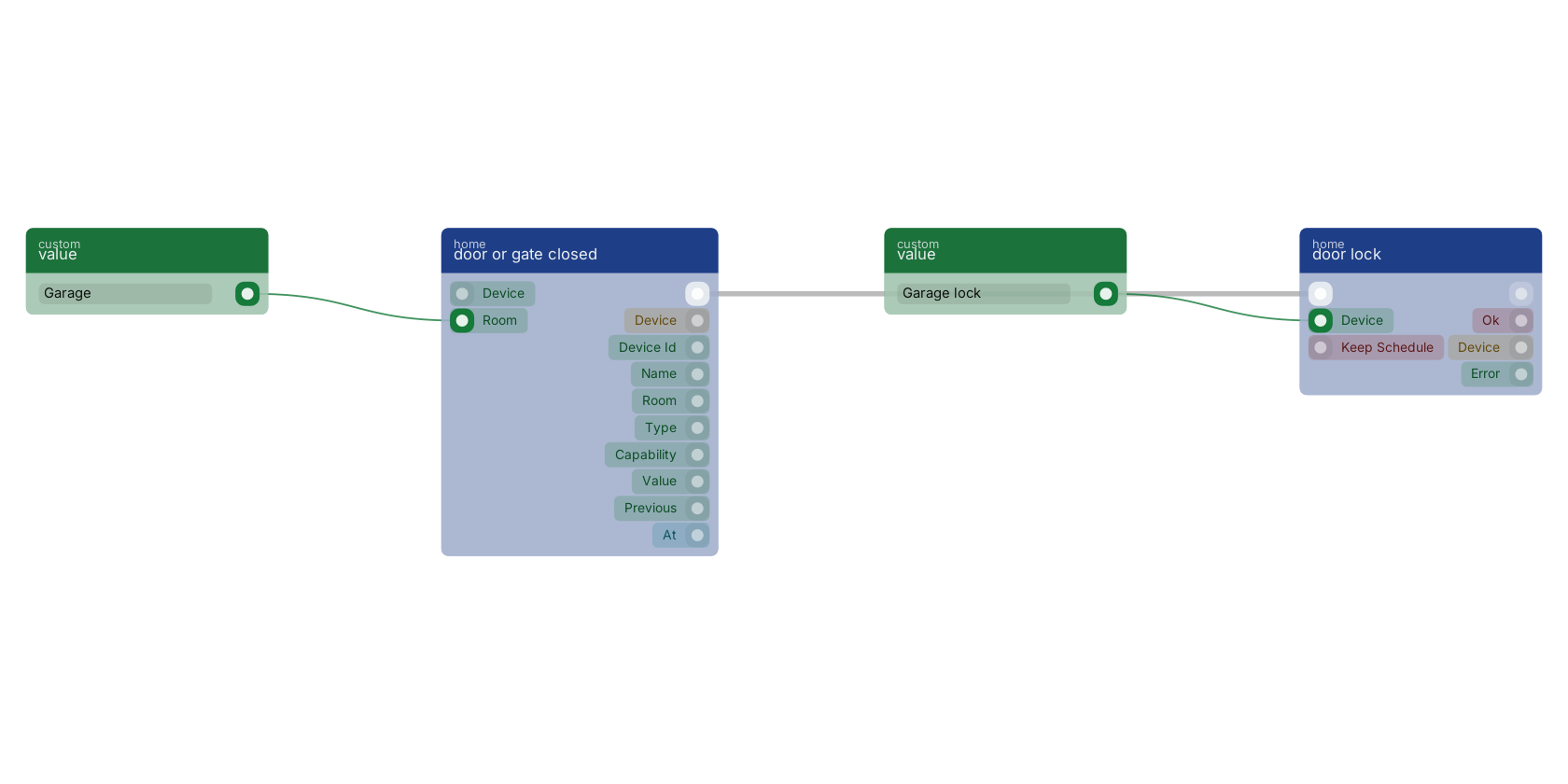
door or gate closed v15.0.0 Starts the flow when a controlled door or gate physically closes.
- device
valuev15.0.0Only fire for this device. Leave empty to fire for every matching device.
- room
valuev15.0.0Only fire for devices in this room. Leave empty for every room.
- flow
v15.0.0 - device
objectv15.0.0The full device: id, name, room, type, capabilities, current state.
- device id
valuev15.0.0Stable platform id, e.g. zigbee:0x00158d0007e1a2b3.
- name
valuev15.0.0The device's friendly name.
- room
valuev15.0.0The room the device is assigned to, empty if none.
- type
valuev15.0.0sensor, light, switch, climate, cover, lock or button.
- capability
valuev15.0.0Which capability changed, e.g. occupancy, contact, power.
- value
valuev15.0.0The new value.
- previous
valuev15.0.0The value before this change, empty on the first report.
- at
numberv15.0.0Unix seconds the device reported.
Start-of-flow trigger. Fires when door_position transitions to false (closed). Pair with a timer for 'the gate has been open too long'.
zigbee |
zwave |
matter |
thread |
smart home |
home assistant |
trigger |
door closed is the counterpart of door opened and fires on the open to closed transition. It is the right trigger for anything that should only happen against a shut door: locking, arming, or marking a delivery bay as free. Wiring those to a timer instead is how you end up throwing a bolt into an open frame.
Used in these guides
These documentation pages use or explain this block:
Version history
Introduced in v15.0.0.
Back to
globals Return to the main group to view all sub-groups Back to home Return to the group to view all blocks within this group