sensor deactivated
This block is part of the globals group and was last modified in core v15.0.0.
sensor deactivated v15.0.0 Starts the flow when a sensor turns OFF: motion cleared, a door closed, a leak stopped.
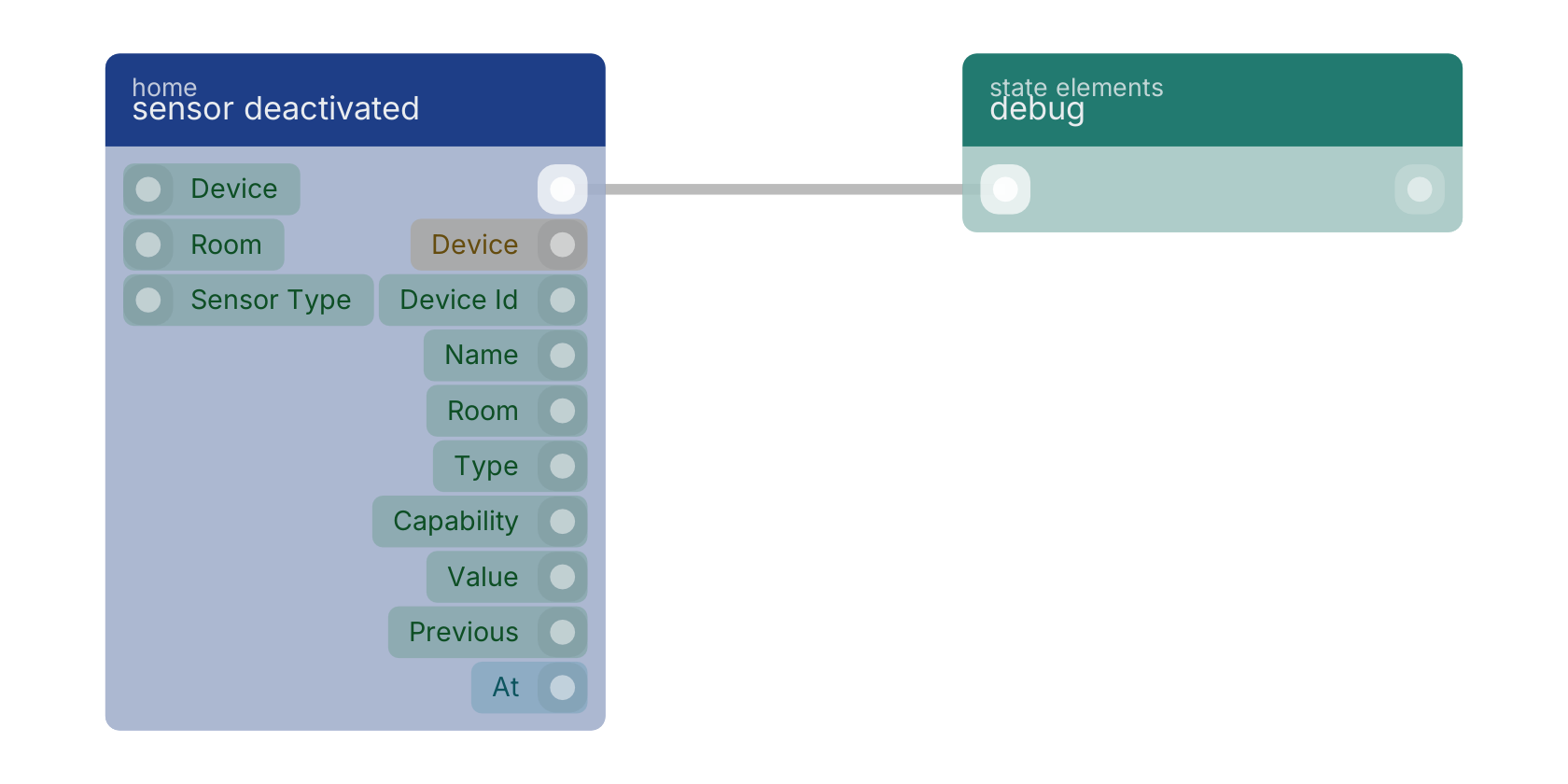
- device
v15.0.0valueOnly fire for this device. Leave empty to fire for every matching device.
- room
v15.0.0valueOnly fire for devices in this room. Leave empty for every room.
- sensor type
v15.0.0valueOnly fire for this kind of sensor. Leave empty for any of them. • Suggestions:
occupancycontactwater_leaksmokegasvibration
- flow
v15.0.0flow - device
v15.0.0objectThe full device: id, name, room, type, capabilities, current state.
- device id
v15.0.0valueStable platform id, e.g. zigbee:0x00158d0007e1a2b3.
- name
v15.0.0valueThe device's friendly name.
- room
v15.0.0valueThe room the device is assigned to, empty if none.
- type
v15.0.0valuesensor, light, switch, climate, cover, lock or button.
- capability
v15.0.0valueWhich capability changed, e.g. occupancy, contact, power.
- value
v15.0.0valueThe new value.
- previous
v15.0.0valueThe value before this change, empty on the first report.
- at
v15.0.0numberUnix seconds the device reported.
Start-of-flow trigger. The mirror of sensor activated: fires when a sensor capability transitions from true to false on an adopted device. Note that motion sensors clear after their own configured delay (often 60-120s of stillness), so this fires when the SENSOR says clear, not when the room empties.
zigbee |
zwave |
matter |
thread |
smart home |
home assistant |
trigger |
A typical wiring for sensor deactivated: the flow out pin feeds debug.
Used in these guides
These documentation pages use or explain this block:
Version history
Introduced in v15.0.0.
Back to
globals Return to the main group to view all sub-groups Back to home Return to the group to view all blocks within this group