set flags
This block is part of the imap group and was last modified in core v15.0.1.
set flags v15.0.1 Marks messages read, unread, flagged, answered : or with a keyword of your own : by UID.
- flow
flow - connection required
imapconnection - mailbox
valueMailbox the uids belong to. Defaults to
INBOX. - uids
arrayUIDs to change.
- uid
numberA single UID, added to
uids. - action
valueadd(default),removeorset. • Suggestions:addremoveset - flags required
arrayseen,answered,flagged,deleted,draft, or a keyword such as$Forwarded.
- flow
flow - connection
imapconnection - success
condition - error
value - count
number
Runs UID STORE on the uids in mailbox (default INBOX). action: 'add' (default) adds the flags, 'remove' clears them, 'set' REPLACES every flag on the message. flags is an array of 'seen', 'answered', 'flagged', 'deleted', 'draft', the IMAP spelling ('\\Seen') or a keyword ('$Forwarded', 'Invoiced'). To mark as read: action add, flags [seen]; to mark unread: action remove, flags [seen]. count reports the uids the command covered. Suppressed in a simulation.
mark read |
mark unread |
flag email |
imap store |
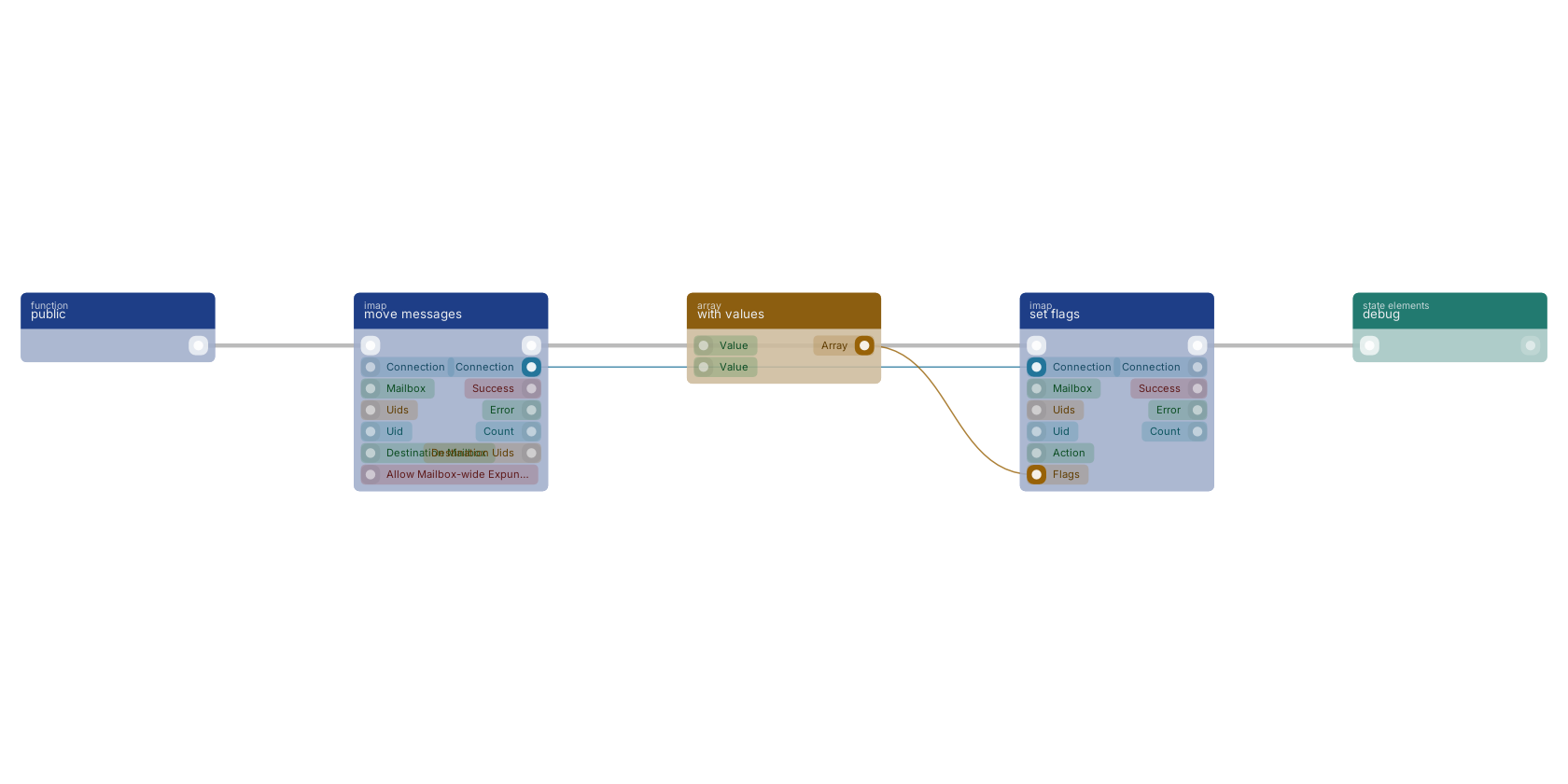
A typical wiring for set flags: a function trigger starts the flow; move messages feeds the connection pin; with values feeds the flags pin; the flow out pin feeds debug.
Version history
Introduced in v15.0.1.
Back to
imap Return to the main group to view all sub-groups Back to imap Return to the group to view all blocks within this group