save template
This block is part of the mssgs mail group and was last modified in core v15.0.1.
save template v15.0.1 Creates or replaces a template on mssgs mail for this sender domain, addressed by its alias.
- flow
flow - connection required
mssgsmailconnection - template alias required
valueLowercase letters, digits,
-and_; 1–64 characters. The send block addresses the template by this. - name
valueA display name for the template.
- subject required
valueSubject template, e.g.
Welcome, {{name}}. - html required
valueHTML body template (Mustache).
- text version
valueOptional plain-text body template (Mustache). Values are inserted unescaped.
- flow
flow - connection
mssgsmailconnection - success
condition - error
valueThe refusal as
CODE: message, e.g.RECIPIENT_SUPPRESSED,DOMAIN_CEILING,INVALID_FROM,INVALID_API_KEY. Empty on success. - template
object
PUT email/templates/:alias : an upsert: saving an existing alias REPLACES its name, subject, html and text. The alias is lowercase letters, digits, dash and underscore (1–64), else INVALID_ALIAS; a domain holds at most 100 templates (TEMPLATE_LIMIT). subject, html and text are Mustache templates rendered against the template_model of send_email_template. At least one of html/text is required. Suppressed in a simulation: a dry run does not change stored templates.
mssgsmail |
mssgs mail |
email |
template |
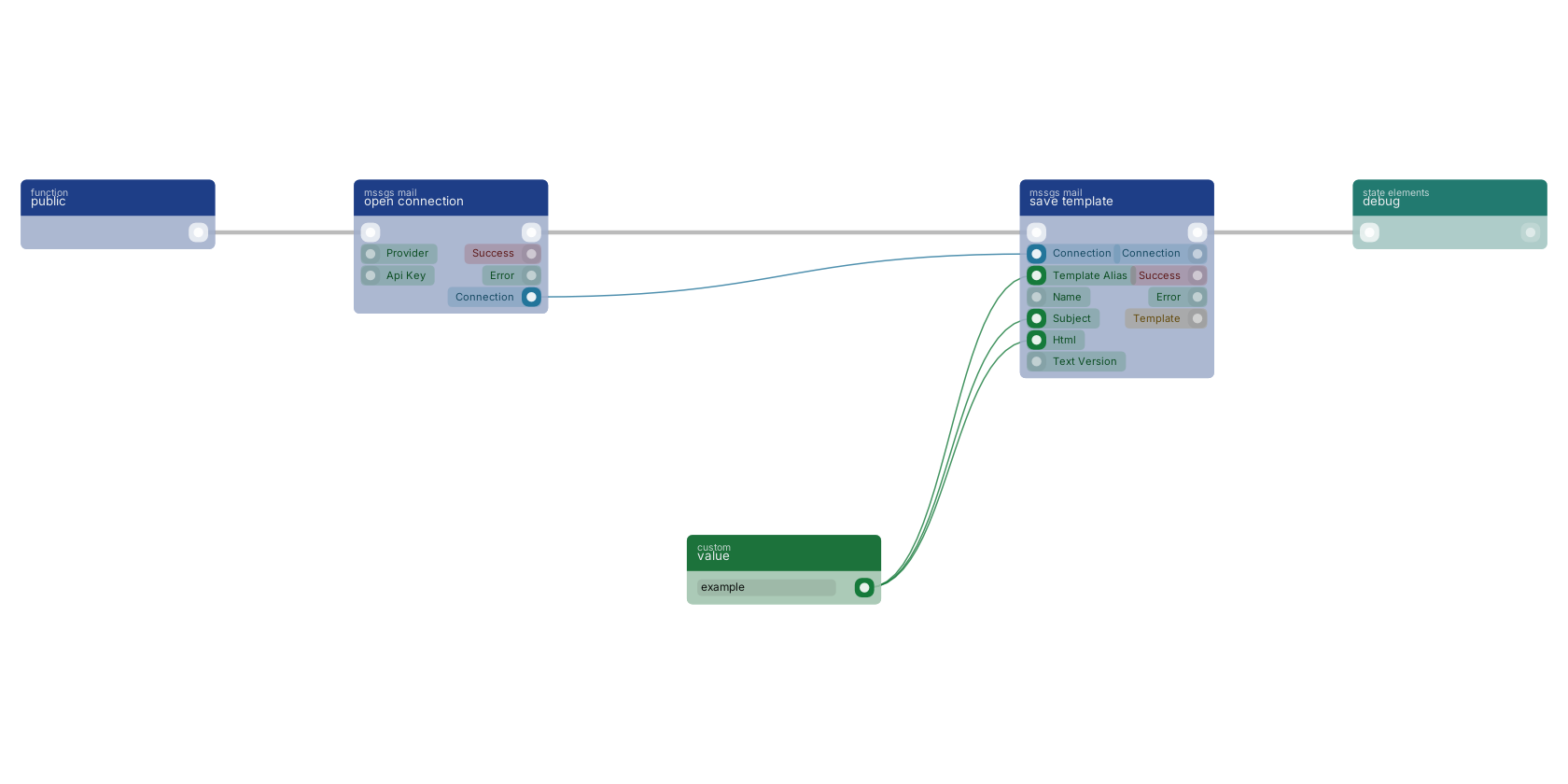
A typical wiring for save template: a function trigger starts the flow; open connection feeds the connection pin; value feeds the alias pin; value feeds the subject pin; value feeds the html pin; the flow out pin feeds debug.
Version history
Introduced in v15.0.1.
Back to
mssgs mail Return to the main group to view all sub-groups Back to mssgs mail Return to the group to view all blocks within this group