get object
This block is part of the object storage group and was last modified in core v15.0.1.
get object v15.0.1 Downloads an object to a file. The object is streamed to disk, so a large file costs no extra memory.
- flow
flow - connection required
s3connectionThe object storage connection to use, from an open connection block.
- bucket
valueBucket name. Leave empty to use the bucket set on the connection.
- key required
valueThe object key to download.
- flow
flow - connection
s3connectionThe same connection, so it can be passed to the next block.
- success
condition - error
valueNoSuchKeywhen the object does not exist. - file
fileThe downloaded file, in the entity's temp folder.
- size
numberBytes written to disk.
- content type
valueThe object's stored Content-Type.
- etag
value - last modified
dateRFC-3339 timestamp, or empty when the server sent none.
- metadata
objectUser metadata, with the
x-amz-meta-prefix stripped from each key.
Downloads `bucket`/`key` and emits it on the `file` pin as a normal blueprint file descriptor : {filename, path, type} inside an ARRAY : written into the entity's temp tree. Streams straight to disk through the atomic writer, so the file never exists under its final name while incomplete and nothing is buffered in memory. The stored filename is a random 12-character prefix plus the key's basename, so two flows downloading the same key cannot collide. Refuses an object over 5 GiB (OBJECT_TOO_LARGE) rather than truncating it. `last_modified` is an RFC-3339 string, or null when the server sent none. A MISSING object is a FAILURE here (success=false, error NoSuchKey) : use s3connection_head_object when absence is an expected branch rather than an error. Other failures: NO_CONNECTION, MISSING_BUCKET, MISSING_KEY, DOWNLOAD_FAILED, COULD_NOT_WRITE_FILE, or an S3 code such as AccessDenied.
s3 download |
get |
fetch object |
download object |
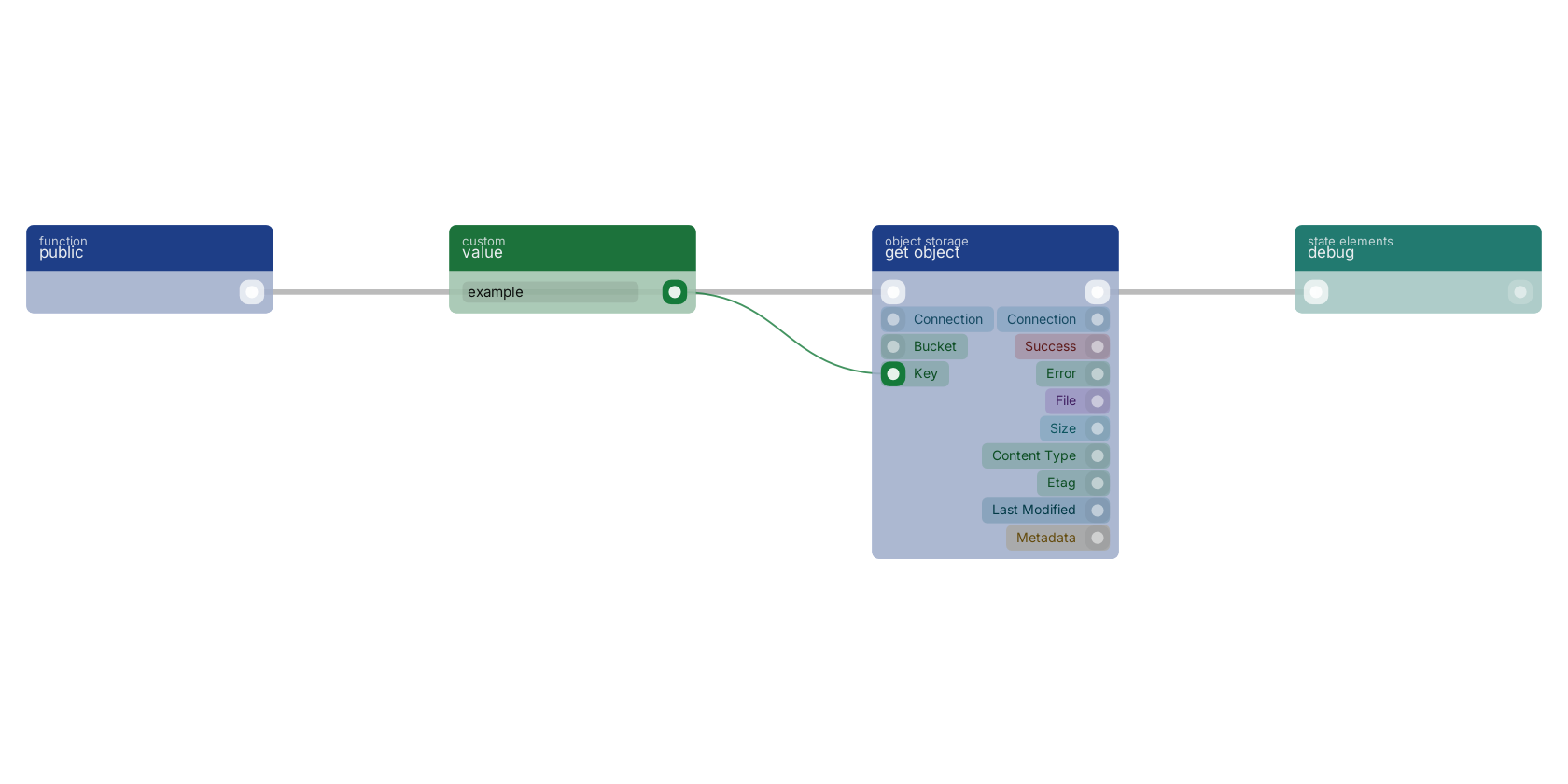
A typical wiring for get object: a function trigger starts the flow; value feeds the key pin; the flow out pin feeds debug.
Version history
Introduced in v15.0.1.
Back to
object storage Return to the main group to view all sub-groups Back to object storage Return to the group to view all blocks within this group