list objects
This block is part of the object storage group and was last modified in core v15.0.1.
list objects v15.0.1 Lists one page of a bucket's objects under a prefix. Feed next page token back into page token to walk a large bucket.
- flow
flow - connection required
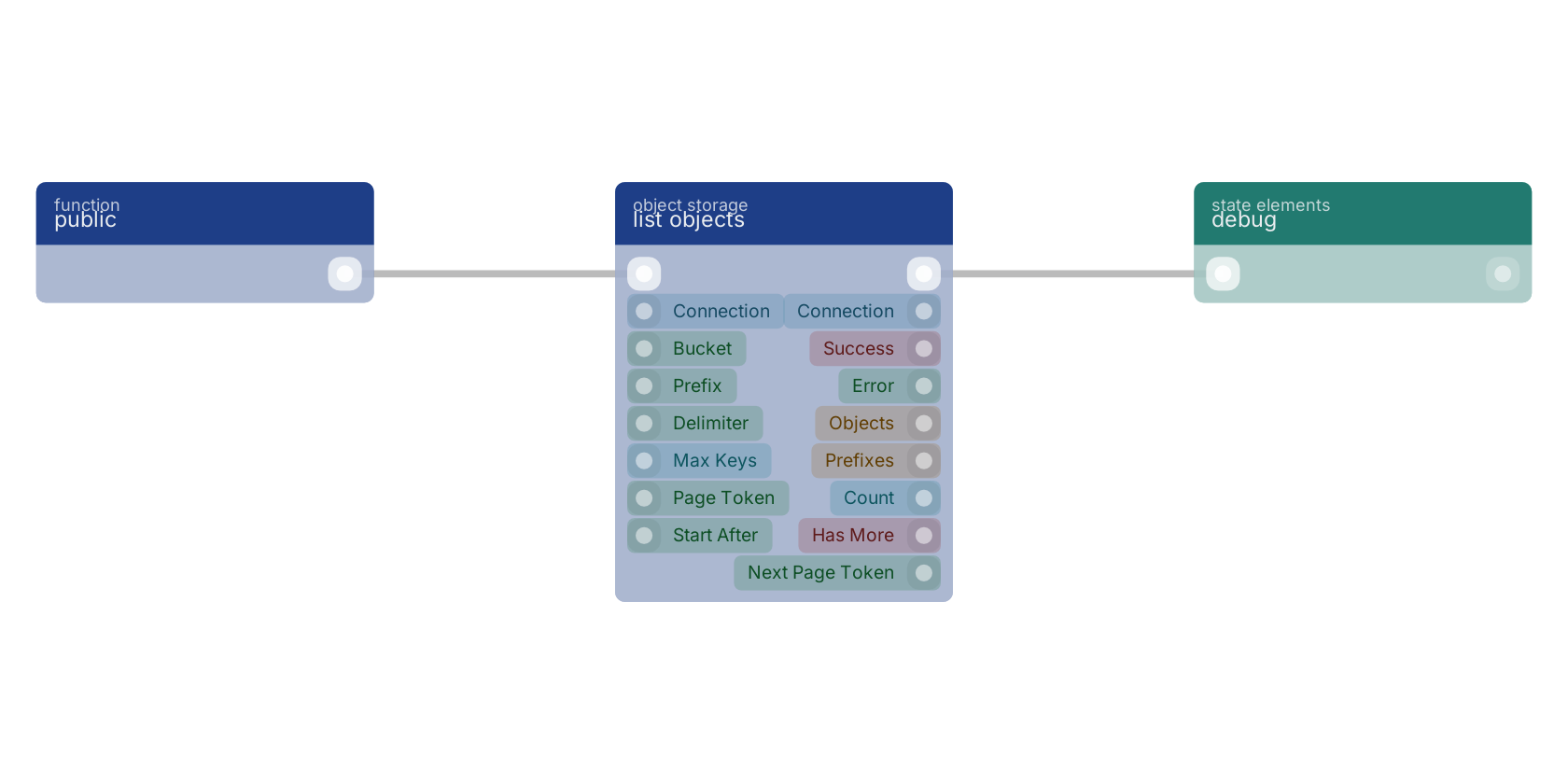
s3connectionThe object storage connection to use, from an open connection block.
- bucket
valueBucket name. Leave empty to use the bucket set on the connection.
- prefix
valueOnly list keys starting with this, for example
mu/ab/. - delimiter
valueOptional. Set to
/to get a folder-style listing: shared path segments come back on prefixes instead of objects. - max keys
numberObjects per page, 1–1000. Defaults to 1000.
- page token
valueThe next page token from a previous run, to continue the listing.
- start after
valueBegin the listing after this key. Ignored when a page token is given.
- flow
flow - connection
s3connectionThe same connection, so it can be passed to the next block.
- success
condition - error
value - objects
arrayArray of
{key, size, etag, last_modified, storage_class}. - prefixes
arrayCommon prefixes, when a delimiter was given. These are the "folders".
- count
numberNumber of objects on this page.
- has more
conditionTrue when more pages follow.
- next page token
valuePass back in as page token for the next page.
Returns ONE PAGE of keys under `prefix`. Pagination is explicit and deliberate: a media bucket holds millions of keys, so this never loops internally. When `is_truncated` is true, pass `next_page_token` back in as `page_token` to get the next page : the loop and its termination stay visible on the canvas. `max_keys` is capped at 1000 (the server's own ceiling) and defaults to it. `delimiter` groups keys: with "/" the shared path segments come back on `prefixes` instead of `objects`, turning a flat keyspace into a directory listing. `start_after` applies only to a first page and is IGNORED when `page_token` is set. `objects` is an array of {key, size, etag, last_modified, storage_class}. Keys are url-decoded, so a key with a space or a non-ASCII character comes back readable. success=false with NO_CONNECTION, MISSING_BUCKET, or an S3 code such as NoSuchBucket or AccessDenied.
s3 list |
list bucket |
list keys |
browse bucket |
A typical wiring for list objects: a function trigger starts the flow; the flow out pin feeds debug.
Version history
Introduced in v15.0.1.
Back to
object storage Return to the main group to view all sub-groups Back to object storage Return to the group to view all blocks within this group