put object
This block is part of the object storage group and was last modified in core v15.0.1.
put object v15.0.1 Uploads a file to object storage. The file is streamed from disk, so an object of any size costs the same memory.
- flow
flow - connection required
s3connectionThe object storage connection to use, from an open connection block.
- bucket
valueBucket name. Leave empty to use the bucket set on the connection.
- key
valueThe object key, for example
mu/ab/photo.jpg. Leave empty to use the file's own name..and..path segments are refused. - file required
fileThe file to upload. Only the first file is used.
- content type
valueOptional. Overrides the type guessed from the key's extension.
- cache control
valueOptional
Cache-Controlstored with the object. For content-addressed media usepublic, max-age=31536000, immutable. - ACL
valueOptional canned ACL. Leave empty (the default) to let the bucket policy decide, which is what Ceph RGW buckets normally want.
- metadata
objectOptional user metadata, stored as
x-amz-meta-*headers. Keys must be letters, digits,-,_or.; anything else is dropped.
- flow
flow - connection
s3connectionThe same connection, so it can be passed to the next block.
- success
condition - error
value - key
valueThe key the object was stored under.
- etag
valueThe object's ETag, without the quotes S3 wraps it in. For a single-part upload this is the MD5 of the content.
- size
numberBytes uploaded.
- content type
valueThe Content-Type the object was stored with.
- url
valueThe object's unsigned URL. It only resolves for a publicly readable object : use presign get url for a private one.
Uploads ONE file from a `file` pin to `bucket`/`key`. Streams the file from disk with a known Content-Length : it never reads the object into memory, which is the difference from awsconnection_s3_upload. Takes only the FIRST descriptor if the file pin carries several; iterate in the blueprint to upload more than one, because a single `key` names a single object. An empty `key` defaults to the file descriptor's own filename. Content-Type is chosen in this order: the `content_type` pin, then the KEY's extension, then the descriptor's own type, then application/octet-stream : the key's extension outranks the source file's because the key is what gets served. `url` is the object's UNSIGNED url and resolves only if the object is publicly readable. success=false with NO_CONNECTION, MISSING_BUCKET, MISSING_FILE, MISSING_FILE_PATH, MISSING_KEY, FILE_NOT_READABLE, FILE_IS_A_DIRECTORY, or an S3 error code such as AccessDenied or NoSuchBucket.
s3 upload |
put |
upload |
store object |
rgw upload |
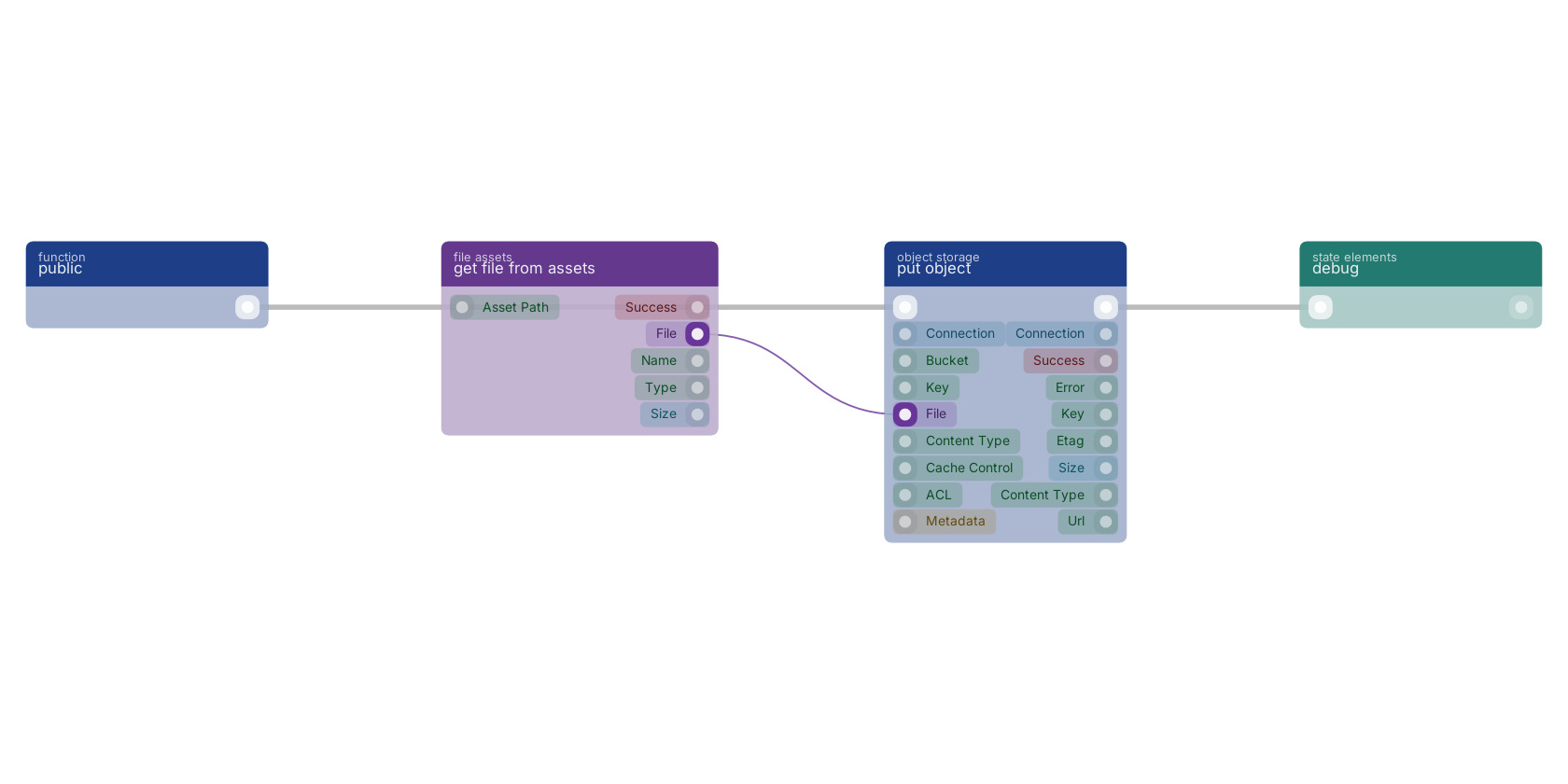
A typical wiring for put object: a function trigger starts the flow; get file from assets feeds the file pin; the flow out pin feeds debug.
Version history
Introduced in v15.0.1.
Back to
object storage Return to the main group to view all sub-groups Back to object storage Return to the group to view all blocks within this group