set document expiry
This block is part of the storage group and was last modified in core v13.0.6.
Storage Selection Required
This block relies on a storage to perform its storage releated actions. You must manually select the storage you want to use in your flow using the storage selector modal. To access the modal, click the white button on the block.
set document expiry v11.0.0 Updated v13.0.6Updates the expiry of the given document from the given storage.
- flow
flow - guid required
valueThe documents GUID (unique ID) to update.
- expiry required
dateThe document will be unrecoverably deleted on the given date
- update priority
v13.0.6numberA document update can be important for search relevance or not, by poviding the system a priority you can help it understand what updates are high priority (1) and what updates can be delayed without huge impact for search relevance (3). 1 is highest priority, 2 is medium priority, 3 is low priority and 0 is wait-for-insert.
- storage
storageThe storage this document should be updated in.
- flow
flow - success
conditionReturns
truein case the update succeeded - error
value
Sets only the expiry timestamp of an existing document; an unwired expiry pin stores -1. Verifies the document exists first: an unknown GUID fails with success=false and the store's error. Missing storage gives error MISSING_STORAGE. Simulation does nothing at all : no success/error pins are set.
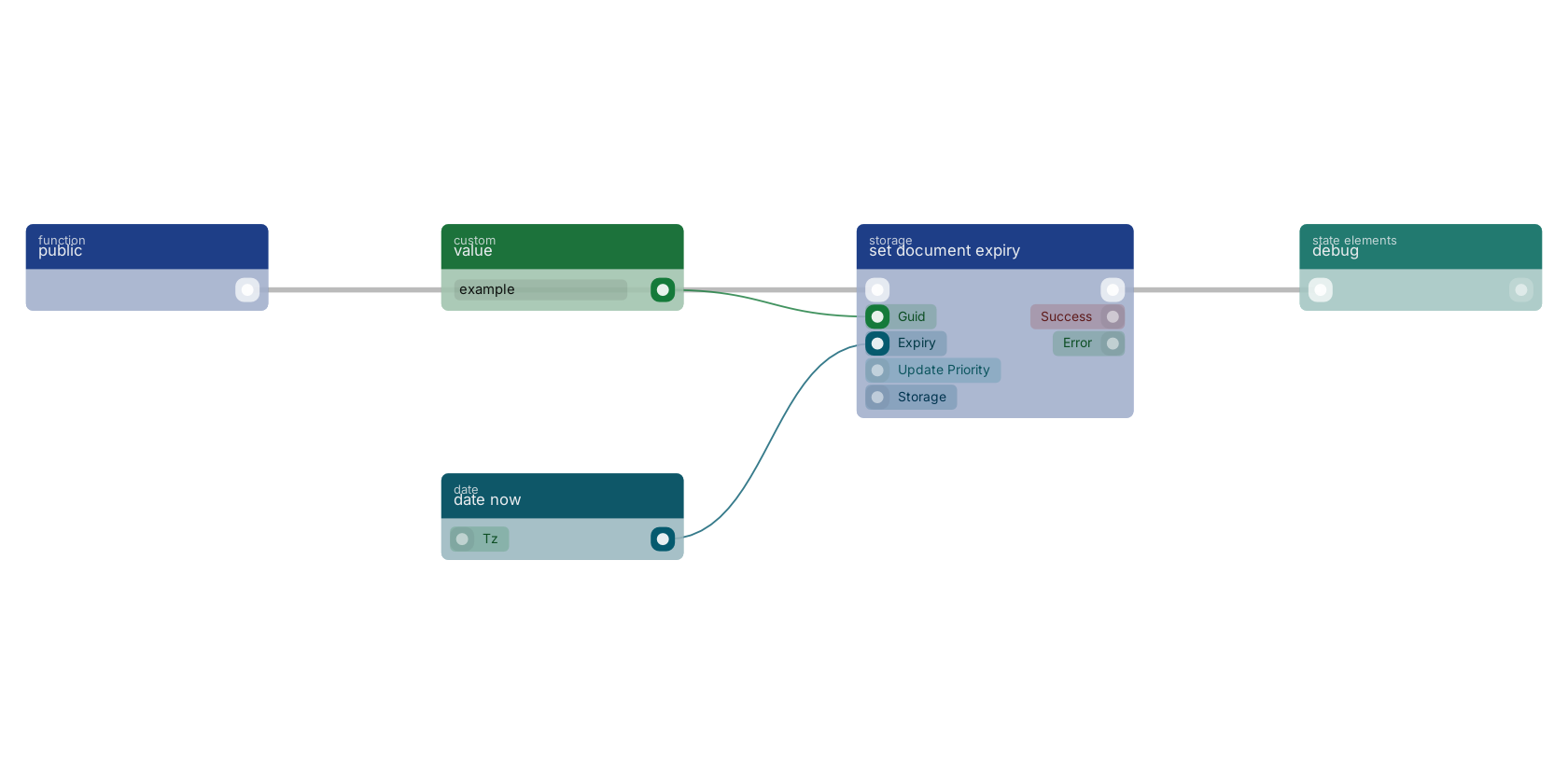
A typical wiring for set document expiry: a function trigger starts the flow; value feeds the guid pin; date now feeds the expiry pin; the flow out pin feeds debug.
Version history
Introduced in v11.0.0.
Last modified in v13.0.6.
Back to
storage Return to the main group to view all sub-groups Back to storage Return to the group to view all blocks within this group