compress
This block is part of the video group and was last modified in core v15.0.0.
compress v15.0.0 Compresses a video file with ffmpeg as a background queue job. Use a preset for standard message-media output, or override individual settings. Wire on_complete_function / on_error_function to react to the result.
- flow
flow - file required
valueInput video file. Accepts a file object (from another file block) or a relative path string.
- preset required
valueOne of: mssgs_media (1280px, 2.5Mbps), mssgs_media_premium (1920px, 4Mbps), custom.
- output file
valueOptional output path. When empty, a hash-named .mp4 is generated alongside the input.
- max size
numberOverride longest-side cap. Set to 0 to disable scaling.
- video bitrate
valueOverride target video bitrate, e.g. "2500k".
- max rate
valueOverride VBV ceiling, e.g. "3000k".
- buf size
valueOverride VBV buffer, e.g. "6000k".
- audio bitrate
valueOverride audio bitrate, e.g. "128k".
- fps
numberOverride target frames per second.
- start (s)
numberTrim: where in the source to start, in seconds. Empty or 0 starts at the beginning.
- max duration (s)
numberTrim: how many seconds to keep, measured from
start (s). Empty or 0 keeps everything to the end. This is how you enforce a maximum clip length : without it a too-long video is transcoded in full and can only be rejected afterwards. - passthrough
valueArbitrary data forwarded verbatim to the callback function's passthrough inpin.
- wait in flow
conditionWhen true, the block blocks until the compression job finishes and populates the result outpins synchronously. Default false : the flow continues immediately and the callback function handles the result.
- wait timeout (s)
numberHow long to wait when wait_in_flow=true before giving up with WAIT_TIMEOUT.
- flow
flow - queue guid
valueGUID of the enqueued compression job. Feed this to function_wait_for_queue_item or use for cancellation.
- output file
valuePath where the compressed file will be written when the job runs.
- width
numberOutput width in pixels : populated only when wait_in_flow=true.
- height
numberOutput height in pixels : populated only when wait_in_flow=true.
- duration ms
numberOutput duration in milliseconds : populated only when wait_in_flow=true.
- size bytes
numberOutput file size in bytes : populated only when wait_in_flow=true.
- success
conditionWhether compression succeeded : populated only when wait_in_flow=true.
- error
valueSet when enqueueing fails synchronously, when wait_in_flow times out, or when the ffmpeg job fails (only with wait_in_flow=true). When wait_in_flow=false, ffmpeg errors flow to on_error_function.
- on complete
execute_functionFunction invoked when compression succeeds. Fires regardless of wait_in_flow.
- on error
execute_functionFunction invoked when compression fails. Fires regardless of wait_in_flow.
video compress |
ffmpeg |
transcode |
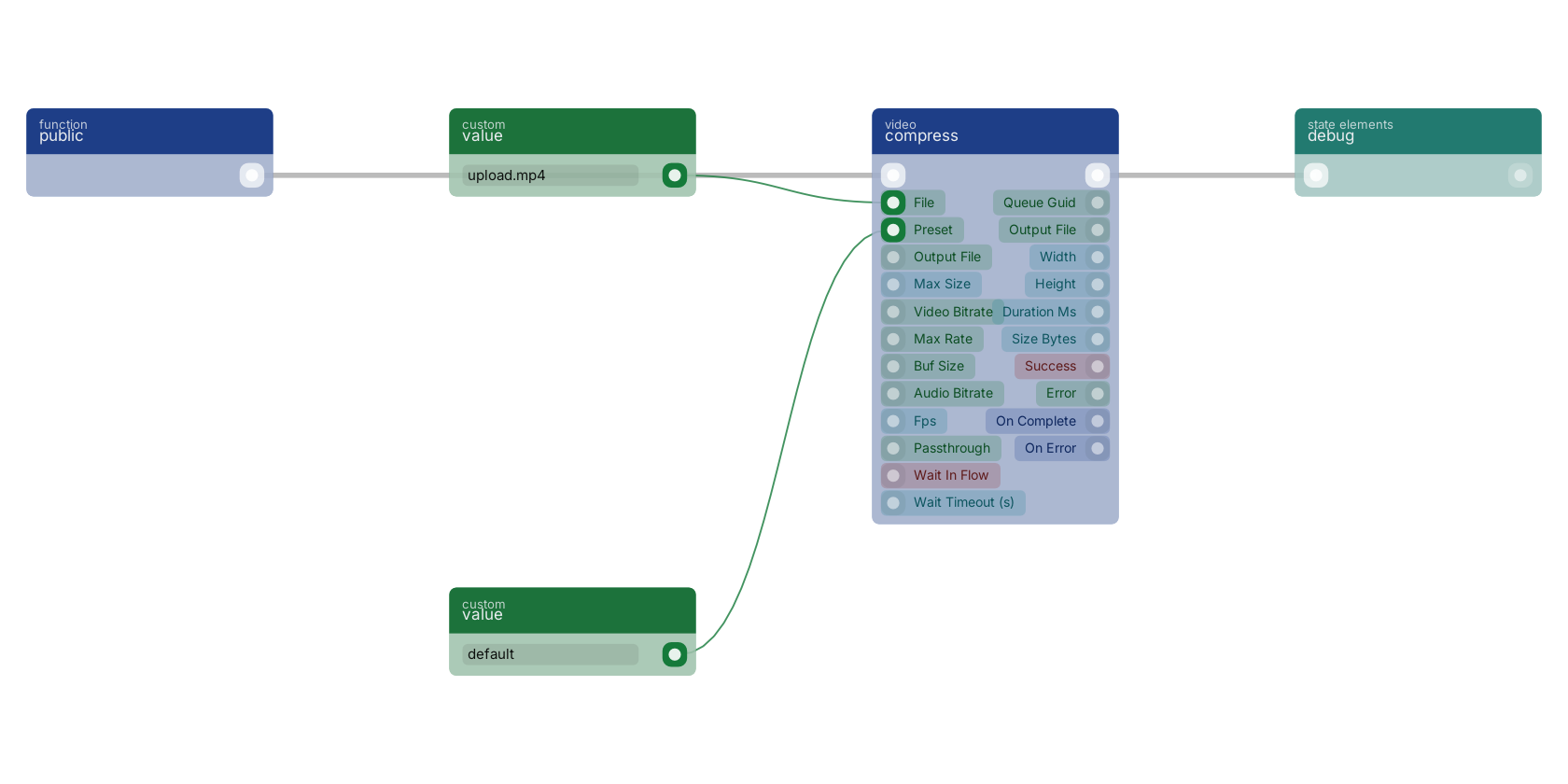
A function trigger starts the flow and compress transcodes the file from the file pin using the preset pin. Both pins take plain values here, from value blocks. Compression runs in the background; the queue guid, dimensions and success pins report back when done.
Used in these guides
These documentation pages use or explain this block:
Version history
Introduced in v15.0.0.
Back to
video Return to the main group to view all sub-groups Back to video Return to the group to view all blocks within this group