validate username
This block is part of the condition group and was last modified in core v14.0.3.
validate username v12.0.1 Updated v14.0.3Validates username format - allows letters, numbers, underscores, and dots only (no hyphens), 3 to 20 characters, not starting or ending with a dot or underscore
- username required
valueThe username to be checked.
- max. length
v14.0.3numberMaximum length the username should have
- valid
conditionThe condition that says whether an username is valid or not.
valid=true only when the username is 3-20 characters of ASCII letters, digits, dots, or underscores, does not start or end with a dot or underscore, contains no consecutive dots/underscores, and is within max_length. Hyphens are NOT allowed despite the label. Example: username="my-name" -> false (hyphen).
special characters |
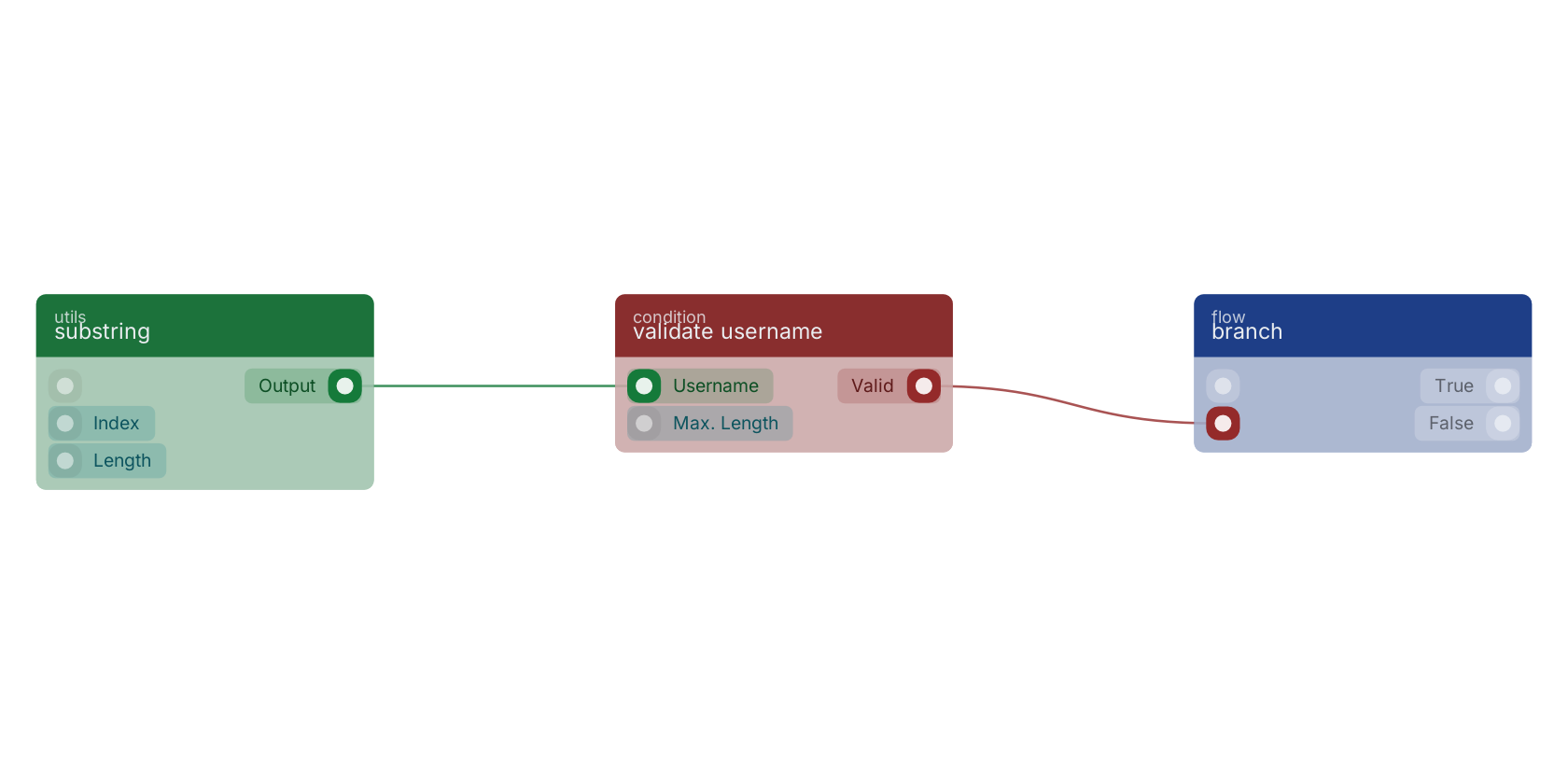
A typical wiring for validate username: substring feeds the username pin; the valid out pin feeds branch.
Commonly used with
In production blueprints, this block is most often wired together with:
Version history
Introduced in v12.0.1.
Last modified in v14.0.3.
Back to
condition Return to the main group to view all sub-groups Back to condition Return to the group to view all blocks within this group