repeating event
This block is part of the events group and was last modified in core v14.0.3.
repeating event v14.0.3 function will rerun by the giving date
- Start at required
date - Next run required
date
- flow
flow
Entry point fired by the scheduler: the flow first runs at start_at (or immediately when start_at is empty but next_run is set), and after each run the next run is enqueued from the next_run pin : so the blueprint must keep moving next_run into the future to keep repeating; a next_run at or before the current run time stops the schedule. A background checker re-enqueues missing runs every 30 minutes. The block itself does nothing at execute time; both pins may be fed by connected date blocks.
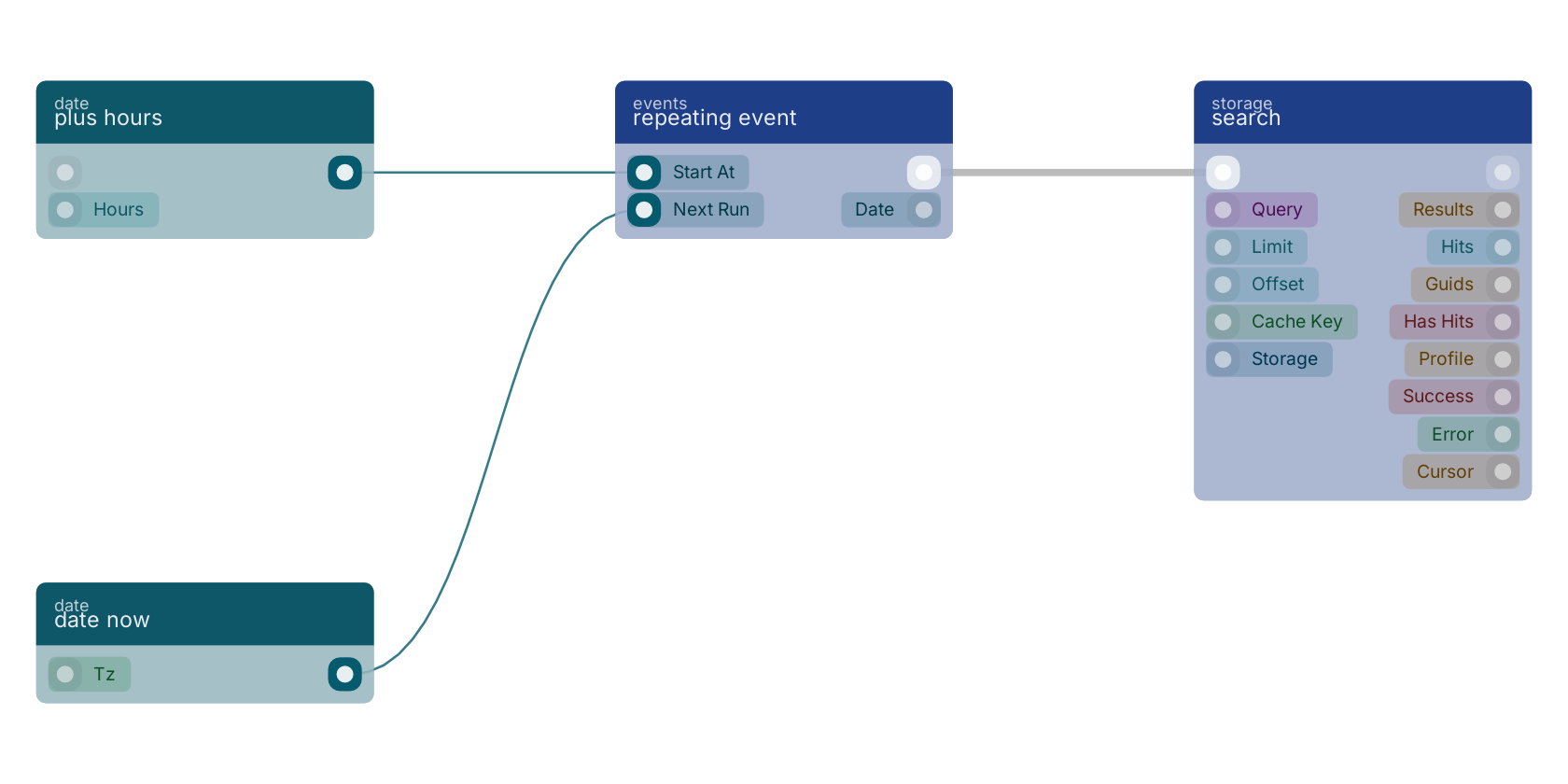
A typical wiring for repeating event: plus hours feeds the start_at pin; date now feeds the next_run pin; the flow out pin feeds search.
Commonly used with
In production blueprints, this block is most often wired together with:
- plus hours: feeds into this block. Plus an selected amount of hours to your given date.
- date now: feeds into this block. Gives you the current date based on your timezone.
- search: this block feeds into it. searches in the given storage based on a query.
Used in these guides
These documentation pages use or explain this block:
- Building a Reporting API
- Email System Setup
- Third-Party Integrations
- Block Execution
- Repeating Events
- Block Templates, Combinations That Work
- Example: Booking System
- Example: Inventory Tracker
Version history
Introduced in v14.0.3.
Back to
events Return to the main group to view all sub-groups Back to events Return to the group to view all blocks within this group