detect ai image
This block is part of the files group and was last modified in core v15.0.1.
detect ai image v15.0.1 Reads what an image says about how it was made, without any external service: C2PA content credentials, the IPTC digital source type and AI-system fields, and the generation records Stable Diffusion tools write. Names the generator (for example GPT-4o, Adobe Firefly, Imagen 4 or a Stable Diffusion checkpoint) and its maker. Reads PNG, JPEG and WebP. A screenshot or re-encode strips this metadata, so ai generated off means nothing was found, not that a person made the image.
- flow
flow - file required
fileThe image to check. The first file is read.
- flow
flow - success
conditionThe image was read. Says nothing about whether it is AI-made.
- ai generated
conditionThe metadata declares the image AI-generated or AI-edited, or carries a generator's own record. Off means nothing was found.
- generator
valueThe tool or model that made the image, as the metadata names it (GPT-4o, Adobe Firefly, Imagen 4, sd_xl_base_1.0, ComfyUI). Empty unless
ai generated. - made by
valueThe company behind the generator (OpenAI, Google, Adobe, Midjourney, Stability AI, …). Empty unless
ai generatedand the maker is known. - source type
valueThe IPTC digital source type:
trainedAlgorithmicMedia(generated),compositeWithTrainedAlgorithmicMedia(AI-edited), or a non-AI code such asdigitalCapture. Empty when none is declared. - content credentials
conditionThe image carries a readable C2PA manifest.
- c2pa signed by (unverified)
valueThe organisation in the active C2PA manifest's signing certificate. The signature is not validated, so a forged file can name anyone.
- c2pa claim generator
valueThe application the active C2PA manifest says wrote it.
- evidence
array<object>Every signal found, as
{source, field, value}; source is c2pa, xmp, exif or png_text. - warnings
array<value>Metadata that was present but unreadable, a stripped C2PA manifest, or a remote manifest that was not fetched.
- error
valueWhy the image could not be read when
successis off.
Offline, metadata-only AI detection for an image file (PNG/JPEG/WebP). Makes NO network call and does not read SynthID watermarks (that needs Google's or OpenAI's servers). ai_generated=true when C2PA or XMP declares IPTC trainedAlgorithmicMedia / compositeWithTrainedAlgorithmicMedia, XMP names an AI system, a Stable Diffusion/ComfyUI/InvokeAI/NovelAI record is present, or a software tag names an AI generator. ai_generated=false means NO METADATA FOUND, never 'human-made'. source_type tells generated (trainedAlgorithmicMedia) from AI-edited (compositeWithTrainedAlgorithmicMedia) and also reports non-AI codes such as digitalCapture. C2PA signatures are NOT validated: c2pa_signed_by is the name in the certificate as written. success=false only when the file could not be read (MISSING_FILE, INVALID_FILE, UNSUPPORTED_FILE_TYPE, UNREADABLE_IMAGE); damaged metadata lands on warnings with success=true.
ai |
ai image |
c2pa |
content credentials |
provenance |
generated |
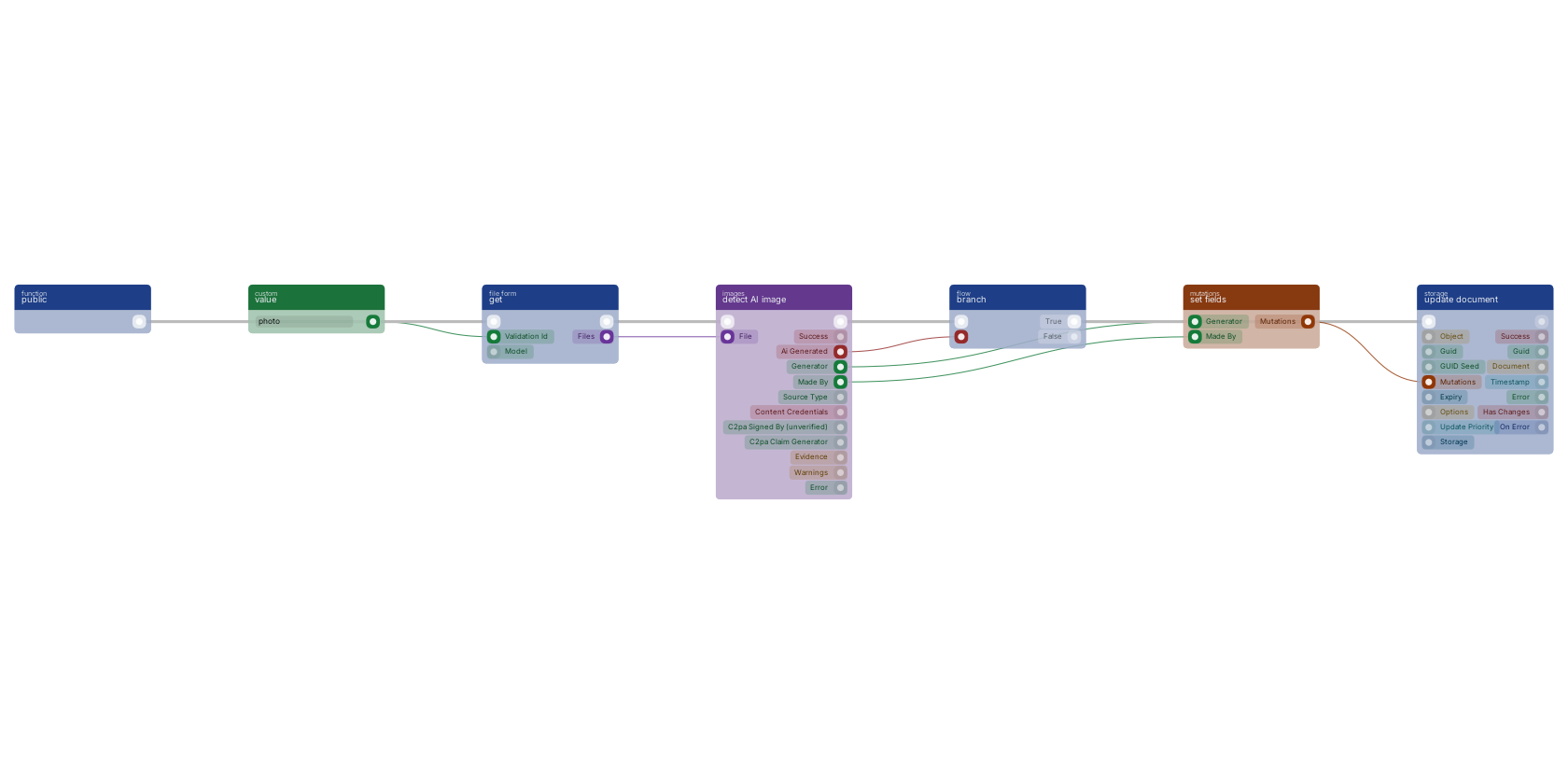
get takes the image from the form and detect AI image reads what its metadata says about how it was made, with no external service. When ai generated is on, the branch runs update document, which stores the generator and its maker through set fields. Off means no metadata was found, not that a person made the image: a screenshot or a re-encode strips it. The success pin says only that the file could be read.
Version history
Introduced in v15.0.1.
Back to
files Return to the main group to view all sub-groups Back to images Return to the group to view all blocks within this group