base64 to file
This block is part of the files group and was last modified in core v15.0.0.
base64 to file v15.0.0 Accepts a base64 string and returns a file. The file is written to its own directory under /temp/ (/temp/{id}/{filename}) so concurrent conversions never share a name.
- flow
flow - base64 required
valueThe base64 to be transformed to a file
- filename
v15.0.0valueOptional name for the file. Each conversion gets its own directory under
/temp/, so the name only has to be unique within this call. Defaults to a generated id with the extension of the detected mime type.
- flow
flow - success
condition - error
value - file
file
Decodes the base64 input and writes it to its own directory under temp/ (/temp/{guid}/{filename}), outputting a one-item file array and success on the condition pin. A data:-URI prefix (data:image/png;base64,...) is stripped and becomes the file type; a bare base64 string gets type UNKNOWN. Standard base64 is tried first, URL-safe second; undecodable input gives condition=false with error INVALID_BASE64, and an empty input errors with "No base64 found". The optional filename is clamped to a single path segment and defaults to {guid}.{extension-of-detected-mime}.
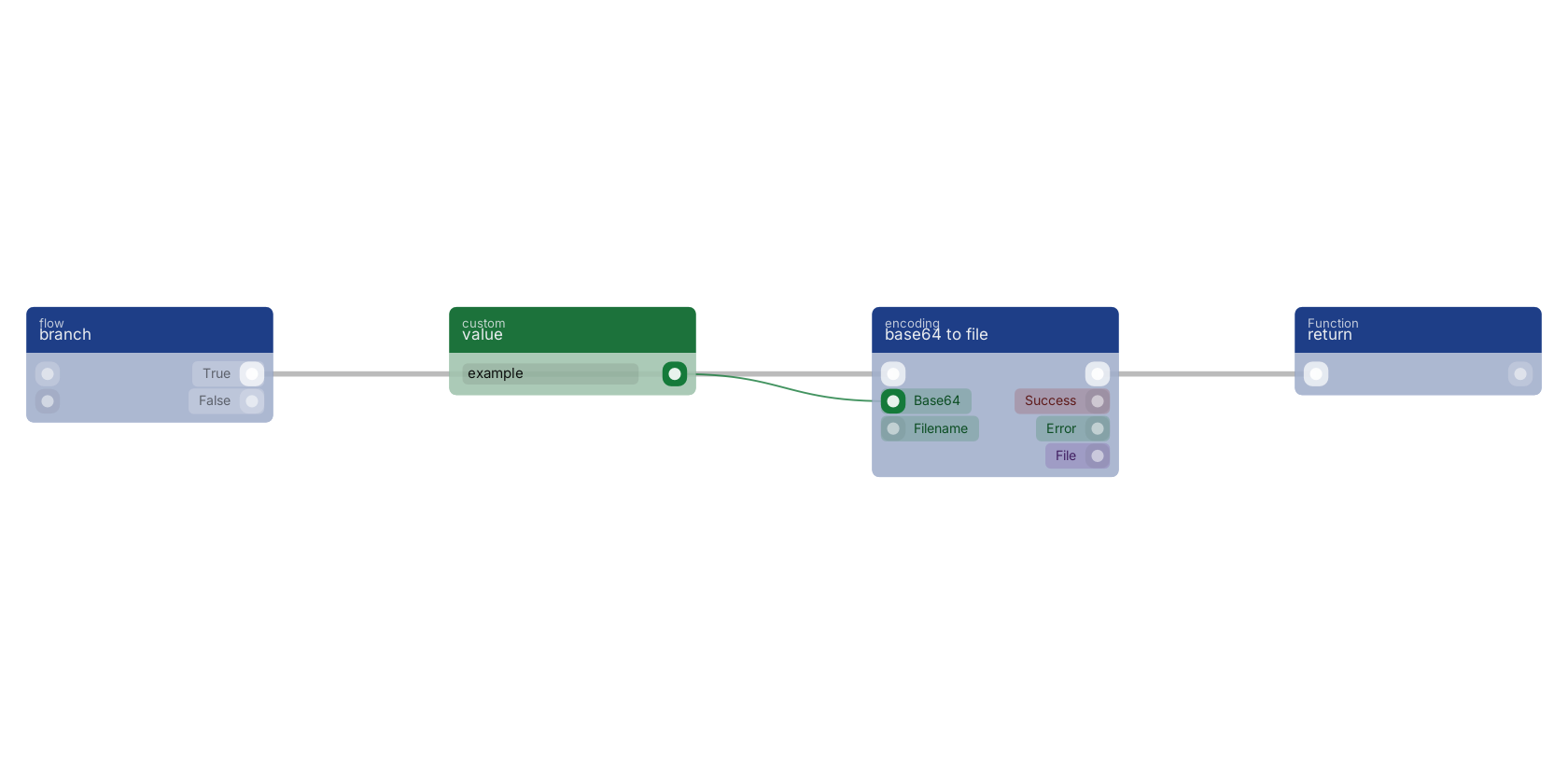
A typical wiring for base64 to file: branch feeds the flow pin; value feeds the value pin; the flow out pin feeds return.
Commonly used with
In production blueprints, this block is most often wired together with:
- return: this block feeds into it. Returns the added custom pins as data-pins on the function execute.
- branch: feeds into this block.
- get fields: feeds into this block. Gets the selected fields from the given object.
Version history
Introduced in v15.0.0.
Back to
files Return to the main group to view all sub-groups Back to encoding Return to the group to view all blocks within this group