fuzzy
This block is part of the query group and was last modified in core v12.0.5.
Field Selection Required
This block relies on a field that you select to perform its data actions. You must manually select the field you want to use in your flow using the field selector modal. To access the modal, click the white button on the block.
Connection Type
This block connects from a query type block. Make sure to connect this block to the appropriate left-hand side connection.
Parent Requirements
This block requires specific parent elements: query_bool_must, query_bool_must_not, query_bool_filter, query_bool_should, query_first_defined. Ensure this block is placed within the appropriate parent context.
fuzzy v12.0.5 Returns documents that contain terms similar to the search term
- value required
valueThe search value
- fuzziness
valueMaximum edit distance allowed for matching. Allowed values are AUTO, 0, 1, 2
- query
query
Emits a fuzzy clause on the bound field, matching terms within the given edit distance of the value (Lucene levenshtein); value-typed fields target the .keyword sub-field. fuzziness accepts only "AUTO", "0", "1" or "2" : anything else becomes "AUTO". An unwired or falsy value, or a missing field binding, outputs nil: no clause at all.
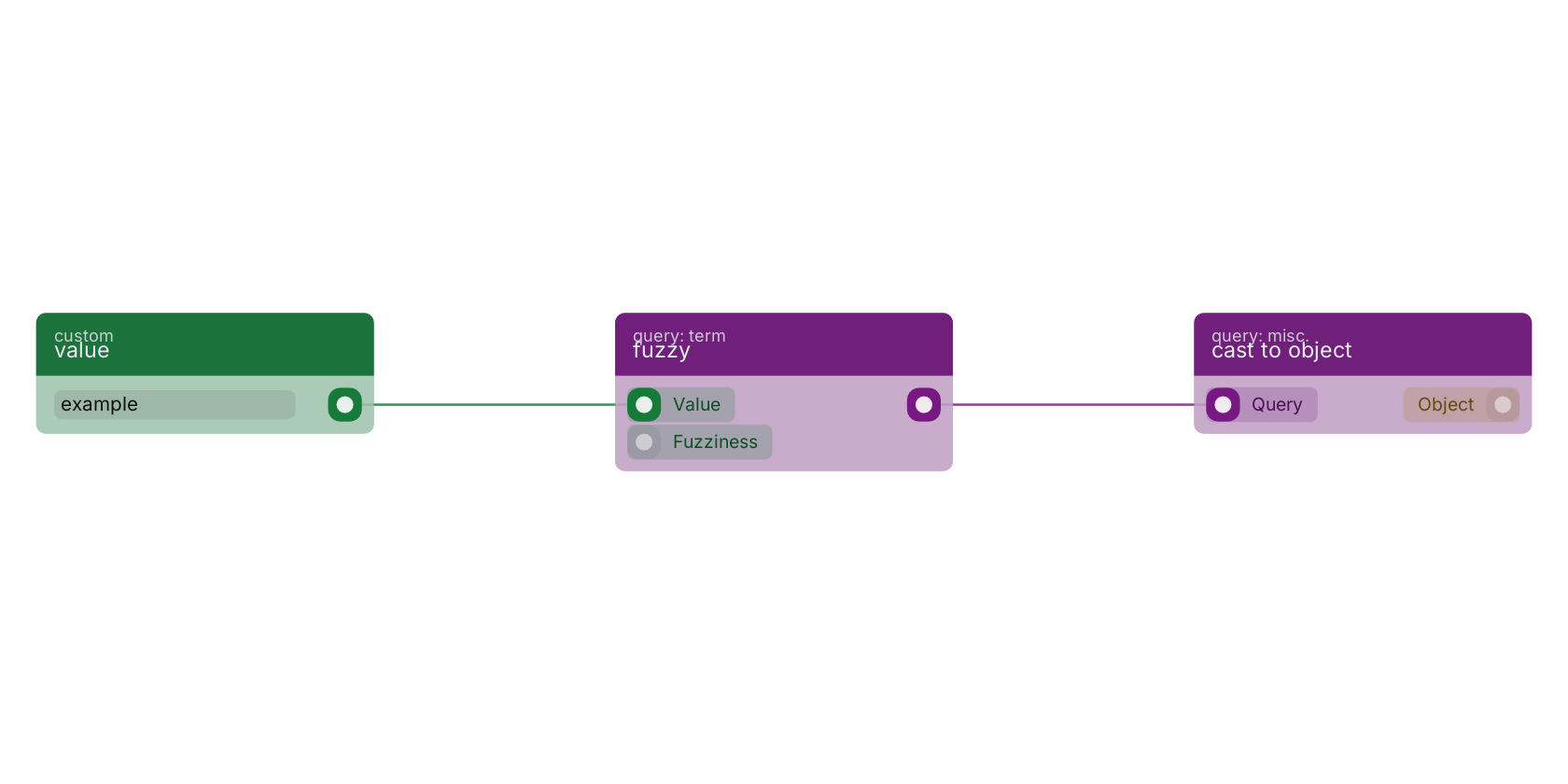
A typical wiring for fuzzy: value feeds the value pin; the query out pin feeds cast to object.
Commonly used with
In production blueprints, this block is most often wired together with:
- get fields: feeds into this block. Gets the selected fields from the given object.
Used in these guides
These documentation pages use or explain this block:
Version history
Introduced in v12.0.5.
Back to
query Return to the main group to view all sub-groups Back to query: term Return to the group to view all blocks within this group