form
This block is part of the state ui group and was last modified in core v13.0.6.
form v13.0.1 Updated v13.0.6Generates a basic form element using state UI. All fields within this form will be prefixed if a prefix is given.
- form id required
valueA unique ID for the form this field is used in.
- content required
stateContent to be shown within this form.
- class
uiclassAssigns a CSS class to the element. • Hidden when unused
- style
uistyleApplies inline CSS style to the element • Hidden when unused
- attributes
uiattributesAdds custom attributes to the element. • Hidden when unused
- state
stateReturns the element to the frontend state.
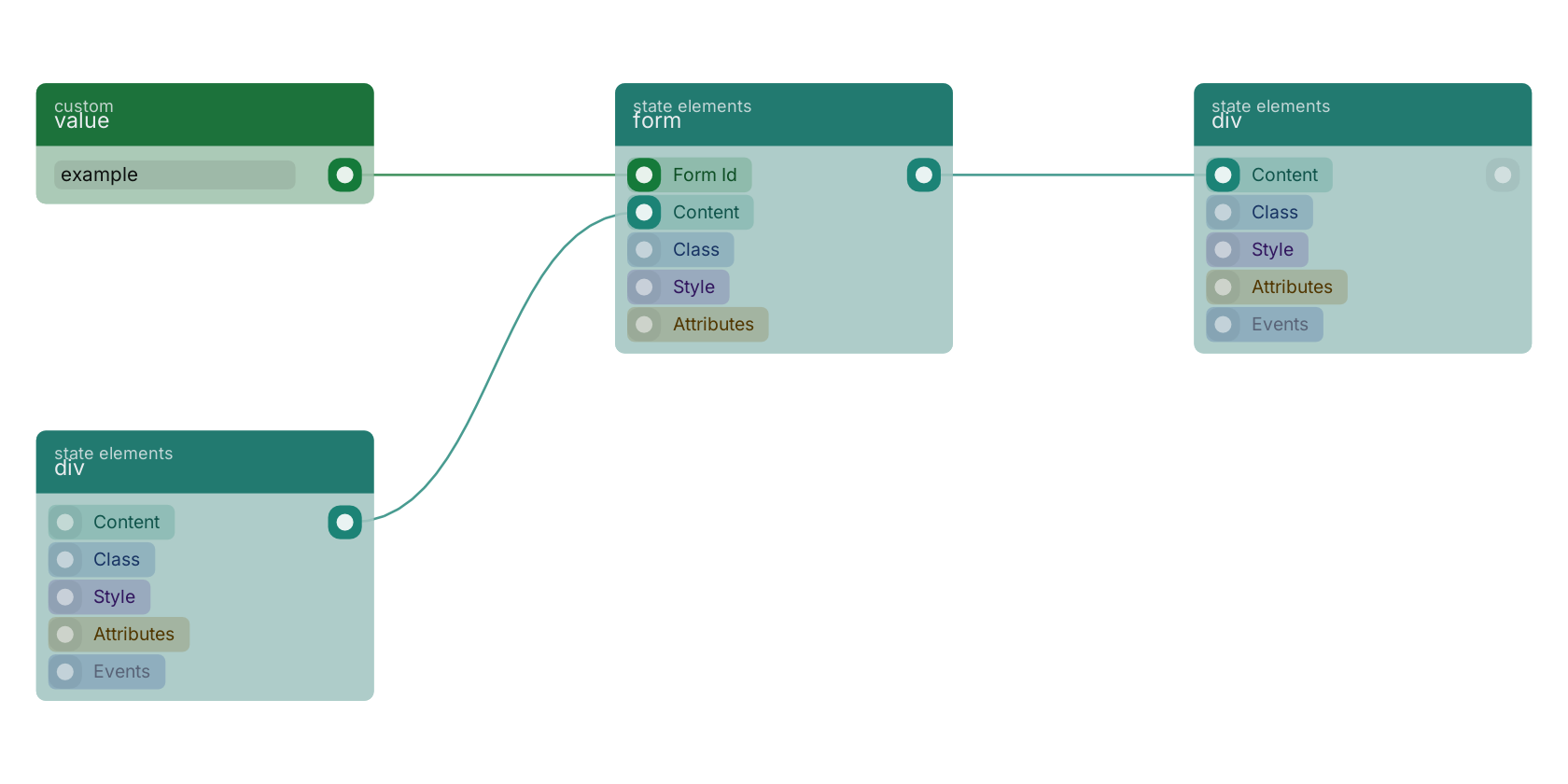
A typical wiring for form: div feeds the content pin; value feeds the form_id pin; the state out pin feeds div.
Commonly used with
In production blueprints, this block is most often wired together with:
- div: wired in both directions with this block. Creates a dynamic and customizable div element on your web page.
- value: feeds into this block. Simply returns the provided value.
Used in these guides
These documentation pages use or explain this block:
Version history
Introduced in v13.0.1.
Last modified in v13.0.6.
Back to
state ui Return to the main group to view all sub-groups Back to state elements Return to the group to view all blocks within this group