web insert
This block is part of the web group and was last modified in core v15.0.1.
web insert v15.0.1 Adds new HTML to the page: a new row at the end of a table, a new message at the top of a list.
- flow
- key
valueThe element's data-key: a row of web for each, or the key a web action received.
- target
valueA CSS selector instead of a key, e.g.
#cart-count. - html
valuerequired - position
valueappend, prepend, before or after.
- flow
Adds a browser update to the web action's answer: `html` is inserted relative to the element by `position`: append (default, last child), prepend (first child), before or after (siblings). Any other position is an error. Give inserted rows a data-key (web template's key pin) so later actions can address them. Addressed by `key` (matches [data-key="<key>"]) or, when key is empty, `target` (a CSS selector); neither is an error that stops the flow. Only in a flow started by web_action (an error elsewhere). Updates apply in the order the blocks ran.
append row |
prepend |
add to list |
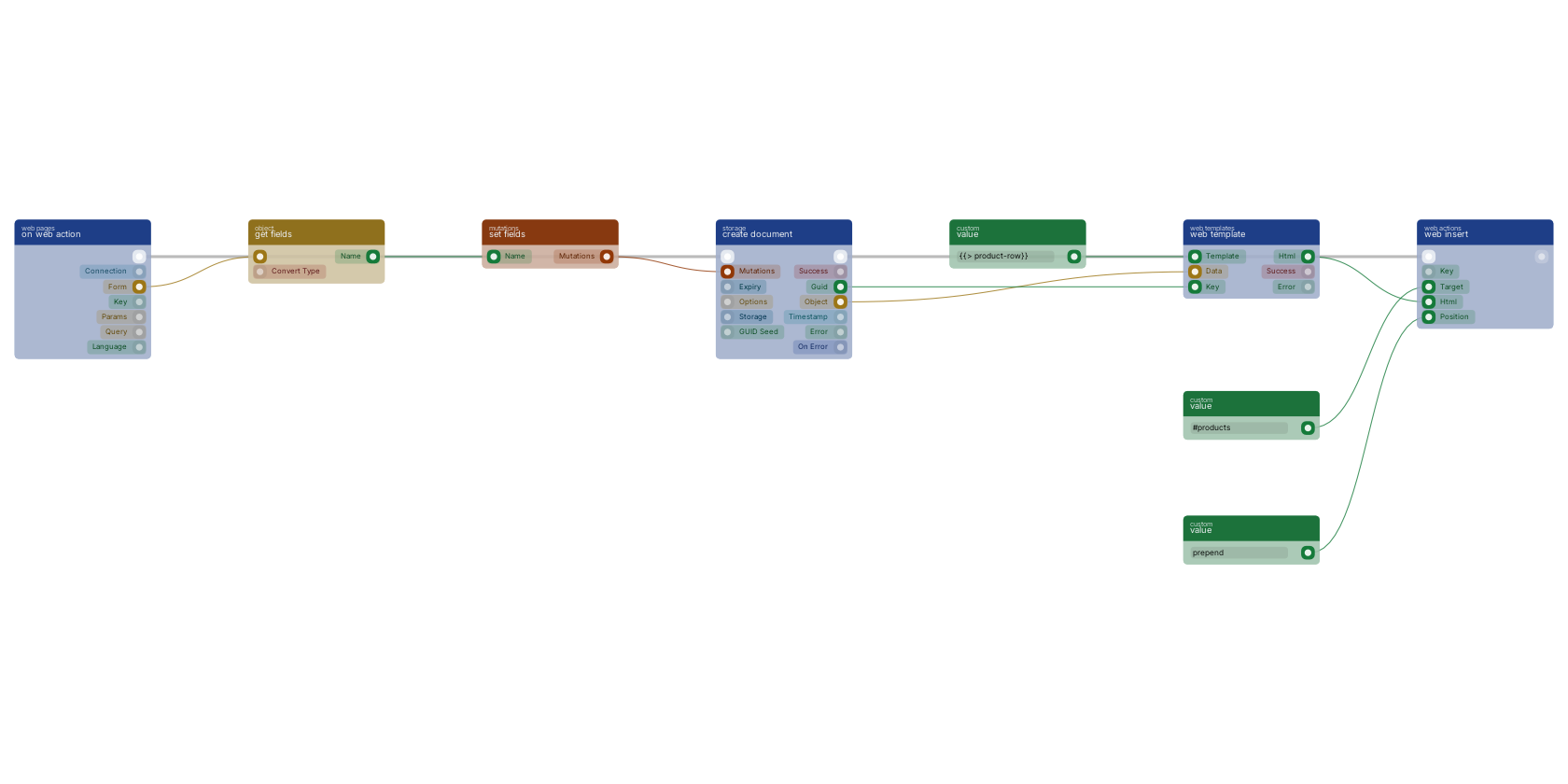
After create document stores the new product, web template renders its row with the guid as key, so later actions can reach it, and web insert adds that row to the element the target pin selects. position says where: append, the default, and prepend go inside the element as its last or first child, before and after go next to it as a sibling. Any other position is an error.
Used in these guides
These documentation pages use or explain this block:
- Escaping and Security
- Lists and Tables
- Migrating from State Pages
- Web Actions
- Block Templates, Combinations That Work
- Example: Inventory Tracker
- Example: Task Management App
- Build Your First CRUD App
Version history
Introduced in v15.0.1.
v15.0.1: block added in this release.
Back to
web Return to the main group to view all sub-groups Back to web actions Return to the group to view all blocks within this group