create document
This block is part of the storage group and was last modified in core v14.0.3.
Storage Selection Required
This block relies on a storage to perform its storage releated actions. You must manually select the storage you want to use in your flow using the storage selector modal. To access the modal, click the white button on the block.
create document v14.0.3 Creates a document in the given storage.
- flow
flow - mutations required
mutationsProvide the mutations for this document. e.g. use
set fieldsto set existing/new fields. - expiry
dateWhen a document is given an expiry date, the document will be unrecoverably deleted on the given date.
- options
objectOptions can be given e.g.
skip_revisionsto skip create revisions for high-update docs orskip_on_savedto skip the on-events for this document create. - Storage required
storageThe storage this document will be created.
- GUID seed
v14.0.3valueOptional base value used to generate a deterministic GUID (the sha256 of the seed). The same seed always produces the same GUID. Use this to create documents addressable by a known key (e.g. product_guid + user_guid). Always wire the RAW seed : never the output of the
generate guidblock, which is already a hash and would land the document at a different GUID than your lookups compute.update document,remove documentandupsert documentaccept the same raw seed on their ownguid_seedpins.
- flow
flow - success
condition - guid
v10.6.1value - object
object - timestamp
v12.0.0numbertimestamp in ms, can be used to wait for the document to be available in search.
- error
value
Applies the mutations (e.g. set fields) to an empty object and creates the result in the selected storage, outputting the stored document, its guid, success, and a millisecond timestamp. A guid_seed derives a deterministic GUID (sha256 of the raw seed): if a live document already has it, the create is refused with DOCUMENT_GUID_ALREADY_EXISTS and success=false, while a soft-deleted one is restored and updated instead. Missing or unknown storage fails with MISSING_STORAGE. In simulation nothing is stored : the output document is synthetic with generated _meta.
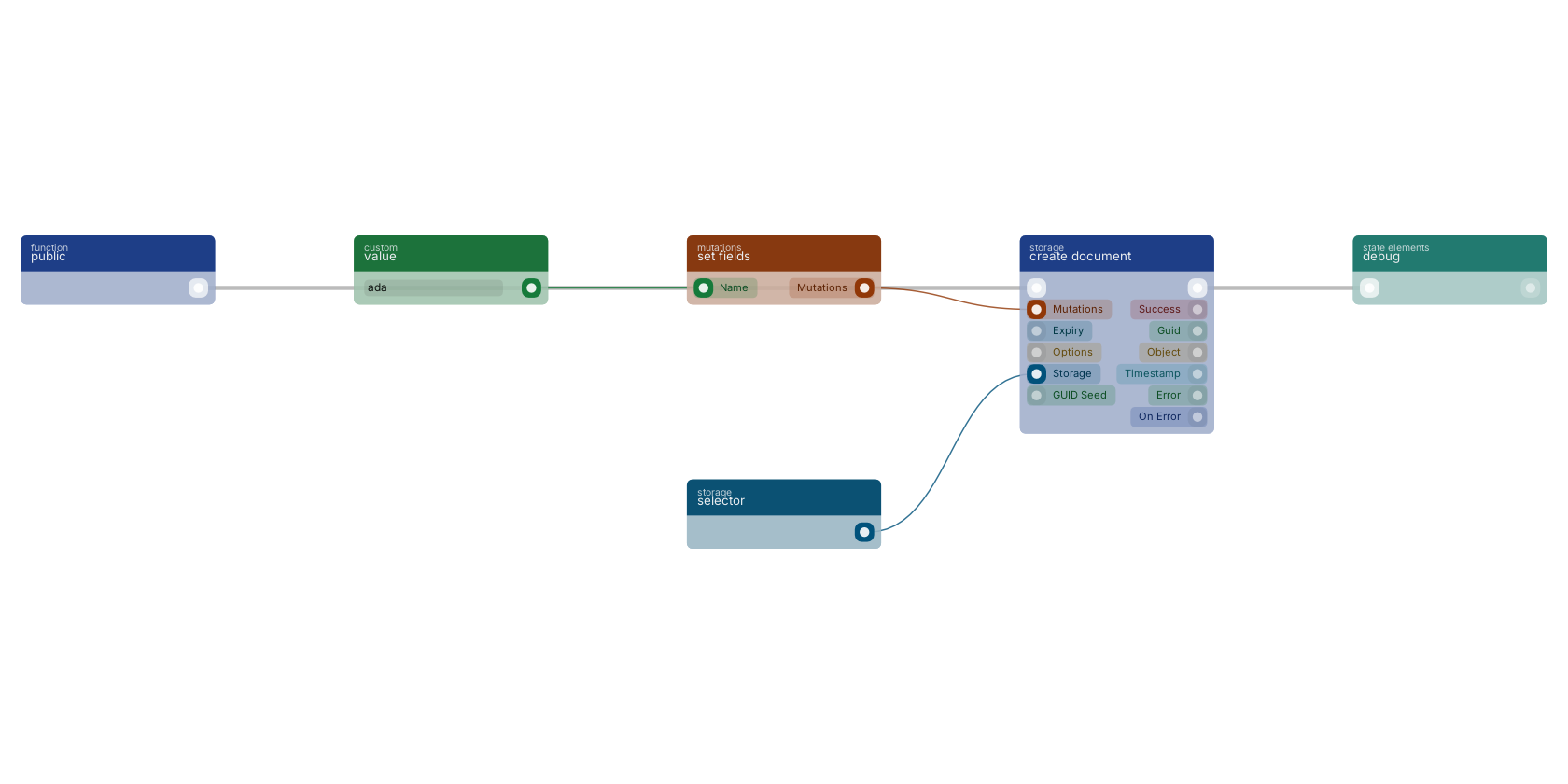
create document builds a new document from the mutations on its pin, prepared with set fields. The storage pin takes a storage selector and the flow continues once the document is stored, here into a debug block.
Commonly used with
In production blueprints, this block is most often wired together with:
- set fields: wired in both directions with this block. Generates an array of mutations based on the given filled fields.
- branch: wired in both directions with this block.
- reply in JSON: this block feeds into it. Reply to any httpconnection as JSON body.
- get fields: this block feeds into it. Gets the selected fields from the given object.
- execute: this block feeds into it. Executes the given funcion and waits for it to be executed.
- concatenate values: feeds into this block.
Used in these guides
These documentation pages use or explain this block:
- Creating a REST API
- Common Blueprint Patterns
- Storage Events
- Storage Examples
- Storages
- Block Templates, Combinations That Work
- Example: Simple Blog
- Build Your First CRUD App
Version history
Introduced in v14.0.3.
v12.0.0, click here to see the release notes. v10.6.1 This block or one of its pins was updated in v10.6.1, click here to see the release notes. v10.2.9 This block or one of its pins was updated in v10.2.9, click here to see the release notes. Back to
storage Return to the main group to view all sub-groups Back to storage Return to the group to view all blocks within this group