web remove
This block is part of the web group and was last modified in core v15.0.1.
web remove v15.0.1 Removes one element from the page, e.g. the row of a deleted document.
- flow
- key
valueThe element's data-key: a row of web for each, or the key a web action received.
- target
valueA CSS selector instead of a key, e.g.
#cart-count.
- flow
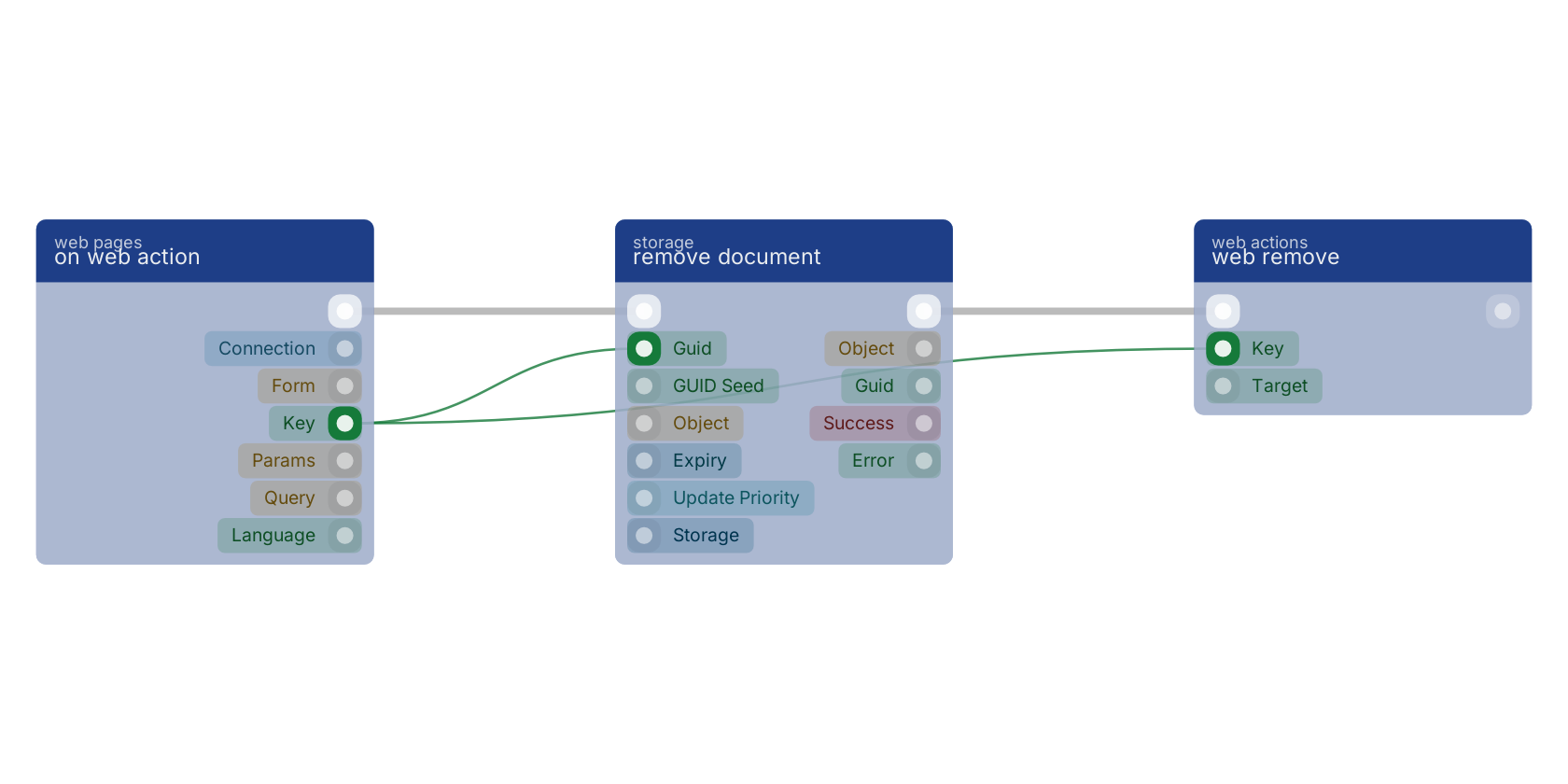
Adds a browser update to the web action's answer: the element is removed (after a short fade). Typical delete flow: web_action(key) -> storage delete(key) -> web_remove(key). Addressed by `key` (matches [data-key="<key>"]) or, when key is empty, `target` (a CSS selector); neither is an error that stops the flow. Only in a flow started by web_action (an error elsewhere). Updates apply in the order the blocks ran.
delete row |
remove element |
The button sits in a row that web for each gave a data-key, so on web action receives that document's guid on key. remove document deletes it, and web remove takes the same key and removes the row from the page after a short fade. A row that is already gone from the page is not an error.
Used in these guides
These documentation pages use or explain this block:
- Lists and Tables
- Markup Reference
- Web Actions
- Example: Inventory Tracker
- Example: Task Management App
- Build Your First CRUD App
- Block Quick Reference
Version history
Introduced in v15.0.1.
v15.0.1: block added in this release.
Back to
web Return to the main group to view all sub-groups Back to web actions Return to the group to view all blocks within this group