web update
This block is part of the web group and was last modified in core v15.0.1.
web update v15.0.1 Gives one element of the page new contents, keeping the element itself: a counter, a total, a message.
- flow
- key
valueThe element's data-key: a row of web for each, or the key a web action received.
- target
valueA CSS selector instead of a key, e.g.
#cart-count. - html
valuerequired
- flow
Adds a browser update to the web action's answer: the element's contents become `html` (innerHTML; the element and its attributes stay). For a plain value pass text: it is HTML, so escape user input with a web template first. Addressed by `key` (matches [data-key="<key>"]) or, when key is empty, `target` (a CSS selector); neither is an error that stops the flow. Only in a flow started by web_action (an error elsewhere). Updates apply in the order the blocks ran.
set html |
update counter |
inner html |
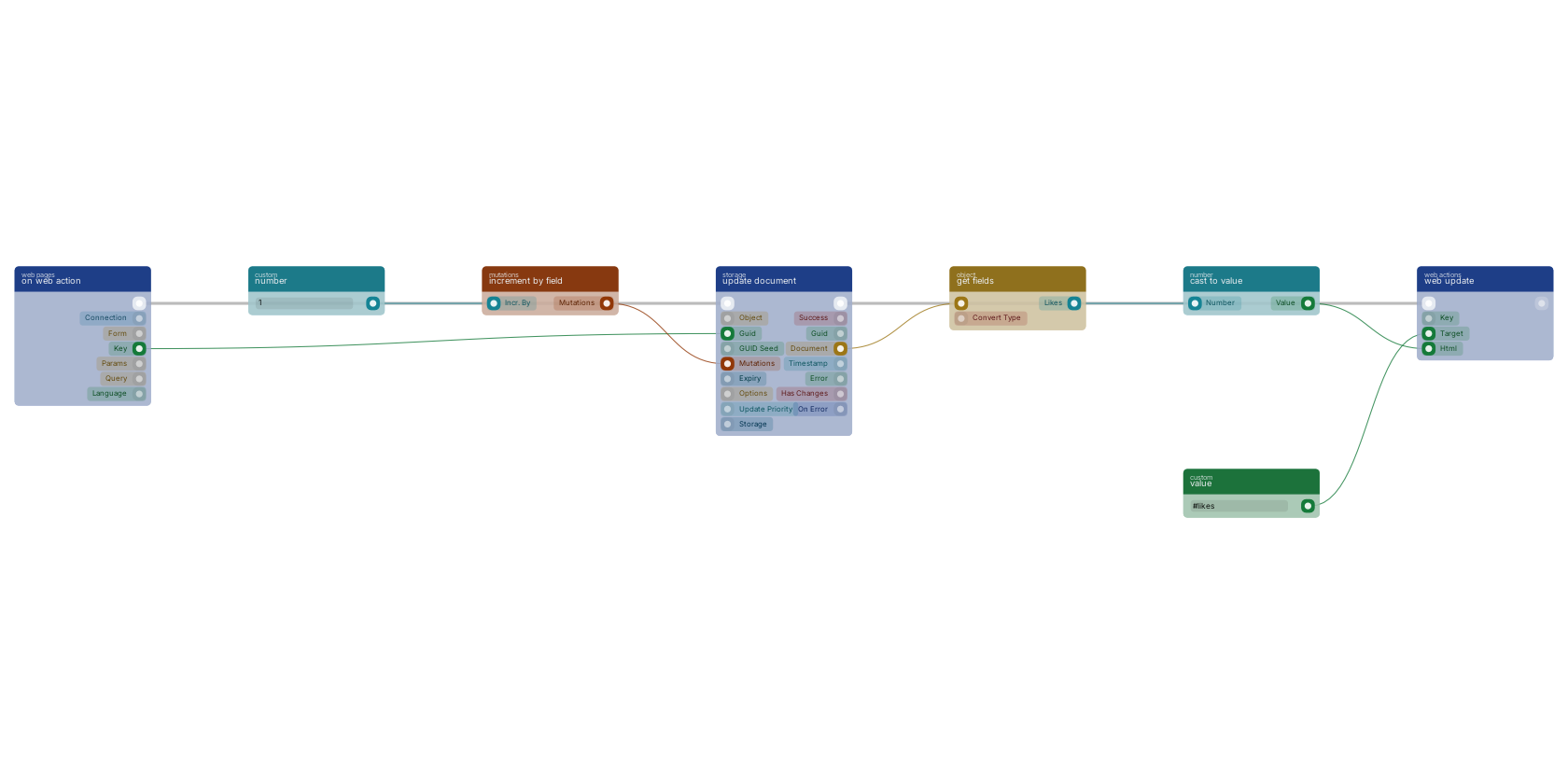
A like button: increment by field and update document count the like on the document the key names, and get fields reads the new number back. web update gives the element the target pin selects new contents and keeps the element and its attributes. Its html pin takes HTML, also when you meant plain text: a number from a stored document is fine through cast to value, but text a visitor typed goes through web template first, so it gets escaped.
Used in these guides
These documentation pages use or explain this block:
- Building a Dashboard with Charts
- Building a Login Page
- File Upload & Processing
- Escaping and Security
- Lists and Tables
- Migrating from State Pages
- Tutorial: A Small Webshop
- Web Actions
Version history
Introduced in v15.0.1.
v15.0.1: block added in this release.
Back to
web Return to the main group to view all sub-groups Back to web actions Return to the group to view all blocks within this group