build pdf
This block is part of the files group and was last modified in core v12.0.3.
build pdf v12.0.3 - flow
flow - filename required
valueThe name this file should get and be seen as by the user.
- language
v12.0.3valueAllows you to set a custom language for the PDF. This language only applies to UI blocks and not to value translations
- header
uicomponentThe header that will be rendered on the PDF.
- Header Height (px)
numberThe height the header will receive in the PDF.
- content required
uicomponent - footer
uicomponentThe footer that will be rendered on the PDF.
- Footer Height (px)
numberThe height the footer will receive in the PDF.
- Format
valueThe format used for the PDF. The possible values are: Letter, Legal, Tabloid, Ledger, A0, A1, A2, A3, A4, A5, A6 • Hidden when other fields are filled
- height
v12.0.0valueSets a custom height for the PDF. The setting should be given with units (px, in, cm, mm) • Hidden when other fields are filled
- width
v12.0.0valueSets a custom width for the PDF. The setting should be given with units (px, in, cm, mm) • Hidden when other fields are filled
- is landscape
v12.0.0conditionPaper orientation
- flow
flow - PDF file
file - Success
condition - Error
value
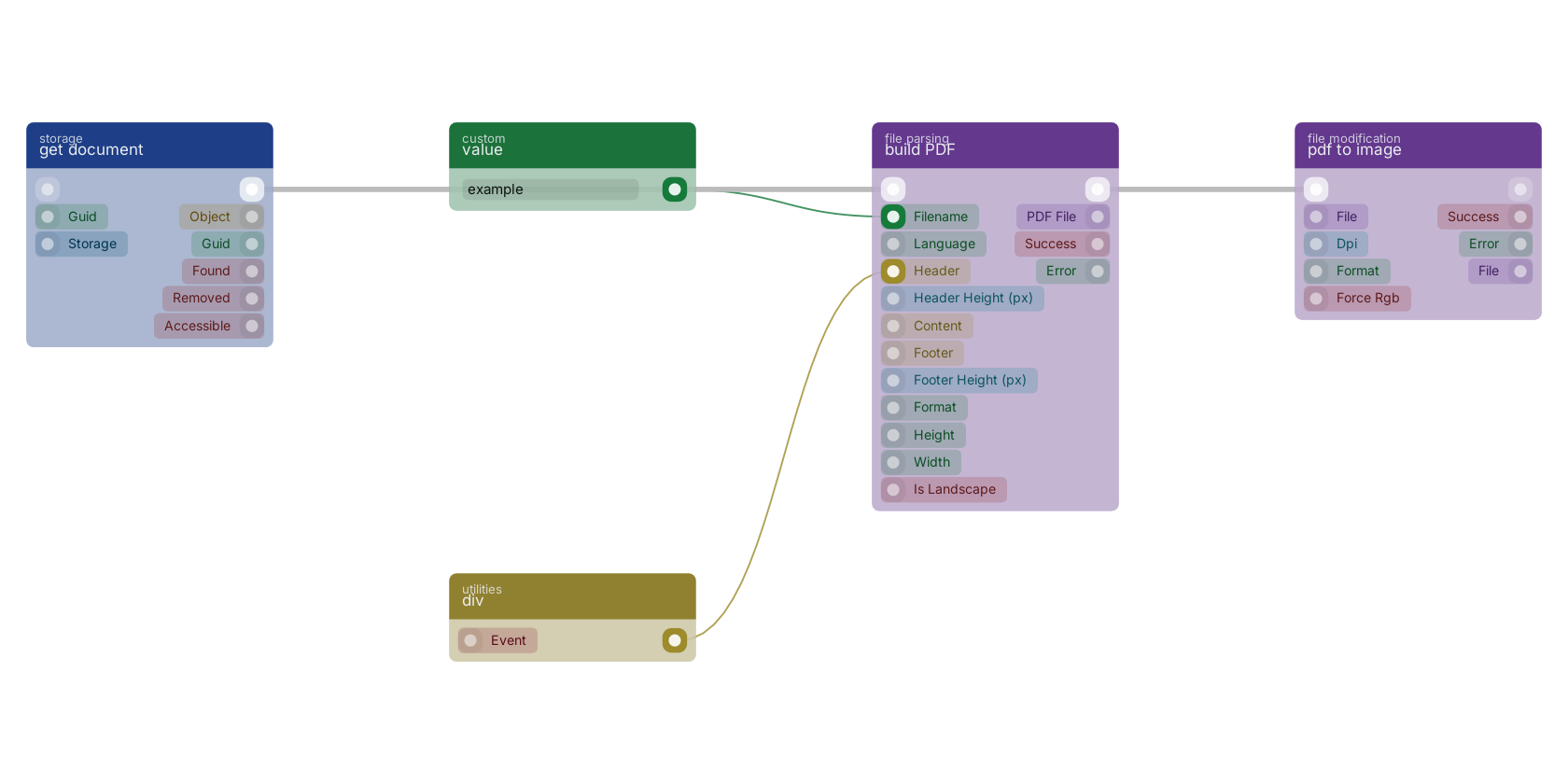
A typical wiring for build PDF: value feeds the filename pin; div feeds the header pin; get document feeds the flow pin; the flow out pin feeds pdf to image.
Commonly used with
In production blueprints, this block is most often wired together with:
- pdf to image: this block feeds into it. Converts the given PDF to image files.
- value: feeds into this block. Simply returns the provided value.
- div: feeds into this block. Generic container for content.
- get document: feeds into this block. get a specific document based on the given GUID.
- dynamic value: feeds into this block. Returns the provided value with support for dynamic inpins using {name:type} placeholders — the pin's name first, then its type, e.g. {guid:value}.
Version history
Introduced in v12.0.3.
v12.0.0, click here to see the release notes. Back to
files Return to the main group to view all sub-groups Back to file parsing Return to the group to view all blocks within this group