pdf to image
This block is part of the files group and was last modified in core v14.0.3.
pdf to image v14.0.2 Updated v14.0.3Converts the given PDF to image files.
In pins 4 + flow
- flow
- file
filerequired - dpi
numberrequiredv14.0.3Resolution in DPI: 72=fast preview, 96=alignment checks, 150=quality checks (recommended), 300=print quality
- format
valuerequiredv14.0.3Output format: png (lossless), jpeg (smaller files), tiff
- force rgb
conditionv14.0.3Force RGB colorspace. Enable if PDF has "Invalid ICC color space" errors or wrong colors
Out pins 3 + flow
- flow
- success
condition - error
value - file
file
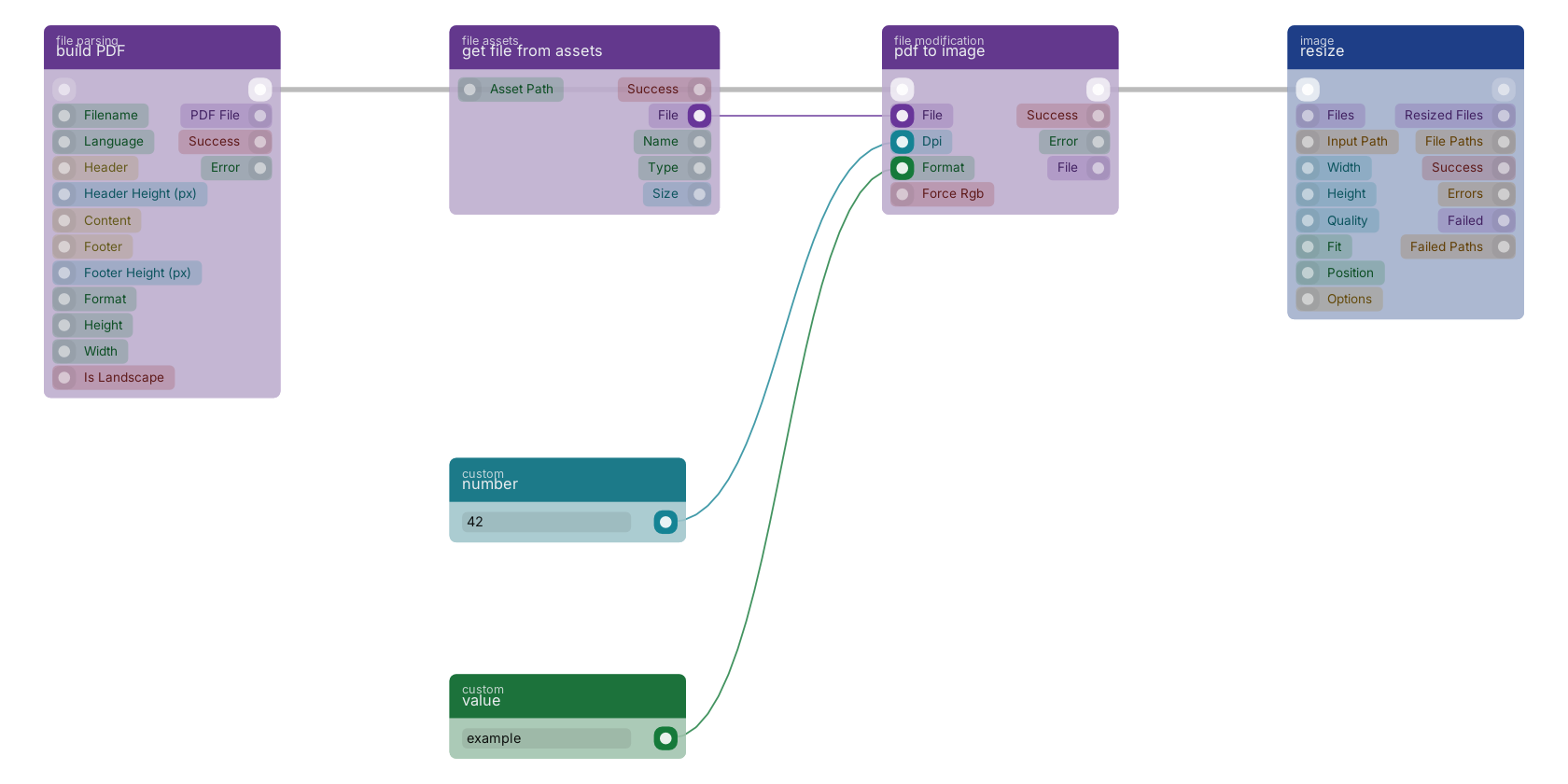
A typical wiring for pdf to image: build PDF feeds the flow pin; number feeds the dpi pin; value feeds the format pin; get file from assets feeds the file pin; the flow out pin feeds resize.
Commonly used with
In production blueprints, this block is most often wired together with:
- build PDF: feeds into this block.
- resize: this block feeds into it. resize given images with new dimensions.
- number: feeds into this block. Generates a valid number from the filled custom value in the blueprint.
- value: feeds into this block. Simply returns the provided value.
Version history
Introduced in v14.0.2.
Last modified in v14.0.3.
Back to
files Return to the main group to view all sub-groups Back to file modification Return to the group to view all blocks within this group