resize
This block is part of the files group and was last modified in core v13.0.5.
resize v13.0.5 resize given images with new dimensions
- flow
flow - Files required
v10.5.10fileThe files to be resized. The resize will create new files and not overwrite the old ones.
- Width
numberThe new width in pixels. Leave empty to auto-scale the height
- Height
numberThe new height in pixels. Leave empty to auto-scale the width
- Quality
numberThe quality of the file (1-100)
- Fit
valueDefault: cover. Options: cover, contain, fill, inside, outside
- Position
valueCan only be used with fit cover or contain. Default: centre. Options: top right top, right, right bottom, bottom, left bottom, left, left top, centre
- options
v13.0.5objectSharp options to be used during resize.
- flow
flow - Resized files
v10.5.10file - Success
conditionTrue if all images succeeded. False if one or more images are failing
- Errors
arrayError messages
- Failed
v10.5.10fileFiles which were not resized.
Resizes every image from the file pin (or the deprecated input path array) and writes a NEW file next to each source named {name}_{width}x{height}.{ext}; originals are never overwritten. Giving only width or only height auto-scales the other axis to preserve aspect ratio; no images, or both dimensions empty, yields success=false with the error "No images or height/width missing.". success is true only when every image resized; per-file failures are skipped and listed in errors and failed_file. fit accepts cover (default, crops overflow), contain (pads with transparency), fill (stretches), inside and outside; position only steers cover/contain.
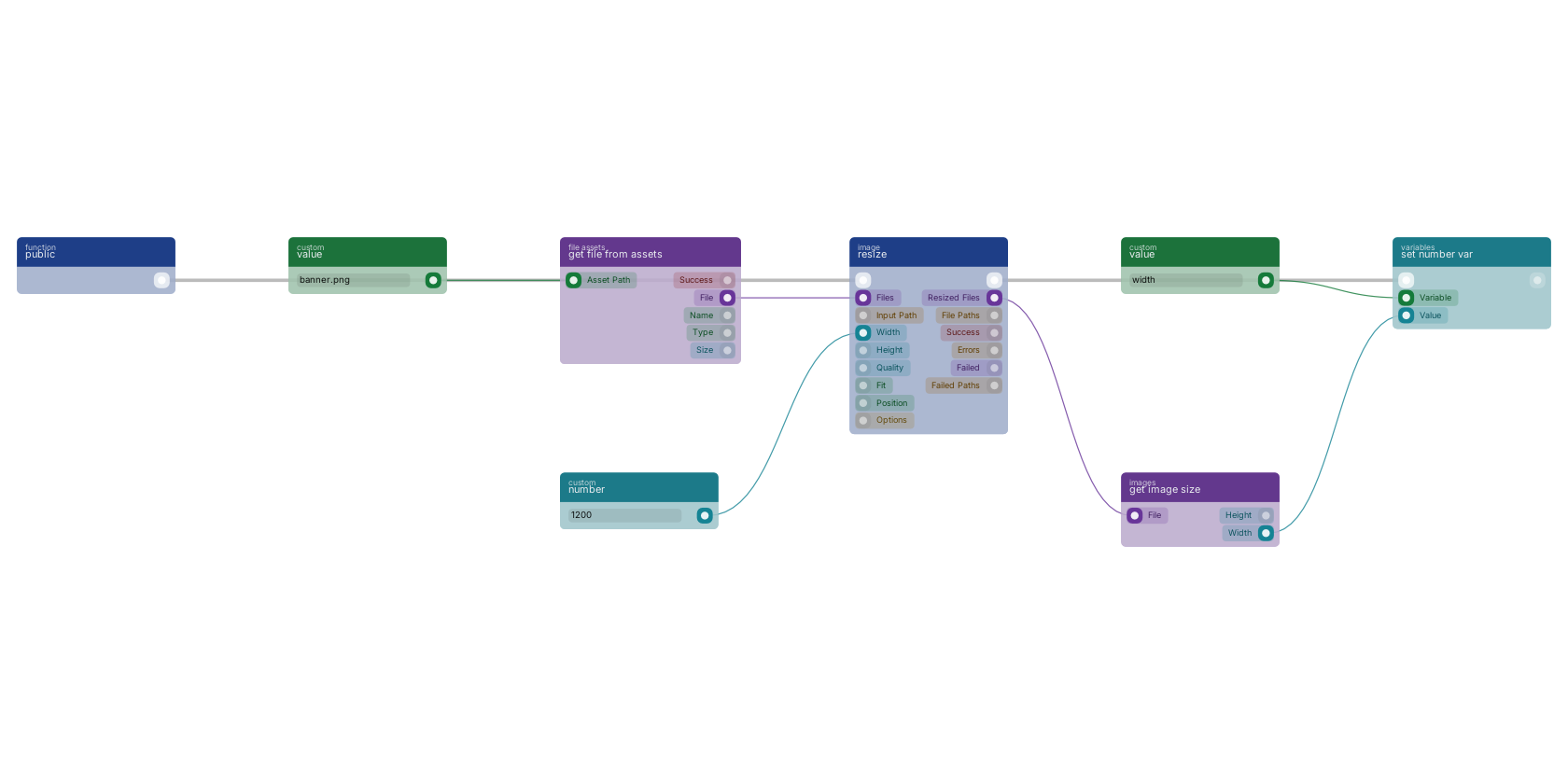
get file from assets loads a stored image, resize scales it to the width pin, and get image size reads the resulting width back, which is stored in a variable with set number var. The flow runs from a function trigger, the file pins carry the image between the blocks.
Commonly used with
In production blueprints, this block is most often wired together with:
- number: feeds into this block. Generates a valid number from the filled custom value in the blueprint.
- branch: wired in both directions with this block.
- rename: wired in both directions with this block. Renames the given files.
- value: feeds into this block. Simply returns the provided value.
- move to public: feeds into this block. Moves the given files to a new public destination.
- get link: this block feeds into it. Returns the link of a given file which can be used as a img src. Will only work with public files.
Used in these guides
These documentation pages use or explain this block:
Version history
Introduced in v13.0.5.
v10.5.10, click here to see the release notes. Back to
files Return to the main group to view all sub-groups Back to image Return to the group to view all blocks within this group