set
This block is part of the redis group and was last modified in core v13.0.6.
Redis Key Selection Required
This block relies on a Redis key to perform its redis releated actions. You must manually select the Redis key you want to use in the flow in the blueprint using the Redis key selector modal. To access the modal, click the white button on the block.
set v11.0.0 Updated v13.0.6Set key to hold the string value. If key already holds a value, it is overwritten, regardless of its type.
- flow
flow - value required
valueValue being set, only accepts
valuetypes. - TTL
numberSet the specified expire time, in seconds.
- flow
flow - success
v13.0.6condition - key
v13.0.6valuecurrent redis key, this outpin be handy when using dynamic redis keys
Sets the cache key to the JS-stringified value pin (falsy values store ""), overwriting any existing value regardless of its previous type. ttl is in seconds; absent, zero, or invalid means no expiry. No key configured fails with success=false and error MISSING_REDIS_KEY; in simulation nothing is stored but success=true with error NOT_EXECUTED_IN_SIMULATION_MODE.
redis set |
set cache |
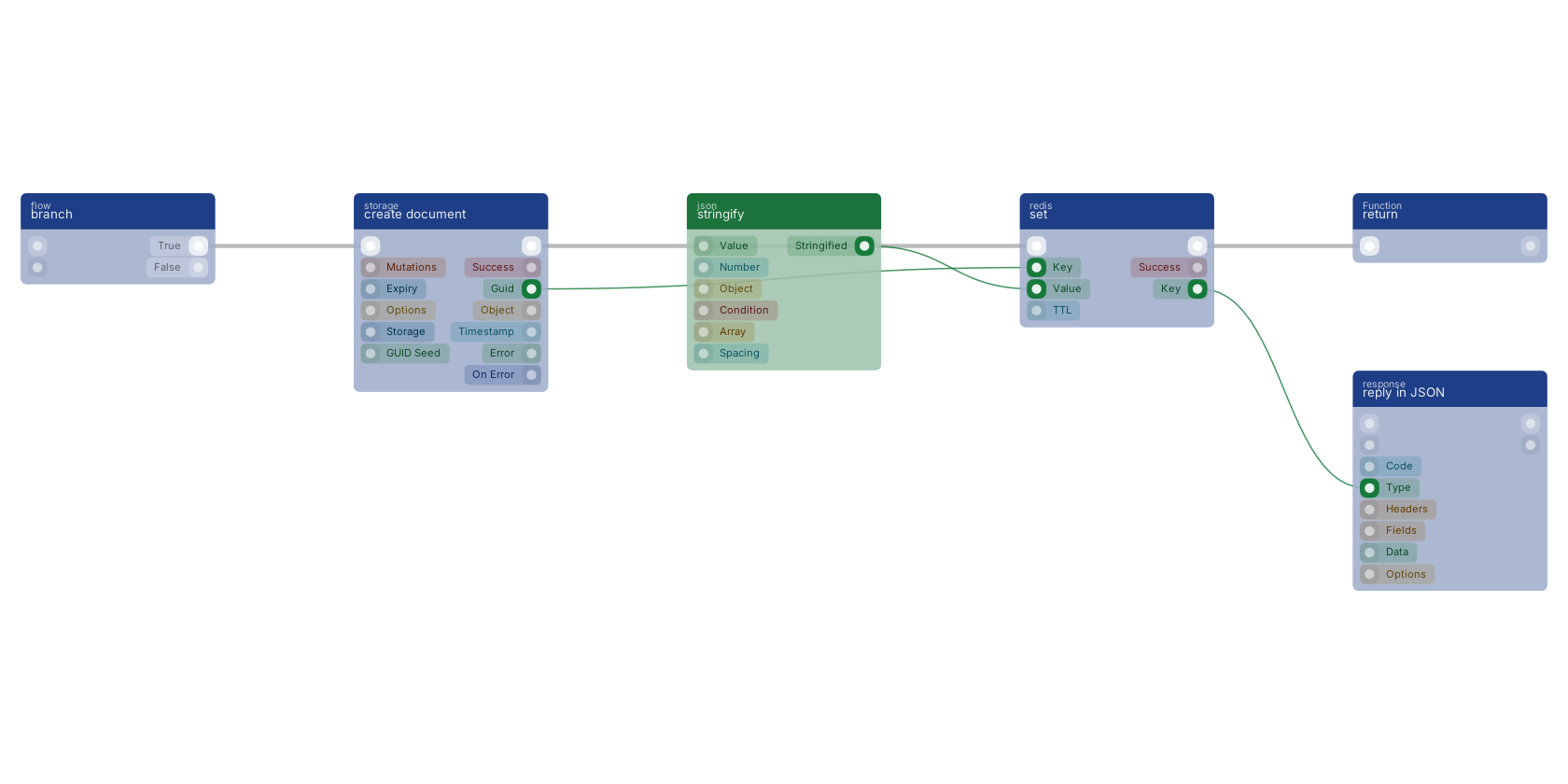
A typical wiring for set: branch feeds the flow pin; create document feeds the key pin; stringify feeds the value pin; the flow out pin feeds return; the key out pin feeds reply in JSON.
Commonly used with
In production blueprints, this block is most often wired together with:
- branch: feeds into this block.
- create: feeds into this block. Creates a new function that can be executed using the given name.
- create document: feeds into this block. Creates a document in the given storage.
- return: this block feeds into it. Returns the added custom pins as data-pins on the function execute.
- reply in JSON: this block feeds into it. Reply to any httpconnection as JSON body.
- stringify: feeds into this block. uses JSON.stringify to produce a string of the given data.
Used in these guides
These documentation pages use or explain this block:
Version history
Introduced in v11.0.0.
Last modified in v13.0.6.
Service documentation
External API reference This block wraps a third-party service. Click here for the service's own documentation of the underlying endpoint.Back to
redis Return to the main group to view all sub-groups Back to redis Return to the group to view all blocks within this group