set cache ttl
This block is part of the redis group and was last modified in core v13.0.6.
Redis Key Selection Required
This block relies on a Redis key to perform its redis releated actions. You must manually select the Redis key you want to use in the flow in the blueprint using the Redis key selector modal. To access the modal, click the white button on the block.
set cache ttl v11.0.0 Updated v13.0.6set the time to live in seconds
- flow
flow - TTL required
numberTime to live in seconds.
- flow
flow - error
value
Sets a new expiry on an existing cache key: ttl seconds, defaulting to 60 when the pin is absent, zero, or invalid. error=KEY_DOES_NOT_EXIST when the key is missing : there is no success pin, so an unset error is the only success signal. In simulation nothing changes and error is NOT_EXECUTED_IN_SIMULATION_MODE.
redis ttl |
cache ttl |
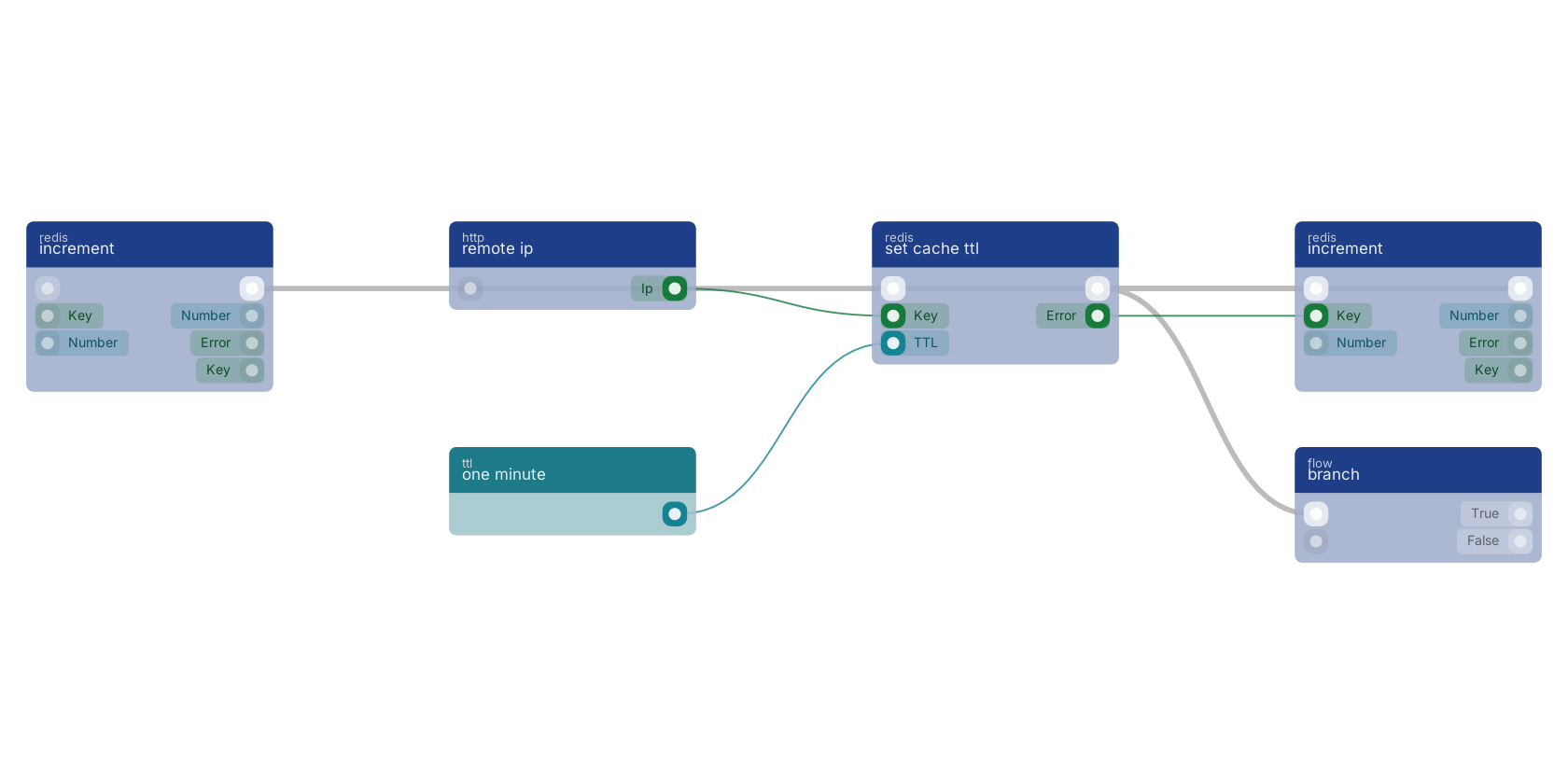
A typical wiring for set cache ttl: increment feeds the flow pin; remote ip feeds the key pin; one minute feeds the ttl pin; the flow out pin feeds branch; the error out pin feeds increment.
Commonly used with
In production blueprints, this block is most often wired together with:
- increment: wired in both directions with this block. Increments the number stored at key by one. If the key does not exist, it is set to 0 before performing the operation.
- remote ip: feeds into this block. Returns the currently connected user IP.
- branch: wired in both directions with this block.
- one minute: feeds into this block. Returns one minute in seconds as a number.
- number: feeds into this block. Generates a valid number from the filled custom value in the blueprint.
- update document: this block feeds into it. Update document in the given storage and creates a revision for it.
Used in these guides
These documentation pages use or explain this block:
Version history
Introduced in v11.0.0.
Last modified in v13.0.6.
Service documentation
External API reference This block wraps a third-party service. Click here for the service's own documentation of the underlying endpoint.Back to
redis Return to the main group to view all sub-groups Back to redis Return to the group to view all blocks within this group