submit button
This block is part of the state elements group and was last modified in core v13.0.6.
API Selection Required
This block relies on a API to perform its API releated actions. You must manually select the API you want to use in your flow using the API selector modal. To access the modal, click the white button on the block.
submit button v13.0.1 Updated v13.0.6A submit button to handle your form using a POST or PUT API. An error will be shown if the API responds with a non-200 status code and an error message. For this to work a form element needs to be used.
- form id required
valueA unique ID for the form this field is used in.
- text required
valueText to be shown within the button. Can be updated using
{state}.content. - parameters required
v13.0.5object - query required
v13.0.5object - state key required
valueThe state to bind the button to. Will execute the left click function and update the
{state}.visiblewith1. - icon
valueIcon to be shown next to the button, be aware to include the icon font in your HTML/template. Icon can be updated using
{state}.icon - icon: style
uistyleStyle inline CSS style for the icon • Hidden when unused
- icon: class
uiclassAssigns a CSS class to the icon. • Hidden when unused
- class
uiclassAssigns a CSS class to the element. • Hidden when unused
- style
uistyleApplies inline CSS style to the element • Hidden when unused
- attributes
uiattributesAdds custom attributes to the element. • Hidden when unused
- on success
inpinfunctionWill be executed when the API returns code
200, to modify the state UI accordingly.
- state
stateReturns the element to the frontend state.
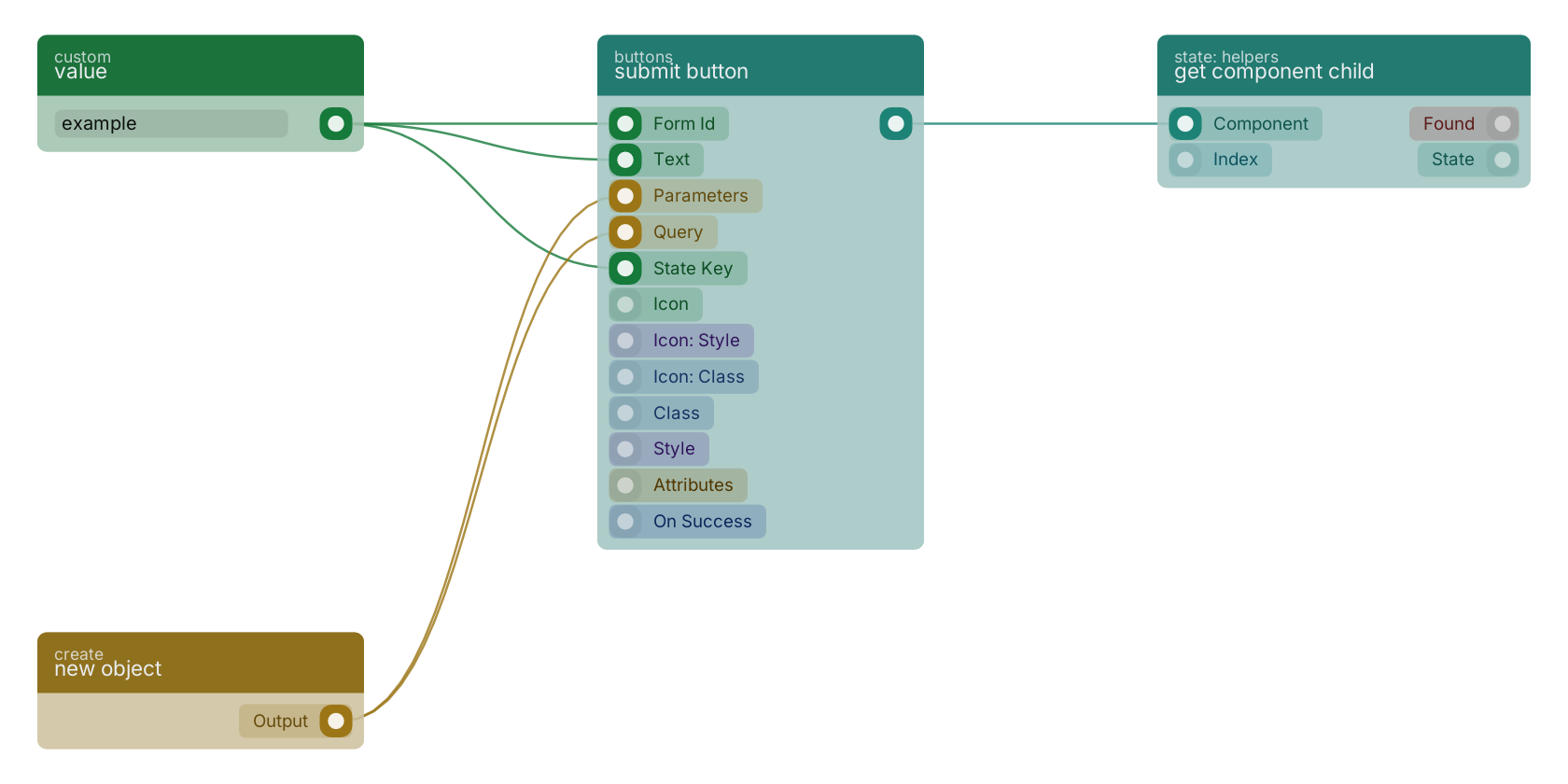
A typical wiring for submit button: value feeds the form_id pin; value feeds the value pin; new object feeds the parameters pin; new object feeds the query pin; value feeds the state pin; the state out pin feeds get component child.
Used in these guides
These documentation pages use or explain this block:
Version history
Introduced in v13.0.1.
Last modified in v13.0.6.
v13.0.5, click here to see the release notes. Back to
state elements Return to the main group to view all sub-groups Back to buttons Return to the group to view all blocks within this group