new object
This block is part of the object group and was last modified in core v10.4.28.
Fields Selection Required
This block relies on fields that you selected to perform its data actions. You must manually select the fields you want to use in your flow using the fields selector modal. To access the modal, click the white button on the block.
Field Selection Required
This block requires field selection (in). You must manually select the fields you want to work with using the field selector modal. To access the modal, click the white button on the block.
new object v10.4.28 Builds a new object filled with the given fields.
- Output
object
Builds a NEW object from the block's field pins: each connected non-null pin writes its dot-path field with type coercion -- note value-type pins STRINGIFY their input (numbers arrive as strings), number pins parse to floats, dates become unix seconds. Null pins are skipped entirely. Dotted field ids create nested objects.
set multiple fields |
create |
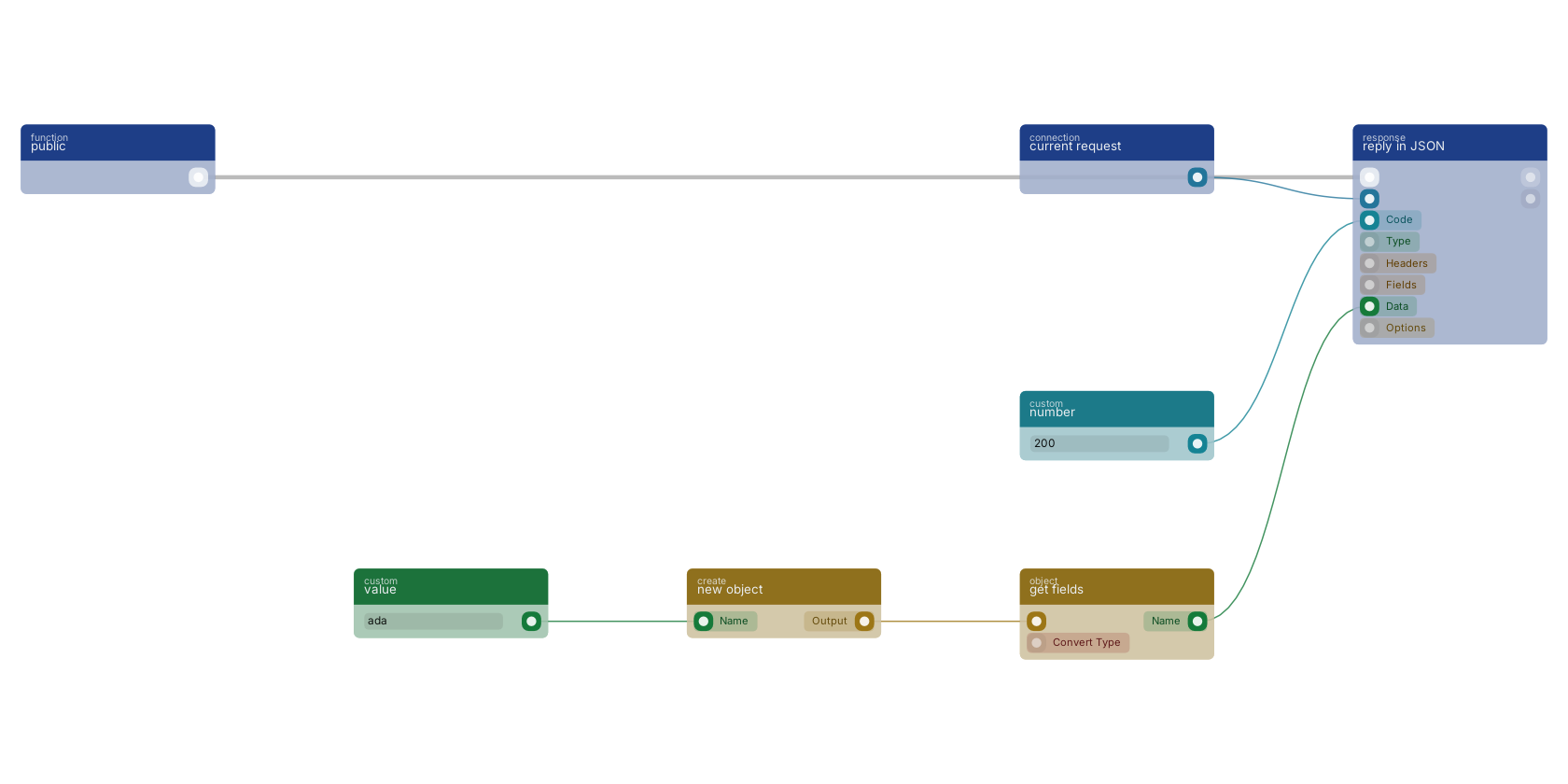
new object builds an object from the fields you select on the block; each field gets an in pin, fed here by a value block. get fields reads one back out, and the value goes to the data pin of reply in JSON, the standard way to shape an API answer.
Commonly used with
One of the most-used blocks across production blueprints. It is most often wired together with:
- reply in JSON: this block feeds into it. Reply to any httpconnection as JSON body.
- value: feeds into this block. Simply returns the provided value.
- get fields: feeds into this block. Gets the selected fields from the given object.
- execute: wired in both directions with this block. Executes the given funcion and waits for it to be executed.
- search: feeds into this block. searches in the given storage based on a query.
- if: feeds into this block. Conditional branching for values (if.. then.. else..). Selects which input value is passed through; it does not route flow.
Used in these guides
These documentation pages use or explain this block:
- Building a Dashboard with Charts
- Email System Setup
- Handling City Filter Uploads
- Third-Party Integrations
- Common Blueprint Patterns
- Object References and Copies
- Tips & tricks
- Block Templates, Combinations That Work
Version history
Introduced in v10.4.28.
Back to
object Return to the main group to view all sub-groups Back to create Return to the group to view all blocks within this group