send message
This block is part of the mssgs group and was last modified in core v15.0.0.
send message v15.0.0 Send a message into a mssgs channel. Point it at a mssgs service provider so the webhook URL stays out of this blueprint : the URL embeds the webhook's token, so anyone who can read it can post to the channel. Only the destination and the message are required; the other pins map to the rich message_container options.
- flow
flow - provider
v15.0.0valueName of a mssgs service provider (Settings → Service Providers). Preferred over the URL pin: the URL is resolved when the message is sent, never appears in this blueprint, and the provider's webhook secret signs the request. Wins over the Webhook URL pin when both are set.
- Webhook URL
valueThe mssgs incoming webhook URL (channel → webhooks). The URL itself is the credential, so on a pin it is stored in plaintext and travels in every export : prefer a provider. Not needed when one is named.
- message required
valueMain message text (the message_container description). Required by the gateway.
- title
valueTitle at the top of the embed. Defaults to the webhook's name when empty.
- title url
valueMakes the title a clickable link.
- sub title
valueSmaller text shown below the title.
- color
valueAccent color: blue, green, red, yellow, purple or orange. Default: blue. • Suggestions:
bluegreenredyellowpurpleorange - type
valueMessage style: embed_message (default) or system_message. • Suggestions:
embed_messagesystem_message - avatar url
valueAvatar image URL shown with the message.
- bot name
valueCustom bot name to display as the sender.
- fields
array<object>Array of key-value fields shown in the embed, e.g.
[{"field":"Status","value":"Done"}]. - actions
array<object>Array of action buttons, e.g.
[{"label":"Open","type":"url:https://..."}]or atrigger:{guid}action.
- flow
flow - response
objectThe webhook's JSON response (e.g.
{"success": true}). - success
conditionReturns true if the message has been sent.
- error
valueReturns the error in case success is
false.
mssgs |
webhook |
channel |
message container |
send mssgs |
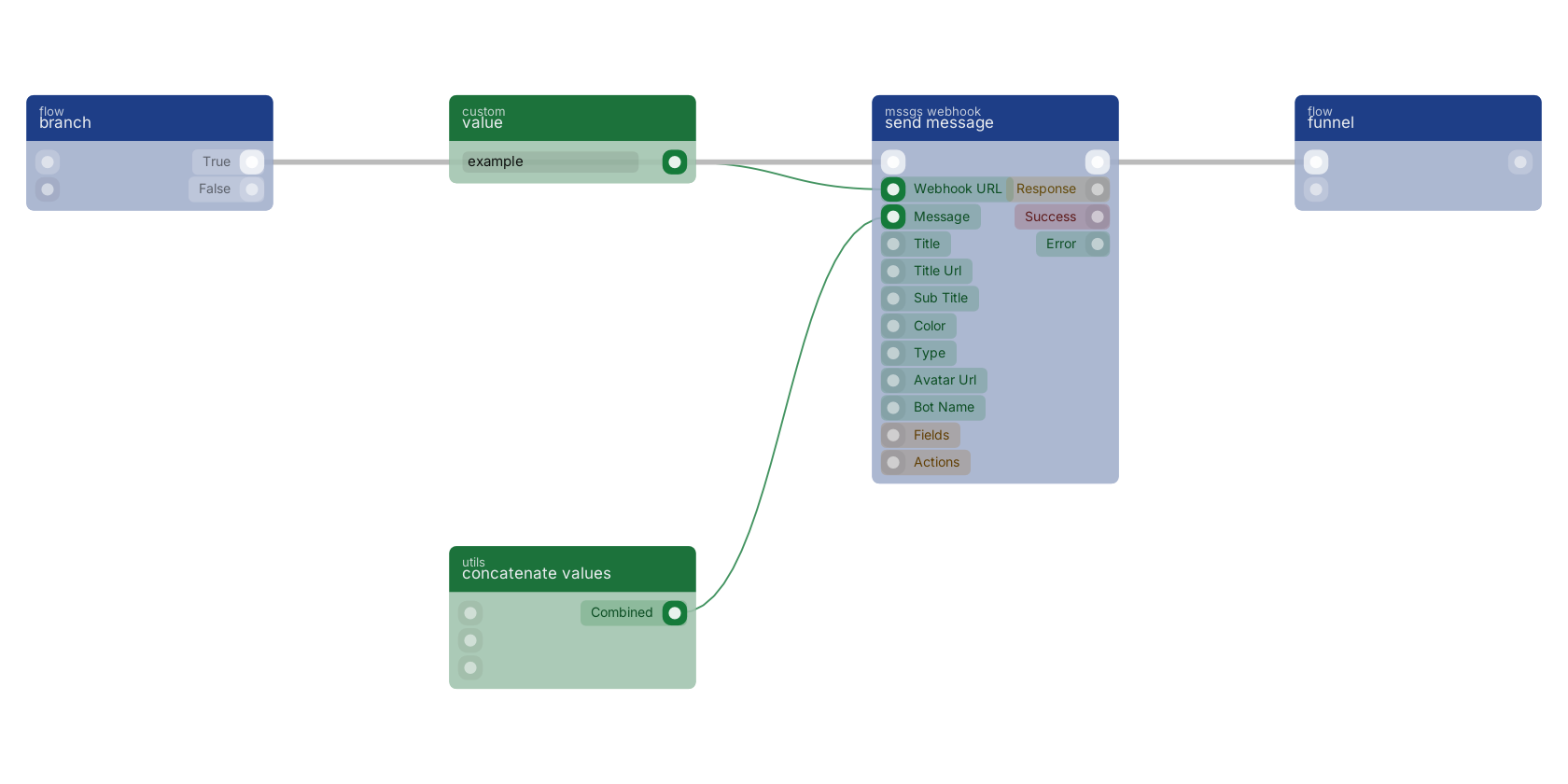
A typical wiring for send message: value feeds the provider pin; concatenate values feeds the webhook pin; branch feeds the flow pin; value feeds the message pin; the flow out pin feeds funnel.
Commonly used with
In production blueprints, this block is most often wired together with:
- value: feeds into this block. Simply returns the provided value.
- concatenate values: feeds into this block.
- branch: feeds into this block.
- funnel: this block feeds into it.
- custom field: feeds into this block. get the value of a custom field with a custom value block, or dynamic value.
Used in these guides
These documentation pages use or explain this block:
Version history
Introduced in v15.0.0.
Back to
mssgs Return to the main group to view all sub-groups Back to mssgs webhook Return to the group to view all blocks within this group