hyperlink
This block is part of the state ui group and was last modified in core v13.0.7.
hyperlink v13.0.1 Updated v13.0.7A anchor element, that can be used to create an link to an intern/extern page.
- content required
v13.0.6stateIntegrates content or data from other elements. • Hidden when other fields are filled
- text required
valueThe text shown as link. • Hidden when other fields are filled
- href
valueThe URL that the hyperlink points to.
- target
valueWhere to display the linked URL, as the name for a browsing context (a tab, window, or iframe).
- left click
v13.0.7inpinfunctionWill be executed on left click if given, disables the linking future of this element
- class
uiclassAssigns a CSS class to the element. • Hidden when unused
- style
uistyleApplies inline CSS style to the element • Hidden when unused
- attributes
uiattributesAdds custom attributes to the element. • Hidden when unused
- state
stateReturns the element to the frontend state.
a |
link |
href |
anchor |
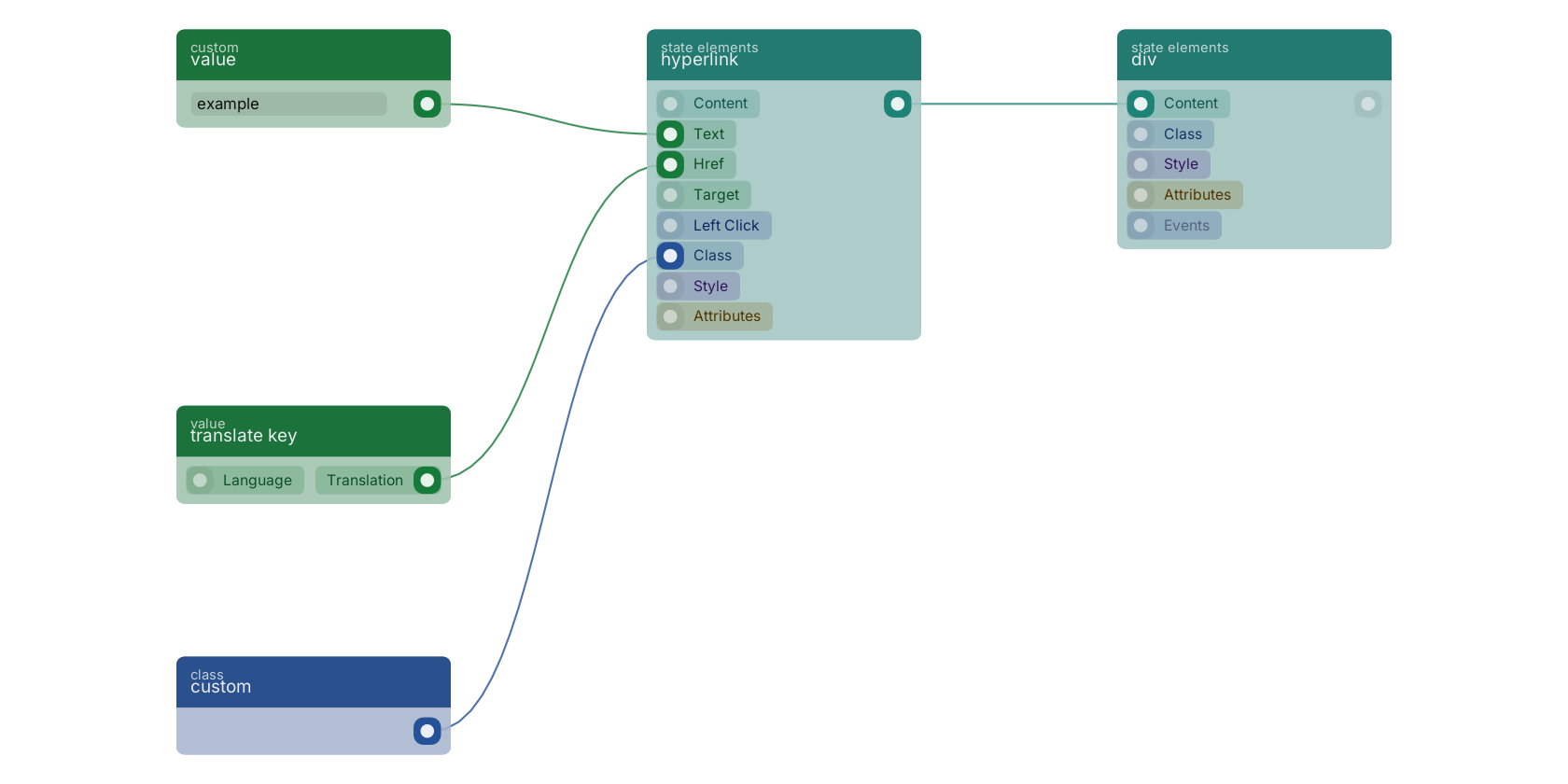
A typical wiring for hyperlink: value feeds the text pin; translate key feeds the href pin; custom feeds the uiclass pin; the state out pin feeds div.
Commonly used with
In production blueprints, this block is most often wired together with:
- value: feeds into this block. Simply returns the provided value.
- div: this block feeds into it. Creates a dynamic and customizable div element on your web page.
- translate key: feeds into this block. Translates a given key.
- custom: feeds into this block. Custom class input.
- image: feeds into this block. A image element.
- paragraph: this block feeds into it. A paragraph element.
Version history
Introduced in v13.0.1.
Last modified in v13.0.7.
v13.0.6, click here to see the release notes. Back to
state ui Return to the main group to view all sub-groups Back to state elements Return to the group to view all blocks within this group