field card
This block is part of the Component UI group and was last modified in core v11.5.5.
field card v11.5.5 Premade card with a header, body, and a footer. The fields selected will be shown in the body and can be overwritten by specifying fields in the row render. Adding an edit function will render an edit button on the card to execute a given function.
- header required
uicomponent - footer required
uicomponent - Fields required
fielddefinitionsThe fields to be shown in the body
- Document required
objectThe data to be used
- Row Render
fieldfunctionsFields specified here will let you overwrite the default display
- Edit button
inpinfunctionThe function given will be executed upon pressing the button. If no function is given, no button will be displayed
- label col.: class
v11.5.5uiclassClass to overwrite the current label column class.
- value col.: class
v11.5.5uiclassClass to overwrite the current value column class.
- uicomponent
uicomponent
panel |
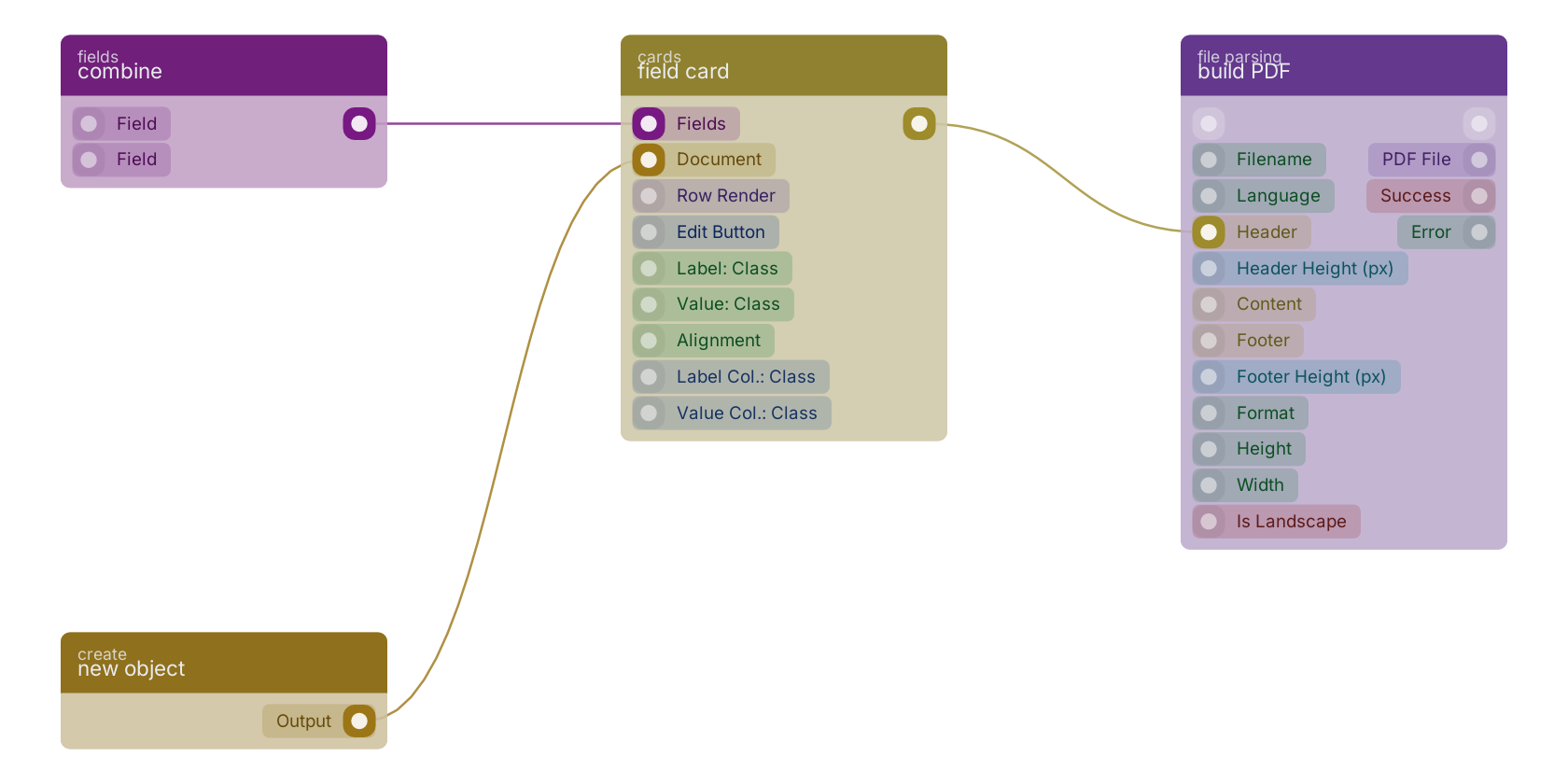
A typical wiring for field card: combine feeds the co-fields pin; new object feeds the co-object pin; the uicomponent out pin feeds build PDF.
Version history
Introduced in v11.5.5.
Back to
Component UI Return to the main group to view all sub-groups Back to cards Return to the group to view all blocks within this group