find by key - value
This block is part of the array group and was last modified in core v10.4.28.
Type Selection Required
This block requires you to select the data type you want to work with. You must manually select the type using the type selector modal. To access the modal, click the white button on the block.
Field Selection Required
This block requires field selection (in). You must manually select the fields you want to work with using the field selector modal. To access the modal, click the white button on the block.
find by key - value v10.4.28 Returns the matching objects for the given key value pair.
- array required
arrayArray of objects to search within.
- field required
valueField in array of objects to match with.
- results
arrayThe array of objects that have the matching key and value.
- indexes
arrayThe original positions in the input array of each matched item.
KEEPS items whose key field equals the comparison value, outputting matches on array and their original positions on array_indexes; it does NOT exclude them. With key empty the item ITSELF is compared, so flat value arrays work. On the legacy value pin comparison is by TEXT (the number 1 matches the string "1"); on a type-selected pin numbers match across int/float but numeric strings do NOT match numbers. Non-object items are dropped when a key is set.
where key |
=== |
A typical wiring for find by key - value: value feeds the key pin; search feeds the array pin; custom field feeds the value pin; the array out pin feeds length; the array_indexes out pin feeds get first item.
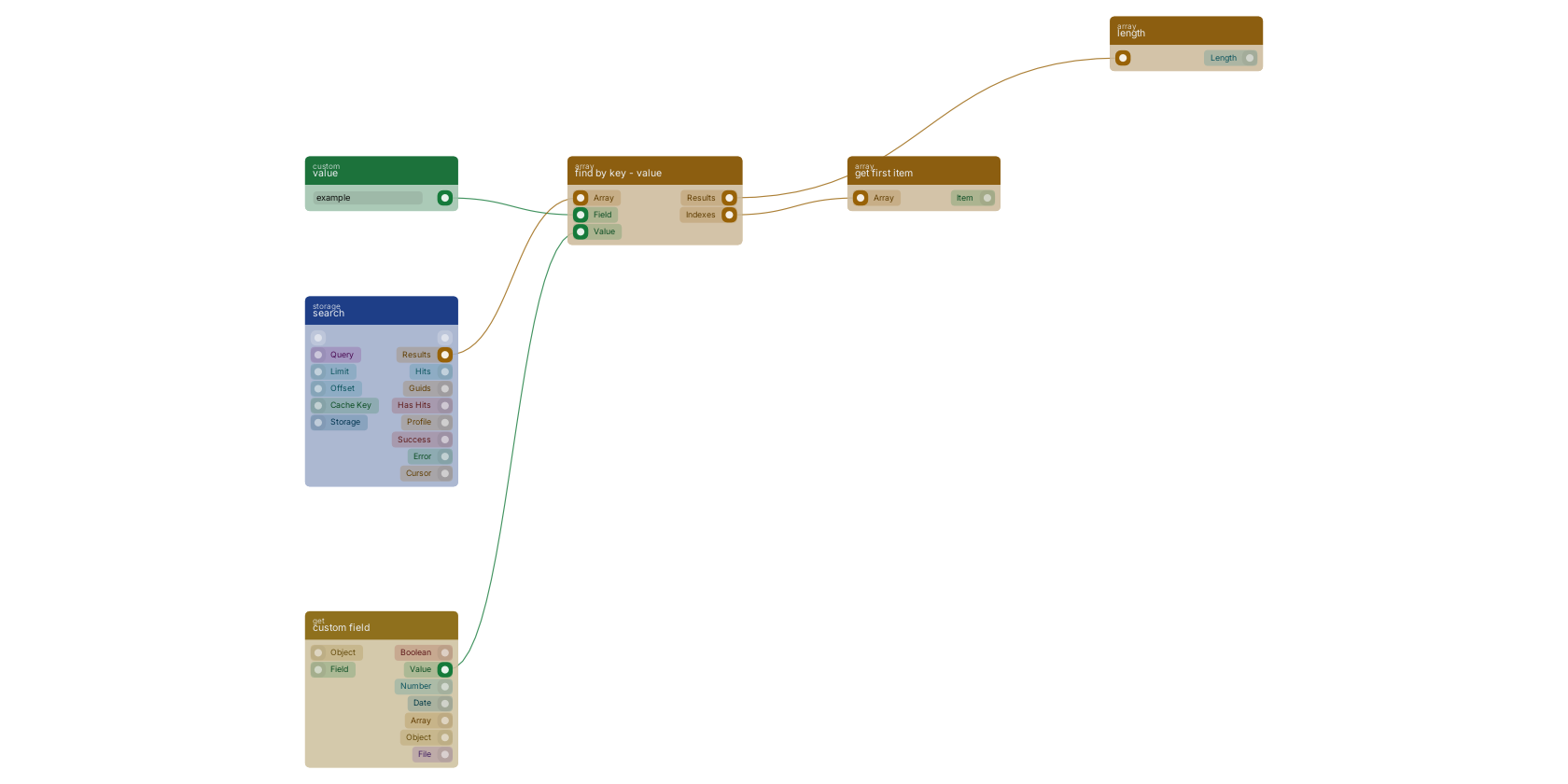
Commonly used with
In production blueprints, this block is most often wired together with:
- value: feeds into this block. Simply returns the provided value.
- length: this block feeds into it. Returns the total length of the given array.
- search: feeds into this block. searches in the given storage based on a query.
- create: feeds into this block. Creates a new function that can be executed using the given name.
- get fields: feeds into this block. Gets the selected fields from the given object.
- custom field: feeds into this block. get the value of a custom field with a custom value block, or dynamic value.
Version history
Introduced in v10.4.28.
Back to
array Return to the main group to view all sub-groups Back to array Return to the group to view all blocks within this group