length
This block is part of the array group and was last modified in core v10.4.28.
length v10.4.28 Returns the total length of the given array.
In pins 1
- array required
arrayThe array for which to calculate the length.
Out pins 1
- Length
numberThe total length of the array.
Outputs the number of elements in the array on length. A missing or non-array input counts as 0. Nested arrays count as one element each; null elements are counted.
size |
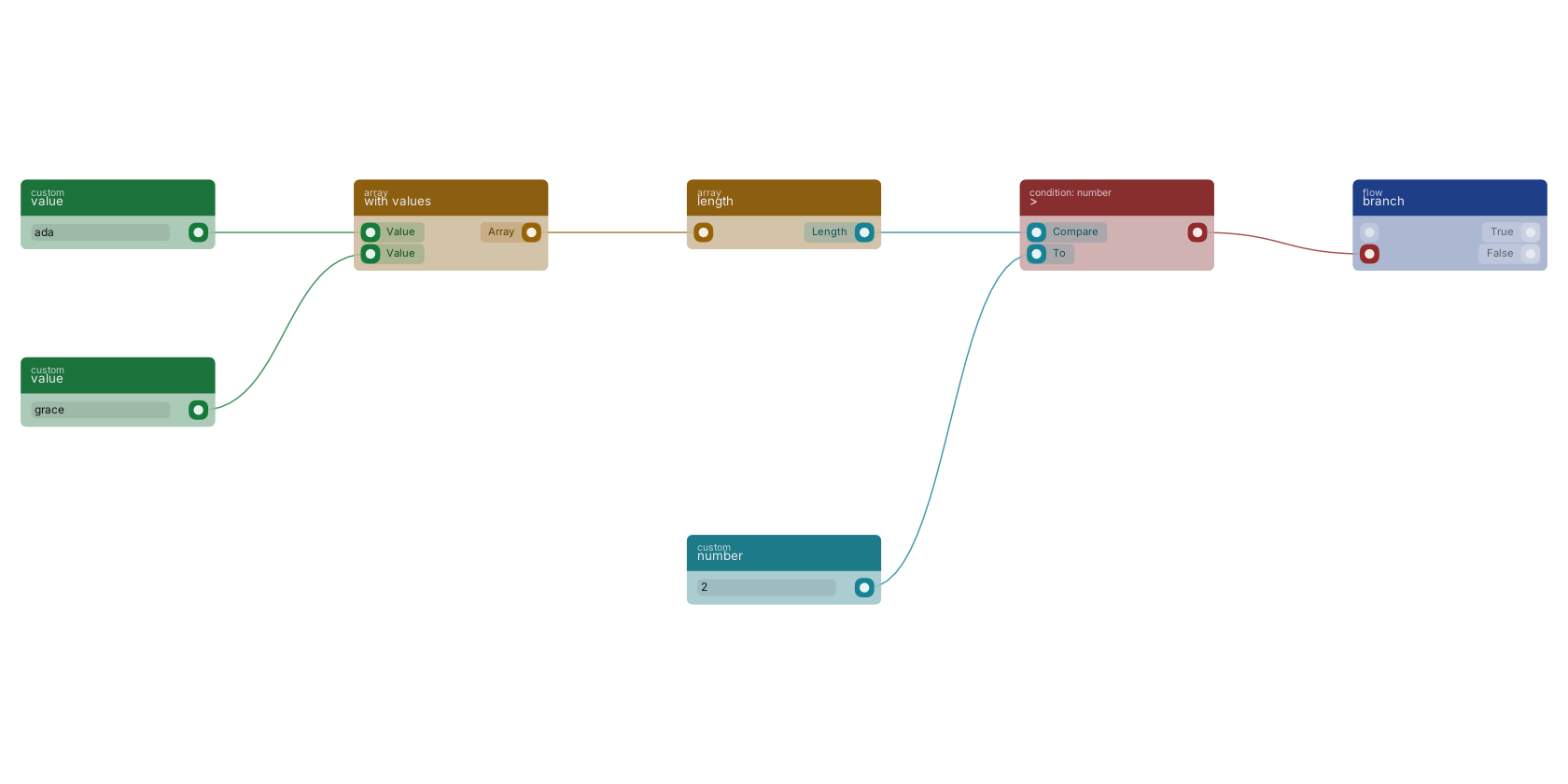
length takes an array and outputs its item count as a number. Here the array is built with with values, the count is compared against a fixed number with >, and the comparison drives a branch. The classic "do we have enough items" check.
Commonly used with
In production blueprints, this block is most often wired together with:
- ===: this block feeds into it. returns true if the two values are equal. Compares any type: numbers by value across int/float, strings and booleans strictly, objects and arrays deeply. There is no string/number coercion, so "1" does not equal 1.
- remove duplicates: feeds into this block. Removes duplicate values from an array.
- find by key - value: feeds into this block. Returns the matching objects for the given key value pair.
- get fields: feeds into this block. Gets the selected fields from the given object.
- new object: this block feeds into it. Builds a new object filled with the given fields.
- >=: this block feeds into it. returns true if the number is higher or equal.
Used in these guides
These documentation pages use or explain this block:
Version history
Introduced in v10.4.28.
Back to
array Return to the main group to view all sub-groups Back to array Return to the group to view all blocks within this group