parse csv
This block is part of the files group and was last modified in core v15.0.2.
parse csv v10.3.11 Updated v15.0.2Parse a CSV file into an array of objects.
- flow
- file
filerequiredFile to parse as CSV.
- separator
valueThe separator used to split values on a row.
- detect separator
conditionv11.5.13If set to true the action will try to detect the separator based on the first few lines. If it fails to do so it will fall back to the given or default separator
- Has headers
conditionIndicates if the CSV has headers or not, we will use the headers to create objects using these keys if true is given.
- Custom headers
array<value>Array of headers to be used in case
has_headersis set to false. - trim values
conditionv15.0.2Remove whitespace and invisible characters from the start and end of every row value. Characters inside a value and the headers are left alone. Off by default: a value that a blueprint matches on will no longer equal what an earlier import stored untrimmed.
- flow
- array
array - Headers
array - error
value
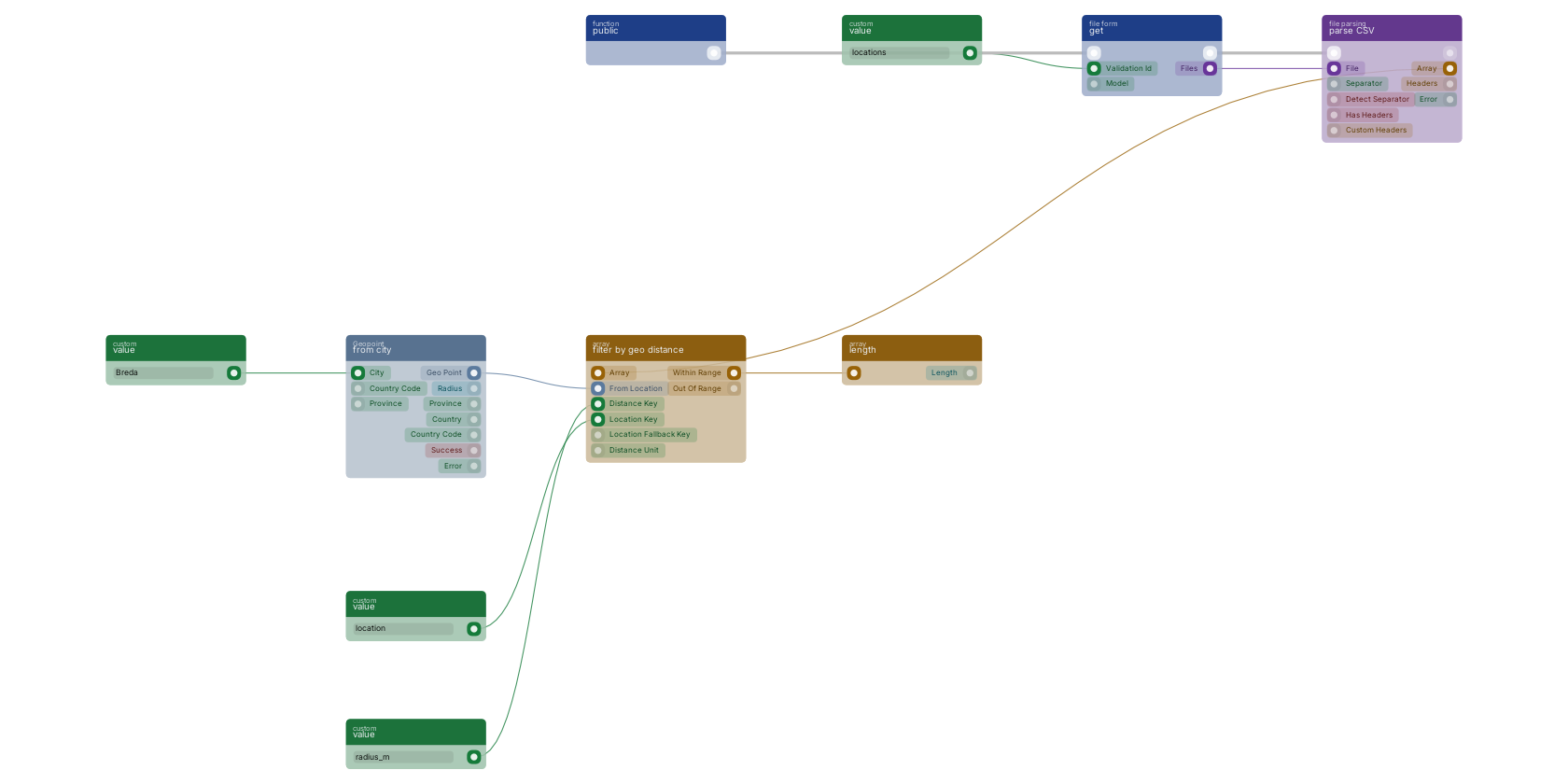
An uploaded file becomes rows: get takes the file from the form, parse CSV turns it into an array of objects, and filter by geo distance keeps only the rows whose location lies within their own radius of from city (here Breda). array length counts what survived.
Used in these guides
These documentation pages use or explain this block:
Version history
Introduced in v10.3.11.
Last modified in v15.0.2.
v11.5.13, click here to see the release notes. Back to
files Return to the main group to view all sub-groups Back to file parsing Return to the group to view all blocks within this group