build xls/x
This block is part of the files group and was last modified in core v13.0.5.
build xls/x v13.0.5 Generates a xls / xlsx file.
- flow
flow - filename required
valueThe name of the file.
- extension required
valueThe extension of the file, e.g.
xlsorxlsx. - headers required
arrayThe headers will be used for the first row. If this is filled, the more advanced version (array of arrays) will be disabled. • Hidden when other fields are filled
- values required
arrayThe values to be set in the excel sheet. The headers will be used to select the data. If this is filled, the more advanced version (array of arrays) will be disabled. • Hidden when other fields are filled
- array of arrays required
v13.0.5arrayThis version allows for a more fine-grained control of what will be pushed to the worksheet. If this is filled, the headers and values will be disabled. • Hidden when other fields are filled
- options
objectThe worksheet options
- flow
flow - success
condition - error
value - file
fileOutput file.
Excel |
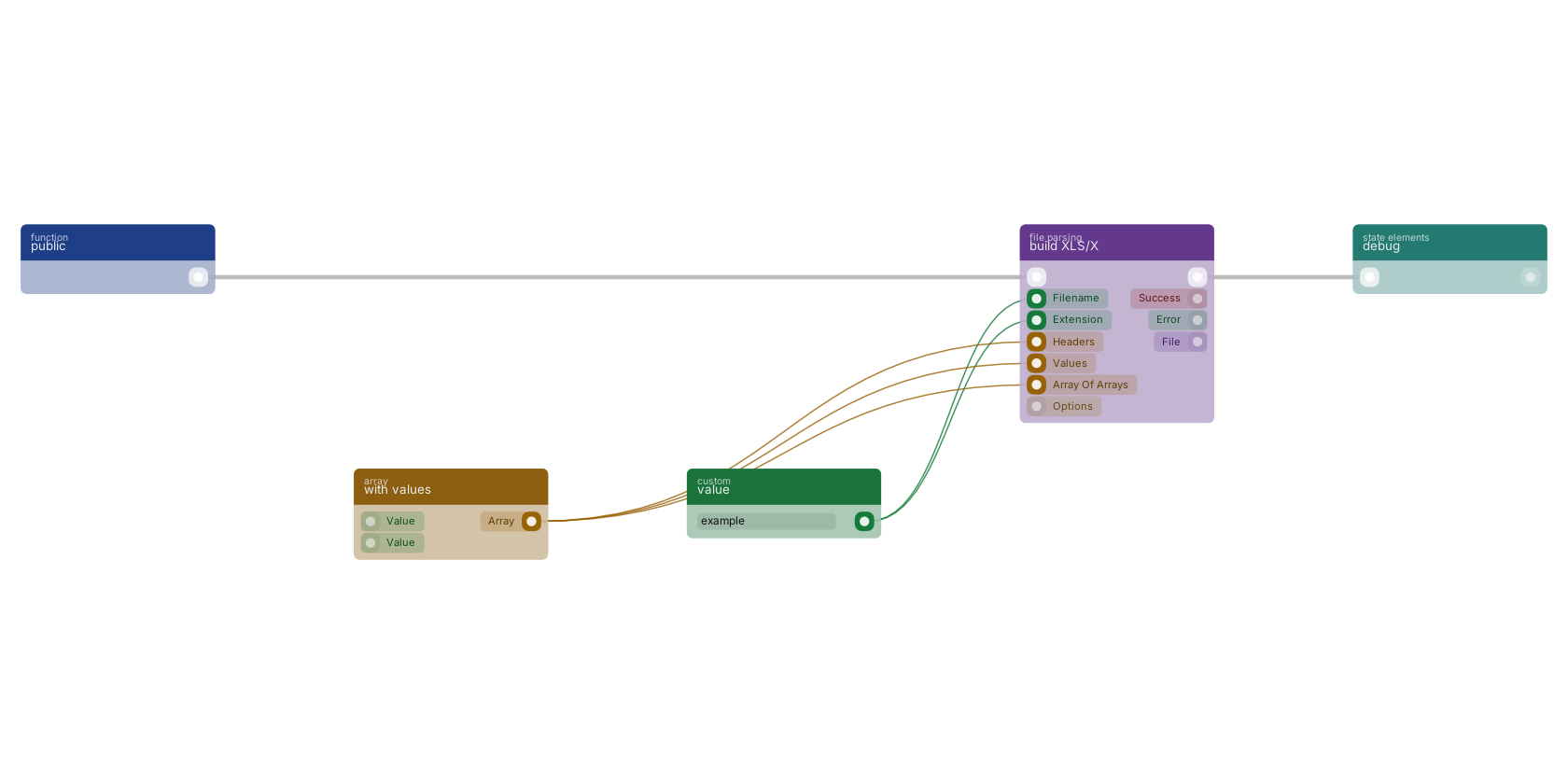
A typical wiring for build XLS/X: a function trigger starts the flow; value feeds the filename pin; value feeds the extension pin; with values feeds the headers pin; with values feeds the values pin; with values feeds the aoa pin; the flow out pin feeds debug.
Used in these guides
These documentation pages use or explain this block:
Version history
Introduced in v13.0.5.
Back to
files Return to the main group to view all sub-groups Back to file parsing Return to the group to view all blocks within this group