foreach
This block is part of the foreach group and was last modified in core v10.4.28.
Type Selection Required
This block requires you to select the data type you want to work with. You must manually select the type using the type selector modal. To access the modal, click the white button on the block.
foreach v10.4.28 - flow
flow - Array required
arrayArray to loop over. The function will be called for each item
- Concurrency
numberHow many iterate functions should be ran at the same time • Min: 0 • Max: 1000
- done
flow - Iterator
execute_function - exposed data
arrayReturns all data returned using
Exposed Return. Allowing data to be exposed back into the flow.
Runs the iterator function once per array item with index and value pins and waits for every iteration before the flow continues on done. Iterations run with bounded concurrency (default 5, max 1000; set 1 when side-effect order matters). exposed_data_output collects each iteration's TRUTHY exposed return in input order : falsy returns are dropped. A nil or otherwise falsy array runs zero iterations; a truthy non-array value is iterated as a single item.
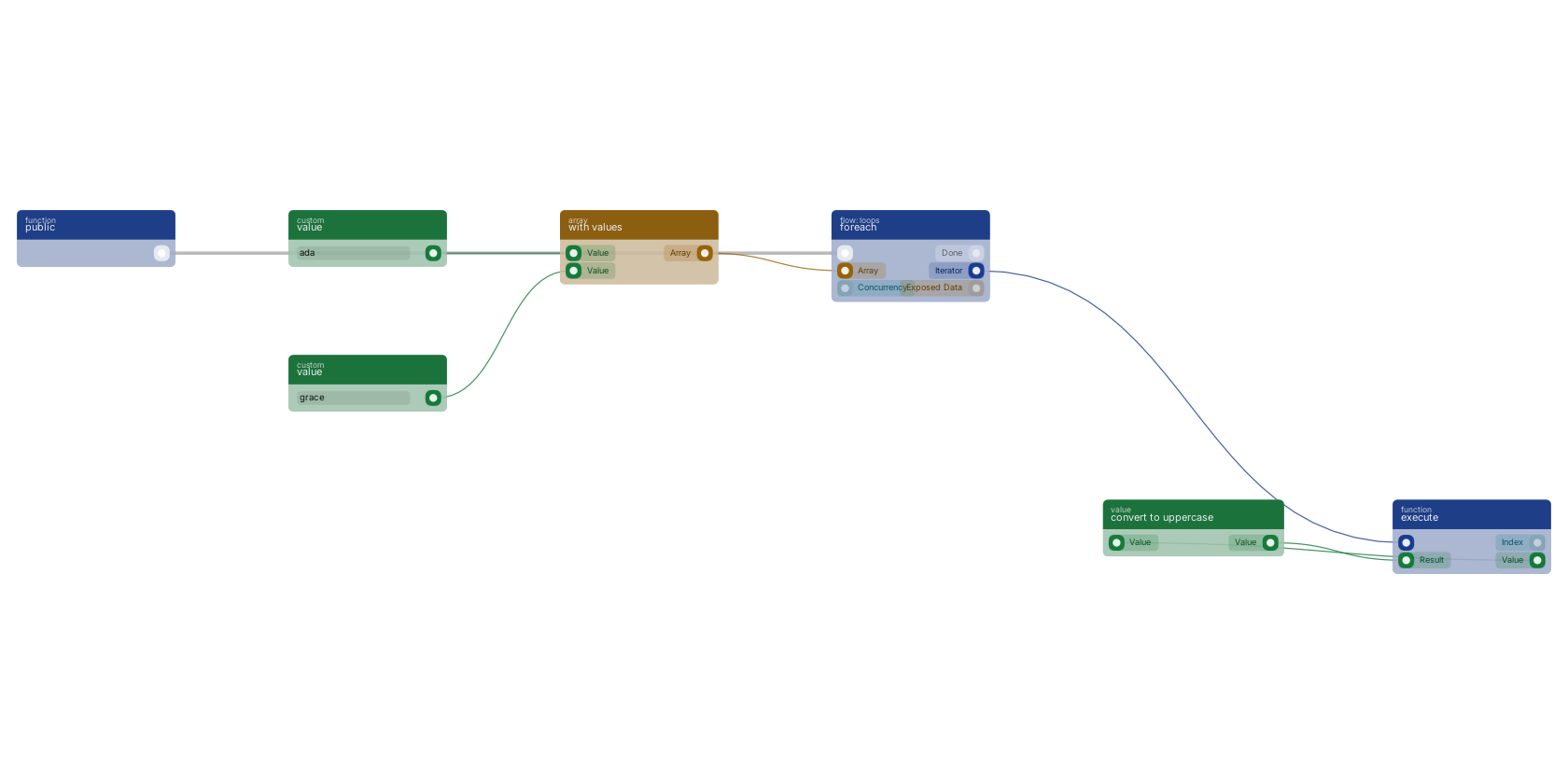
A function trigger starts the flow and foreach loops over an array built with with values. The function out pin wires to an execute block: that chain runs once per item with index and value, here passing the value through convert to uppercase. When every item is done, the flow continues through the done out pin.
Commonly used with
In production blueprints, this block is most often wired together with:
- execute: this block feeds into it. Executes the given funcion and waits for it to be executed.
- search: feeds into this block. searches in the given storage based on a query.
- branch: feeds into this block.
- reply in JSON: this block feeds into it. Reply to any httpconnection as JSON body.
- number: feeds into this block. Generates a valid number from the filled custom value in the blueprint.
- get fields: feeds into this block. Gets the selected fields from the given object.
Used in these guides
These documentation pages use or explain this block:
Version history
Introduced in v10.4.28.
Back to
foreach Return to the main group to view all sub-groups Back to flow: loops Return to the group to view all blocks within this group