calculate route
This block is part of the google group and was last modified in core v10.4.28.
calculate route v10.4.28 - flow
flow - api key required
valueYour application's API key, created within your Google Cloud Platform Console.
- origin required
objectThe place ID, address, or textual latitude,longitude value from which you wish to calculate directions. More information can be found here.
- destination required
objectThe place ID, address, or textual latitude,longitude value to which you wish to calculate directions. More information can be found here.
- intermediates
arrayThe place ID, address, or textual latitude,longitude value to which you wish to drive through. More information can be found here.
- mode
valueSpecifies the mode of transport to use when calculating directions. Available modes are DRIVE, BICYCLE, WALK or TWO_WHEELER.
- departure time
dateSpecifies the desired time of departure for transit directions.
- fields
arraySpecifies the fields that should be returned in the response. Requires an array of values.
- alternate routes
conditionSpecifies if the response should return alternate routes.
- language code
value - reference route
arraySpecifies what reference routes to calculate as part of the request in addition to the default route. More information can be found here.
- extra computations
arrayA list of extra computations which may be used to complete the request. More information can be found here.
- flow
flow - success
condition - response
object - error
value
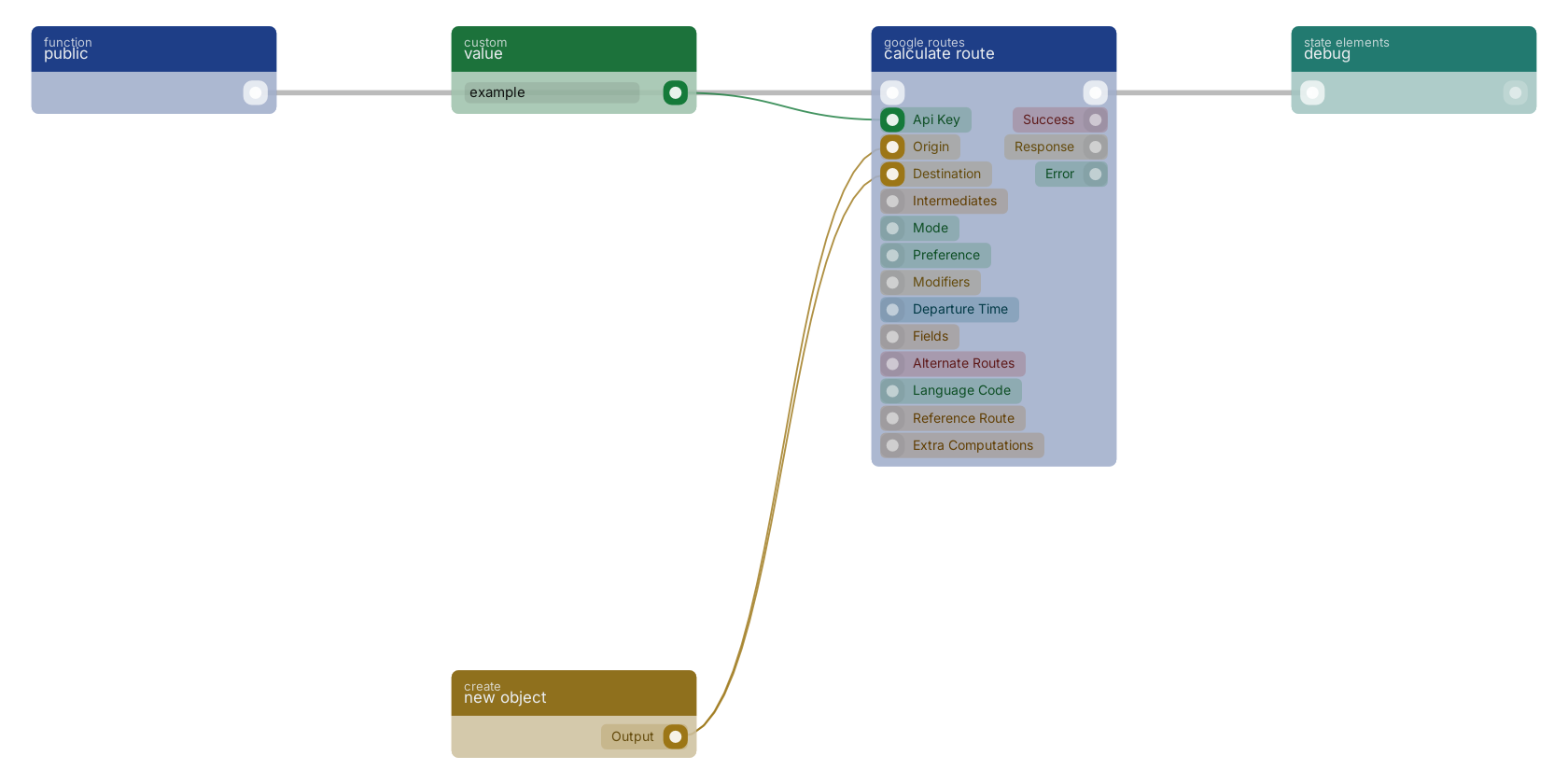
A typical wiring for calculate route: a function trigger starts the flow; value feeds the apikey pin; new object feeds the origin pin; new object feeds the destination pin; the flow out pin feeds debug.
Version history
Introduced in v10.4.28.
Back to
google Return to the main group to view all sub-groups Back to google routes Return to the group to view all blocks within this group