date
This block is part of the query group and was last modified in core v11.3.3.
Field Selection Required
This block relies on a field that you select to perform its data actions. You must manually select the field you want to use in your flow using the field selector modal. To access the modal, click the white button on the block.
Connection Type
This block connects from a query type block. Make sure to connect this block to the appropriate left-hand side connection.
Parent Requirements
This block requires specific parent elements: query_bool_must, query_bool_must_not, query_bool_filter, query_bool_should, query_first_defined. Ensure this block is placed within the appropriate parent context.
date v11.3.3 do range checks on date fields.
- query required
query - boost
v11.3.3numberNumber used to decrease or increase the relevance scores of a query.
- query_out
query
Combines all wired inpin objects (the gt/gte/lt/lte/between/format fragments) into one range clause on the bound field: {"range": {field: {...merged..., "boost": B}}}, emitted on the query_out pin. Fragments are deep-merged and boost defaults to 1; when no fragment is wired (only boost) the block outputs nothing at all.
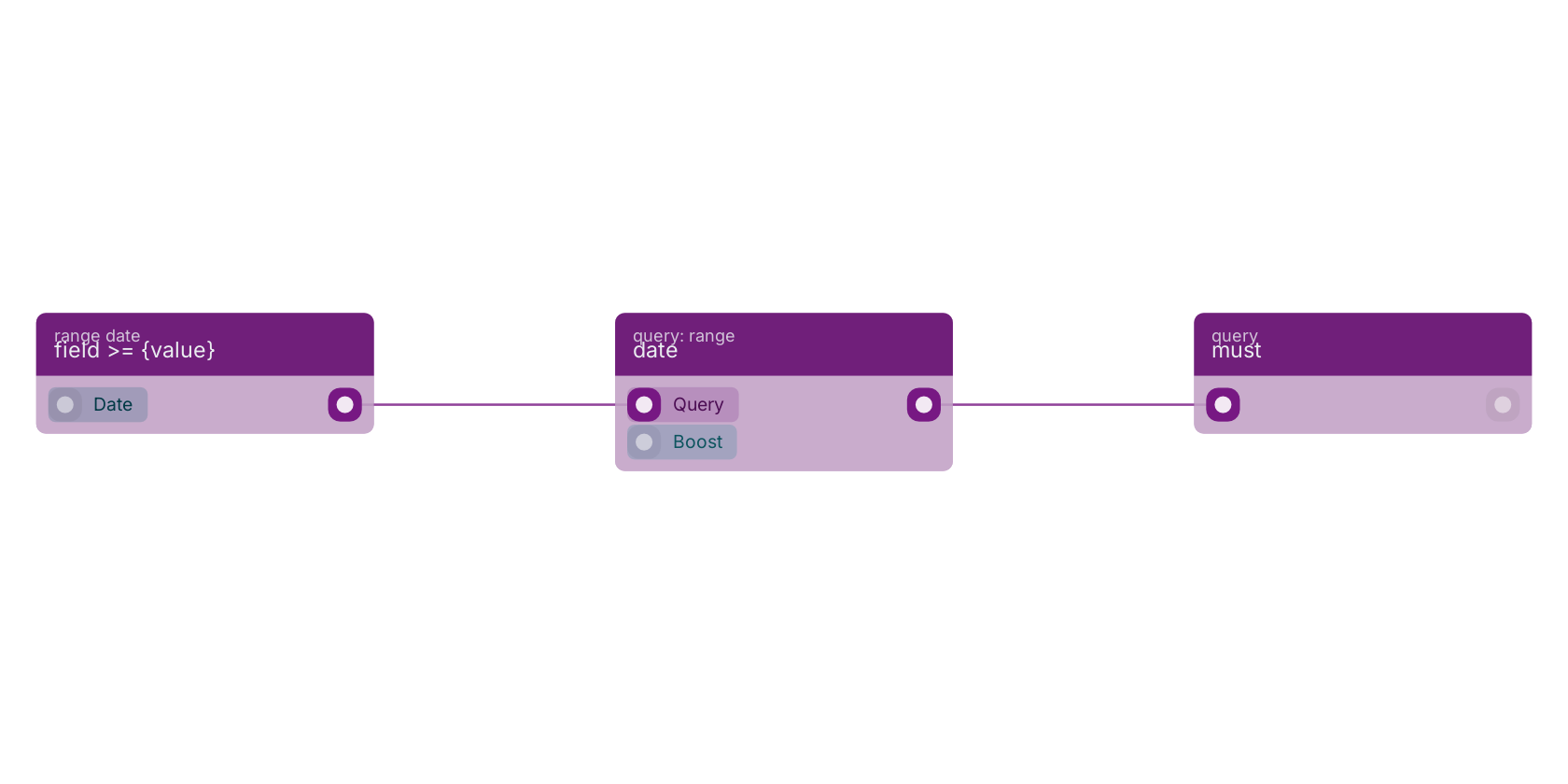
A typical wiring for date: field >= {value} feeds the query_in pin; the query_out out pin feeds must.
Commonly used with
In production blueprints, this block is most often wired together with:
- must: this block feeds into it. All queries provided must match.
- field >= {value}: feeds into this block.
- filter: this block feeds into it. Build a custom query using higher-level bool query.
- field < {value}: feeds into this block.
- field <= {value}: feeds into this block.
- must not: this block feeds into it. All queries provided must not match.
Used in these guides
These documentation pages use or explain this block:
Version history
Introduced in v11.3.3.
Back to
query Return to the main group to view all sub-groups Back to query: range Return to the group to view all blocks within this group