render
This block is part of the state ui group and was last modified in core v10.4.28.
render v10.4.28 Sends the combined HTML to the frontend and renders the page into React components.
- flow
flow - connection required
httpconnection - title required
valueThe title of this web page.
- description required
valueA small description of the web page.
- body required
stateThe default HTML displayed on this page. We will serve the main base using SSR (Server Side Rendering).
- onload
execute_functionThis function will trigger when the page has been loaded succesfully and the viewer supports websockets. Using this event makes the page create a WebSocket connection each render, if you don't really need to, don't use it.
return |
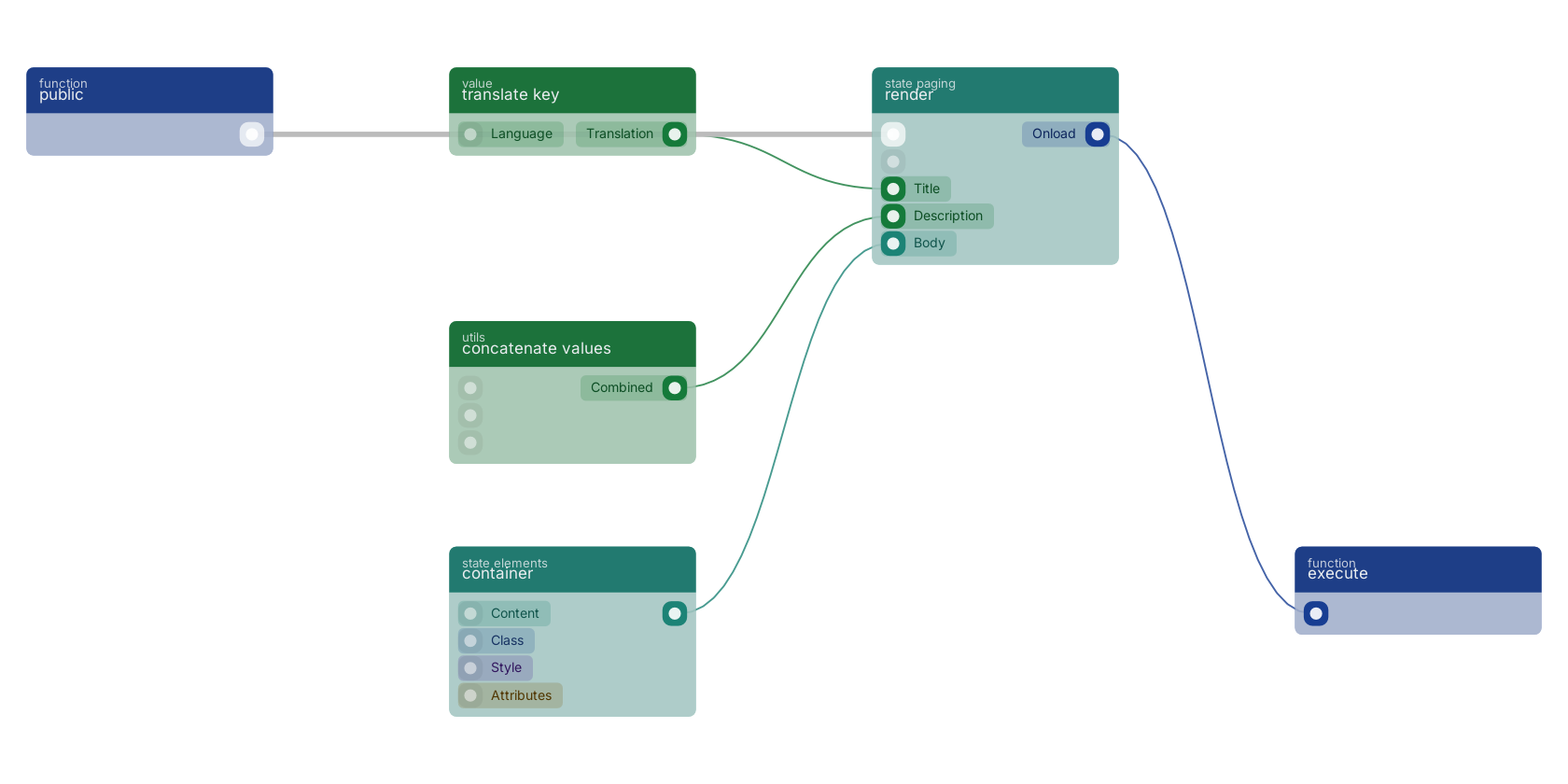
A typical wiring for render: a function trigger starts the flow; container feeds the content pin; translate key feeds the title pin; concatenate values feeds the description pin; the function out pin wires to an execute block.
Commonly used with
In production blueprints, this block is most often wired together with:
- new page: feeds into this block. Allowes you to create a dynamic web page on the given URL.
- container: feeds into this block. A div with the class container on it by default.
- translate key: feeds into this block. Translates a given key.
- div: feeds into this block. Creates a dynamic and customizable div element on your web page.
- concatenate values: feeds into this block.
- value: feeds into this block. Simply returns the provided value.
Used in these guides
These documentation pages use or explain this block:
Version history
Introduced in v10.4.28.
Back to
state ui Return to the main group to view all sub-groups Back to state paging Return to the group to view all blocks within this group