restore document
This block is part of the storage group and was last modified in core v13.0.6.
Storage Selection Required
This block relies on a storage to perform its storage releated actions. You must manually select the storage you want to use in your flow using the storage selector modal. To access the modal, click the white button on the block.
restore document v9.2.5 Updated v13.0.6Restores a single document from the removed state and adds a revisions for this modification.
- flow
flow - guid required
v11.1.17valueThe documents GUID (unique ID) to restore.
- update priority
v13.0.6numberA document update can be important for search relevance or not, by poviding the system a priority you can help it understand what updates are high priority (1) and what updates can be delayed without huge impact for search relevance (3). 1 is highest priority, 2 is medium priority, 3 is low priority and 0 is wait-for-insert.
- storage required
storage
- flow
flow - success
condition - object
object - error
value
Un-deletes one soft-deleted document: the guid pin wins, falling back to the deprecated object pin's _meta.guid. On success outputs the restored document with success=true and error=nil. No guid gives error=MISSING_DATA, no storage MISSING_STORAGE, and a store failure the store's error message; object is an empty object in those cases (nil only when the restore call itself errors). Simulation returns an empty object with success=true without touching storage.
undo |
A typical wiring for restore document: branch feeds the flow pin; get document feeds the object pin; custom field feeds the guid pin; the flow out pin feeds execute; the success out pin feeds get fields.
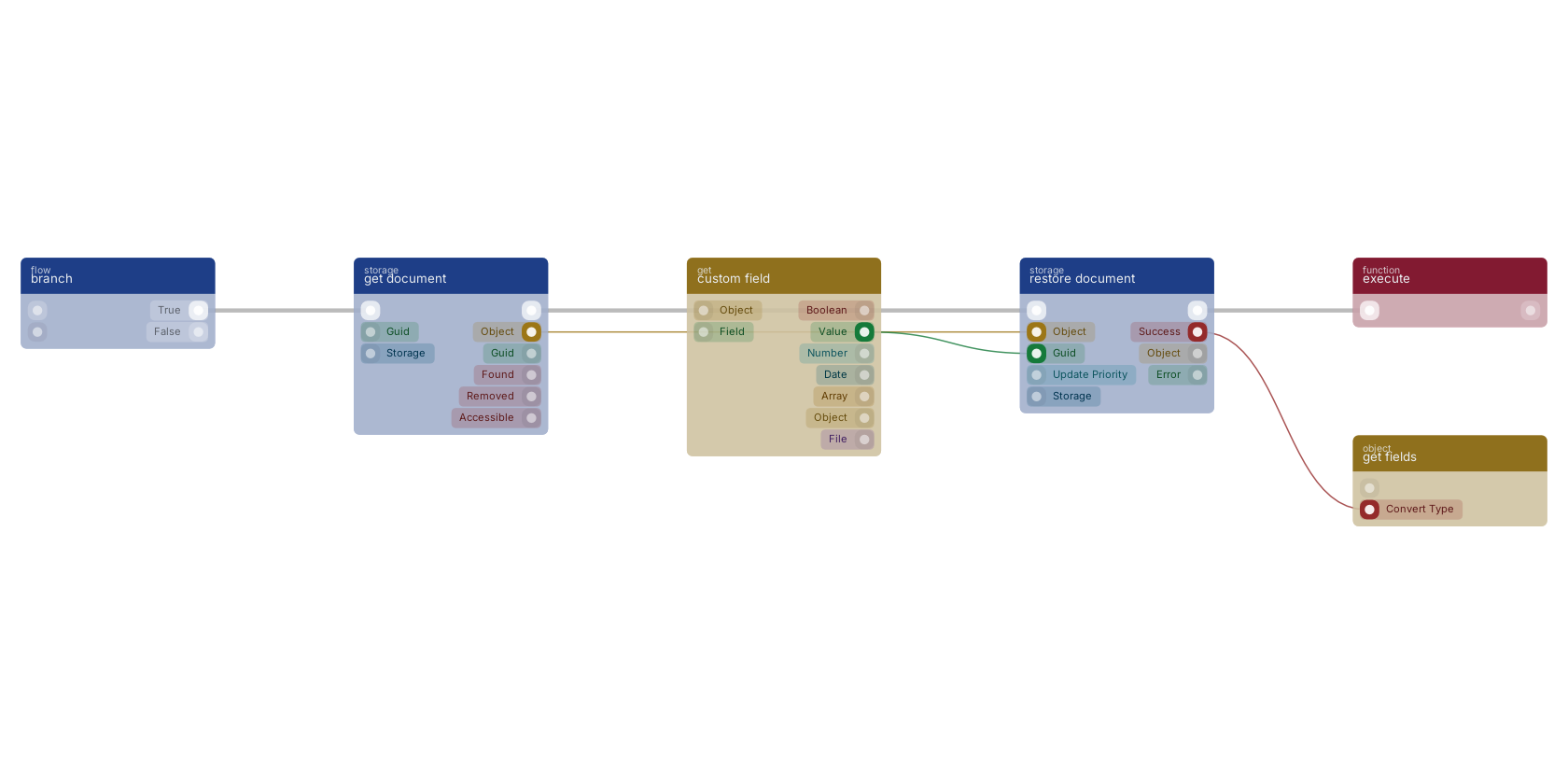
Commonly used with
In production blueprints, this block is most often wired together with:
- branch: feeds into this block.
- execute: this block feeds into it. Executes the given funcion and waits for it to be executed.
- get document: feeds into this block. get a specific document based on the given GUID.
- get fields: this block feeds into it. Gets the selected fields from the given object.
- custom field: feeds into this block. get the value of a custom field with a custom value block, or dynamic value.
- create: feeds into this block. Creates a new function that can be executed using the given name.
Used in these guides
These documentation pages use or explain this block:
Version history
Introduced in v9.2.5.
Last modified in v13.0.6.
v11.1.17, click here to see the release notes. Back to
storage Return to the main group to view all sub-groups Back to storage Return to the group to view all blocks within this group