trigger event
This block is part of the storage group and was last modified in core v13.0.9.
Storage Selection Required
This block relies on a storage to perform its storage releated actions. You must manually select the storage you want to use in your flow using the storage selector modal. To access the modal, click the white button on the block.
trigger event v13.0.9 Event is executed when the storage receives an event relevant update (removed, created, updated or saved).
- flow
flow - Current Document
objectThe most recent document at the time of this event being executed.
- Storage
storageThe storage this document has been triggered on.
- Revisions
v10.6.1array<object>The revisions triggering this event.
- Fields modified
v10.6.1arrayThe fields modified triggering this event.
- User guids
v13.0.9arrayArray containing all known caller user guids. Can be empty if a user guid is unknown (e.g. document was updated in the queue or by an anonymous user)
Entry point that fires when a document in the configured storage is created, updated, removed, or saved. The event body seeds the out pins: object is the document at event time, storage the triggering storage, revisions and fields_modified what changed, and user_guids the known caller GUIDs (can be empty for queue or anonymous writes). Runs as a production run; the block itself has no execute-time logic.
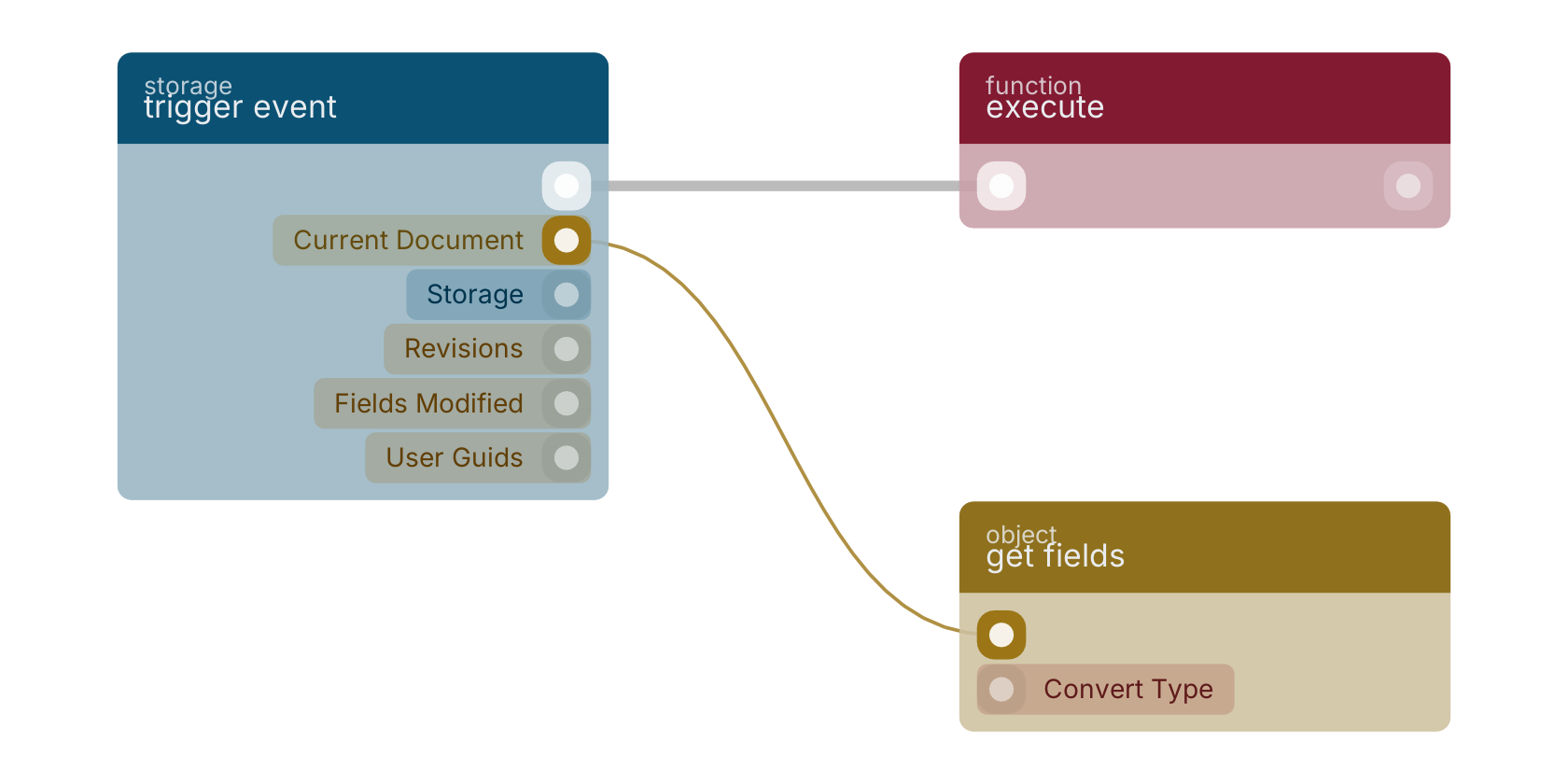
A typical wiring for trigger event: the flow out pin feeds execute; the object out pin feeds get fields.
Commonly used with
In production blueprints, this block is most often wired together with:
- execute: this block feeds into it. Executes the given funcion and waits for it to be executed.
- get fields: this block feeds into it. Gets the selected fields from the given object.
- delete: this block feeds into it. Removes the specified key and their values.
- get guid: this block feeds into it. Returns the guid (field: _meta.guid) of the given object.
Used in these guides
These documentation pages use or explain this block:
Version history
Introduced in v13.0.9.
v10.6.1, click here to see the release notes. Back to
storage Return to the main group to view all sub-groups Back to storage Return to the group to view all blocks within this group