
create/update
This block is part of the twinfield group and was last modified in core v14.0.1.
create/update v12.0.1 Updated v14.0.1creates a new journal transaction or updates existing ones. See Twinfield Docs for a full description.
- flow
- status
valuerequiredThe status of this journal entry, e.g.
temporary. Should befinalafter testing. - type
valuerequiredThe transaction type (code)
- number
valueThe transaction number (number), e.g.
201300001. As this number can be padded with zeros, we can only accept it as value. Should only be set during an update - currency
valueThe currency to be used, e.g.
EUR. - date
dateThe date shown on the journal entry, auto-filled with current date if not given.
- lines
arrayrequiredLines to be shown on this journal entry,
@idis auto-filled, See Twinfield Docs for a full description. - connection
twinfieldconnectionrequired
- flow
- success
condition - location
valueReturns the twinfield location of this transaction.
- number
valueTransaction number.
- date
dateTransaction date.
- transaction
objectReturns the twinfield transaction information.
- lines
arrayReturns the lines of this transaction.
- error
value - Connection
twinfieldconnection
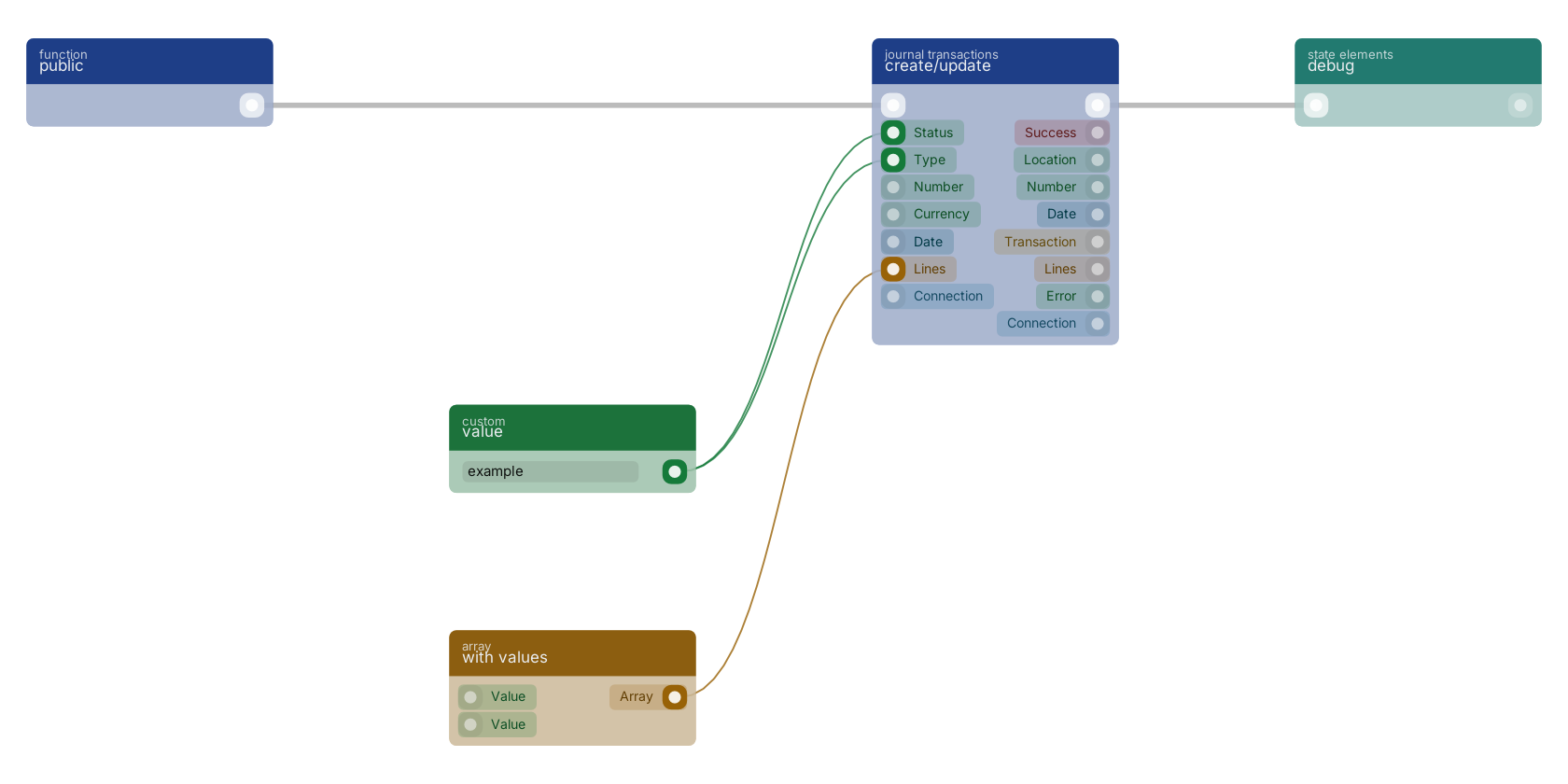
A typical wiring for create/update: a function trigger starts the flow; value feeds the status pin; value feeds the code pin; with values feeds the lines pin; the flow out pin feeds debug.
Version history
Introduced in v12.0.1.
Last modified in v14.0.1.
Service documentation
External API reference This block wraps a third-party service. Click here for the service's own documentation of the underlying endpoint.Back to
twinfield Return to the main group to view all sub-groups Back to journal transactions Return to the group to view all blocks within this group