trim
This block is part of the value group and was last modified in core v10.4.28.
trim v10.4.28 Removes characters from both ends of a string
- value_0 required
valueValue that will be trimmed
- trim
valueThe literal string to trim from both ends, repeated occurrences of the whole string. This is not a set of characters: trimming
abstrips the sequenceab, notaandbseparately. Leave empty to trim whitespace
- value
value
With value_1 empty, trims Unicode whitespace from BOTH ends. Otherwise value_1 is treated as ONE literal string, and repeated occurrences of that WHOLE string are stripped from both ends -- it is NOT a set of characters. Example: value_0="ababXab" value_1="ab" -> "X". Nothing is removed from the middle; empty input outputs "".
A typical wiring for trim: convert to lowercase feeds the value_0 pin; the value out pin feeds is not empty.
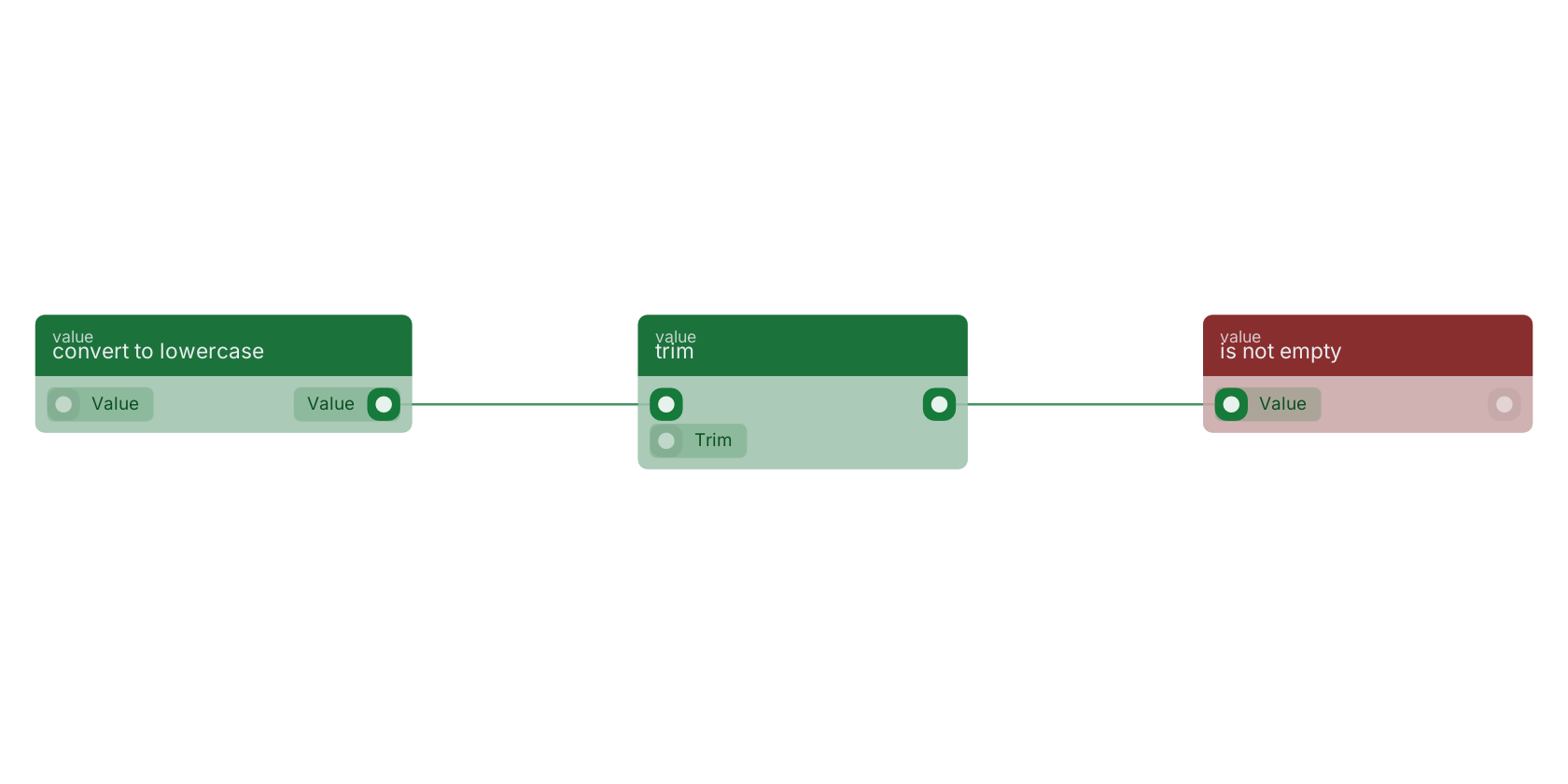
Commonly used with
In production blueprints, this block is most often wired together with:
- get fields: feeds into this block. Gets the selected fields from the given object.
- convert to lowercase: wired in both directions with this block.
- is not empty: this block feeds into it. checks if the value is filled (not empty).
- set fields: this block feeds into it. Generates an array of mutations based on the given filled fields.
- remove special chars: this block feeds into it. Returns the value with accents stripped. Only combining diacritical marks are removed - punctuation and symbols are kept.
- ==: this block feeds into it. returns true if the two values are equal.
Used in these guides
These documentation pages use or explain this block:
Version history
Introduced in v10.4.28.
Back to
value Return to the main group to view all sub-groups Back to value Return to the group to view all blocks within this group