date histogram
This block is part of the aggregation group and was last modified in core v13.0.3.
Field Selection Required
This block relies on a field that you select to perform its data actions. You must manually select the field you want to use in your flow using the field selector modal. To access the modal, click the white button on the block.
date histogram v13.0.4 Updated v13.0.3Groups data based on a date histogram, allowing analysis over specified intervals.
- Interval required
valueminute | hour | day | week | month | year
- Format
v13.0.4valueThe format to convert the key_as_string to an formatted date string with.
- Missing
valueReplace missing values with (default skip)
- minimum
numberMinimum documents required to use it (default: none)
- order key
v9.3.2valueThe sub-aggregation name to order on or
_keyto sort on the current field. - order asc
v9.3.2conditionOrder results in an ascending manner.
- Options
object
- aggregation
aggregation
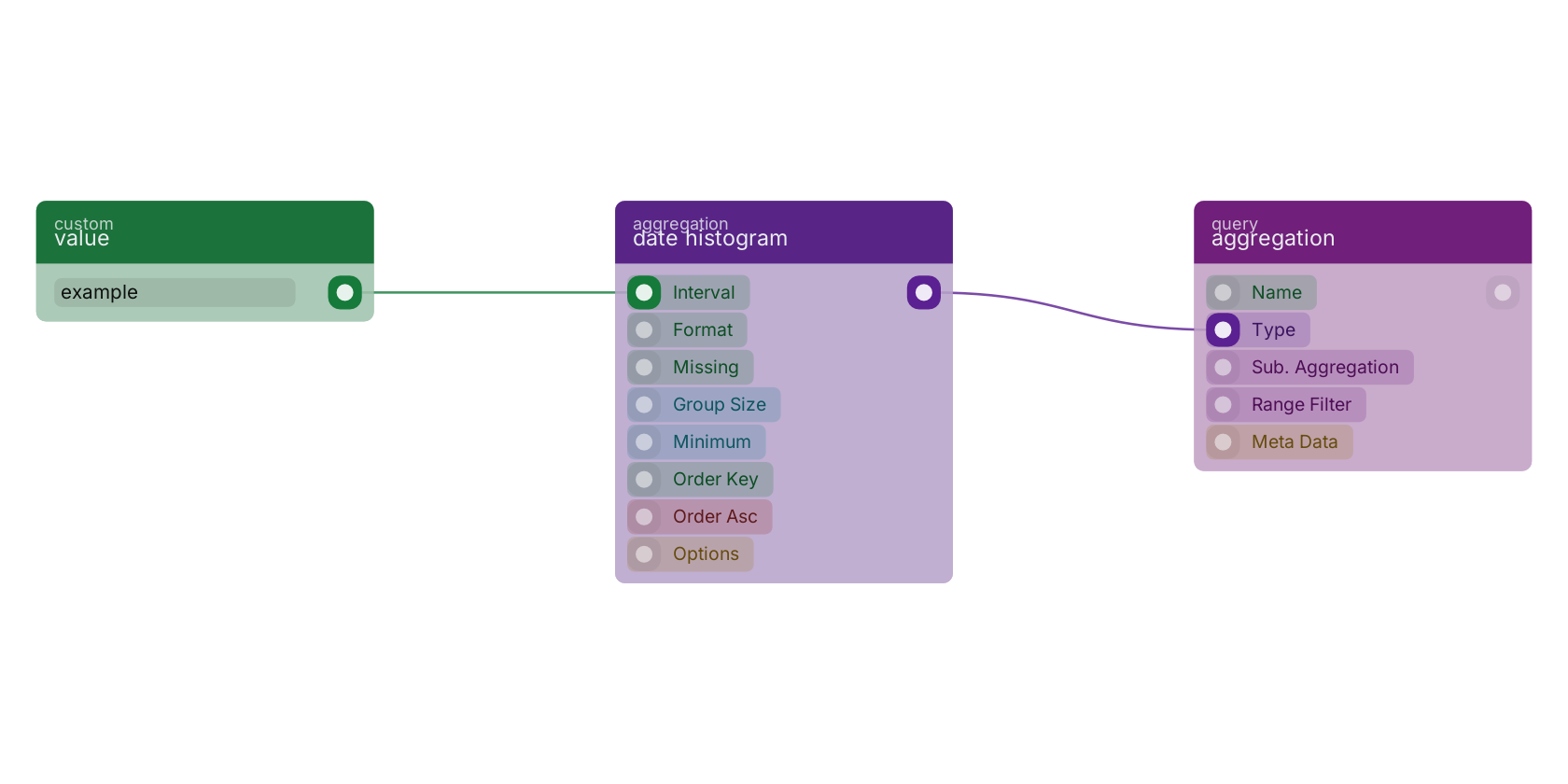
A typical wiring for date histogram: value feeds the interval pin; the aggregation out pin feeds aggregation.
Used in these guides
These documentation pages use or explain this block:
Version history
Introduced in v13.0.4.
Last modified in v13.0.3.
v9.3.2, click here to see the release notes. Back to
aggregation Return to the main group to view all sub-groups Back to aggregation Return to the group to view all blocks within this group